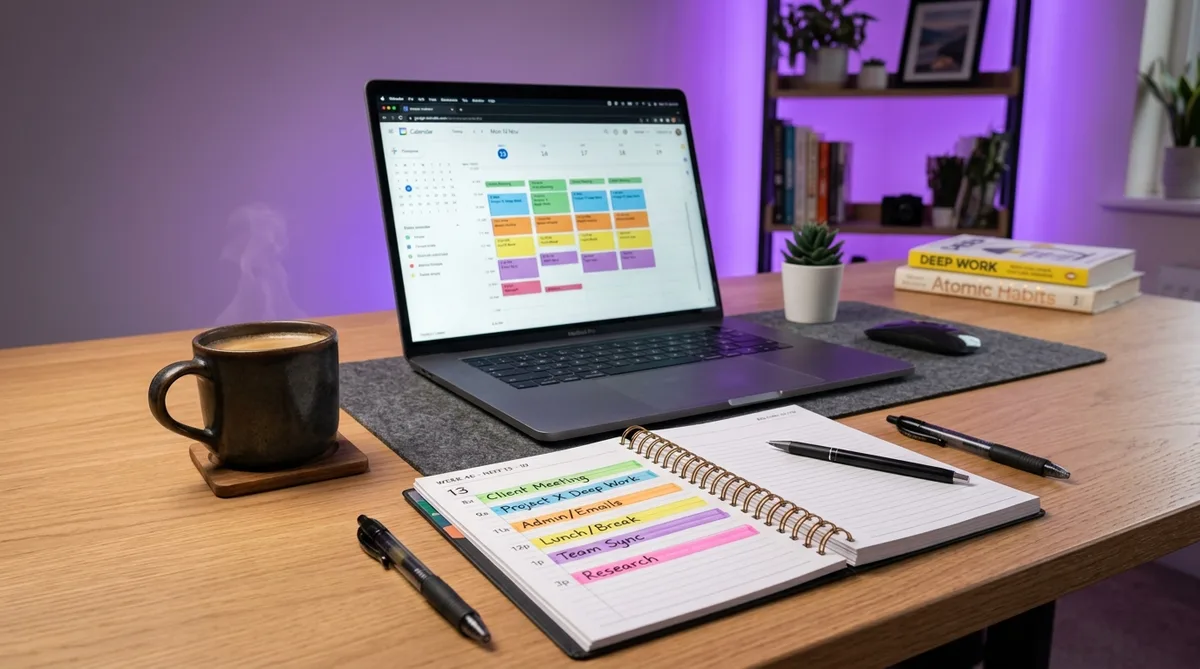
What Is Time Blocking?
Time blocking is a productivity method where you divide your entire workday into dedicated blocks of time, each assigned to a specific task or category of work. Instead of maintaining a to-do list and working through it reactively, you assign every hour a purpose before the day begins.
The concept is simple, but the impact can be dramatic. Cal Newport, computer science professor at Georgetown University and author of Deep Work, credits time blocking as the single most productive habit he has adopted — estimating it makes him up to 80% more productive. Elon Musk schedules his entire day in 5-minute increments, an extreme version of the same principle.
The science explains why it works. Research from the University of California, Irvine found that it takes an average of 23 minutes and 15 seconds to refocus after an interruption. Every time you switch between tasks — checking email, responding to Slack, glancing at your phone — you pay this context-switching penalty. Over a full day, those fragmented minutes add up to hours of lost deep work.
Time blocking attacks this at the root. By dedicating uninterrupted periods to single tasks, you eliminate the constant decision-making of "what should I work on next?" and replace it with a clear plan. That shift from reactive to proactive is what separates productive professionals from busy ones.
Time Blocking Techniques
Time blocking is not a one-size-fits-all method. Several variations have emerged, each suited to different work styles. Here are the five most effective approaches.
Traditional Time Blocking
The classic form involves scheduling every hour of your workday in advance. A typical day: deep work from 9:00 to 11:30, email and admin from 11:30 to 12:00, lunch from 12:00 to 1:00, meetings from 1:00 to 2:30, and another deep work session from 2:30 to 5:00.
The key principle is that nothing is left unscheduled. Even breaks and buffer time get their own blocks. When your 9:00 AM block starts, you do not need to decide what to work on — you already know. This works best for people who have reasonable control over their schedule and whose work mixes focused projects with routine tasks.
Task Batching
Task batching means grouping similar activities together into a single block. Instead of checking email every 20 minutes, you batch it into two or three dedicated windows. Instead of returning calls as they come in, you handle them all in one 30-minute afternoon block.
The logic is rooted in cognitive load. Every type of task requires a different mental mode — writing a report uses different muscles than responding to Slack. When you batch similar tasks, your brain stays in one mode longer, reducing switching costs. Common batches include communication (email, Slack, calls), creative work (writing, design), administrative tasks (expenses, scheduling), and meetings (stacked back-to-back rather than spread across the day).
Day Theming
Day theming takes batching to its extreme by dedicating entire days to a single type of work. Monday for strategic planning, Tuesday and Wednesday for client work, Thursday for content creation, Friday for meetings and admin.
Jack Dorsey popularized this approach while simultaneously running Twitter and Square — management on Monday, product on Tuesday, marketing on Wednesday, partnerships on Thursday, company culture on Friday. Day theming works well for founders, freelancers, and managers who juggle distinct responsibilities. The downside is that it requires enough flexibility to truly block entire days, and certain categories only get attention once or twice a week.
Pomodoro Technique
Developed by Francesco Cirillo in the late 1980s, the Pomodoro Technique uses 25-minute focused work intervals separated by 5-minute breaks. After four intervals, you take a longer 15- to 30-minute break. The cycle repeats throughout the day.
This technique is especially effective for people who procrastinate on large tasks. The 25-minute window is short enough to feel manageable but long enough to make real progress. You can also nest Pomodoros within larger time blocks — a 2-hour deep work session becomes four focused sprints with short breaks between them.
Energy-Based Blocking
Energy-based blocking means matching task difficulty to your natural energy levels. Most people peak in alertness during late morning (roughly 10:00 AM to 12:00 PM), dip after lunch, and experience a secondary peak in late afternoon. Schedule your most demanding work during peak windows. Routine tasks, meetings, and admin fill the low-energy periods.
Trying to do deep work at 2:00 PM when your energy is at its daily low is an uphill battle. Moving that same work to 10:00 AM — when your brain is naturally primed — can feel almost effortless. To use this approach effectively, spend a week rating your focus on a 1-to-5 scale every hour. The patterns will emerge quickly, letting you design a schedule that works with your biology instead of against it.
How to Start Time Blocking
You do not need to overhaul your entire workday. Start with these five steps and refine as you go.
- Audit your current time. Track your activities for one full week in 30-minute increments. Note when you are focused, distracted, and idle. Most people discover they spend far more time on email, meetings, and context switching than they realized.
- Identify your priorities. List your most important tasks for the week and separate them into deep work, collaborative work, and admin. Rank by importance, not urgency — time blocking protects what matters most, not what screams the loudest.
- Create your blocks. Start with your highest-priority deep work during peak energy hours. Add meetings and collaborative sessions. Fill gaps with admin, email, and breaks. Leave 20 to 30 percent of your day unscheduled as buffer for unexpected tasks.
- Protect your blocks. Close email during deep work. Set Slack to "Do Not Disturb." Let colleagues know you are available during specific windows. The blocks on your calendar are commitments to yourself — defend them like you would a meeting with your boss.
- Review weekly. Which tasks took longer than expected? Which blocks were consistently interrupted? Use this data to adjust next week's schedule. Time blocking is iterative — your first attempt will not be perfect, but it improves fast with regular reflection.
Best Tools for Time Blocking
You do not need specialized software — a basic calendar works. But the right tools make the process smoother.
Google Calendar is the most popular option. Color-code different work types (deep work in blue, meetings in yellow, admin in green) for an instant visual overview. Drag-and-drop makes rearranging blocks easy, and integration with Gmail and Meet keeps everything connected.
Notion suits people who want time blocking combined with project management. Build custom databases linking tasks to calendar views, track progress within each block, and create templates for recurring schedules. The learning curve is steeper, but the flexibility is unmatched.
Reclaim.ai takes time blocking further with AI-powered scheduling. It analyzes your tasks and habits, then automatically creates and adjusts blocks in Google Calendar. If a meeting runs long, Reclaim finds another slot for your displaced work. It is ideal for people who like the concept but struggle with manual maintenance.
Physical planners should not be overlooked. Writing blocks by hand engages a different kind of processing and can improve commitment. Brands like Panda Planner and Full Focus Planner offer hourly layouts designed specifically for this method.
Once your routine is established, time tracking tools can show how closely reality matches your plan. Tools like Toggl and RescueTime run in the background and record how you actually spend your time. Comparing tracked data against planned blocks reveals the gaps — where you planned 2 hours of deep work but only managed 45 minutes. For a deeper look at the best time tracking software in 2026, we have a full comparison guide.
Time Blocking for Remote Workers
Time blocking is valuable for anyone, but it is especially important for remote workers who face unique challenges that make unstructured days dangerous for productivity.
Without a commute to separate "home mode" from "work mode," remote workers struggle to start with focus. Time blocking provides the structure a physical office would otherwise create. When your calendar says 9:00 AM is for deep work, that block becomes your anchor — a signal to focus even when your environment pulls you elsewhere.
Slack messages, email notifications, and impromptu video calls create a stream of micro-interruptions that destroy focused sessions. Time blocking gives you permission to go silent during deep work. When your status reads "Focus Block — Available at 2:00 PM," colleagues learn to batch their questions. Similarly, stacking meetings into dedicated windows prevents the Swiss-cheese calendar problem — scattered 30-minute calls that leave gaps too short for real work.
There is also a less obvious challenge for remote workers subject to employee monitoring software. Many companies track mouse movement, keyboard activity, and application usage. If you spend a 20-minute block planning on paper or sketching architecture on a whiteboard, your monitoring software sees nothing — just idle time on your manager's dashboard.
This creates a real tension between how productive time blocking actually is and how it appears to monitoring tools. The most valuable blocked activities — thinking, planning, whiteboarding — happen away from the computer. For remote workers whose employers use monitoring tools, those offline blocks can look like inactivity.
This is where Trick Tack becomes relevant. It is a lightweight desktop application that maintains consistent activity while you step away — simulating natural mouse movements, keyboard input, scrolling, and application switching. If you are spending a time block on offline planning or a walking meeting, Trick Tack keeps your activity reports consistent so your dashboard reflects the productive work you are actually doing, just not at your desk. You can explore the full feature set in the documentation.
Try Trick Tack Free for 7 Days
Stay productive with time blocking. Keep your monitoring reports consistent when you step away.
DownloadFrequently Asked Questions
Does time blocking actually work?
Yes. A study from the Dominican University of California found that people who write down specific goals and schedule time for them are 42% more likely to achieve them. Cal Newport estimates time blocking makes him up to 80% more productive. The method works because it eliminates decision fatigue and reduces context switching, which UC Irvine research shows costs up to 23 minutes of recovery time per interruption.
How long should time blocks be?
For deep work like writing or coding, 90 to 120 minutes works best — this aligns with the body's natural ultradian rhythm. For admin, meetings, and email, 30 to 60 minutes is usually sufficient. If you are new to the method, start with 60-minute blocks and adjust. The Pomodoro Technique offers a 25-minute alternative for tasks that feel overwhelming.
What if my schedule changes constantly?
Build in buffer time. Reserve 20 to 30 percent of your day as open blocks for unexpected tasks and overflow. When something disrupts your plan, move the displaced block to an open slot rather than abandoning the schedule. The goal is not a rigid minute-by-minute plan — it is a flexible framework that ensures priorities get dedicated attention.
Is time blocking the same as time boxing?
Related but not identical. Time blocking reserves time for important work so it does not get crowded out. Time boxing adds a strict constraint: you stop when the time expires, whether or not the task is finished. Time boxing prevents perfectionism and scope creep. Many people use a hybrid — time block the day, then time box individual tasks within blocks to maintain momentum.
Is time blocking effective for remote workers?
Yes, and remote workers may benefit the most. Without the structure of a physical office, remote workers face more interruptions from household tasks, social media, and the blur between personal and work time. A Dominican University study found that people who schedule specific goals are 42% more likely to achieve them, and that effect is amplified when you work from home without a manager enforcing focus. Time blocking gives remote workers the external structure that an office provides automatically. It is also effective for hybrid schedules: block deep-work hours on remote days and leave in-office days open for meetings and collaboration. Teams that adopt shared time blocking report fewer unnecessary meetings and clearer expectations about when people are available versus heads-down.
What are the benefits of time blocking?
The core benefits are reduced decision fatigue, fewer context switches, and better follow-through on priorities. When your day is pre-planned, you do not waste energy deciding what to work on next. UC Irvine research shows each interruption costs roughly 23 minutes of recovery time, so protecting blocks from interruptions compounds into hours of saved focus per week. Other benefits include more accurate time estimates (you learn how long tasks really take), visible proof of how you spend your day (useful for remote workers whose managers track output), and a natural boundary between work and personal time. The main trade-off is reduced spontaneity, which is why most practitioners leave 20 to 30 percent of their day as buffer blocks for the unexpected.
Conclusion
Time blocking is one of the simplest productivity methods to understand and one of the most powerful to apply. Whether you use the traditional approach, batch tasks, theme entire days, follow Pomodoro, or schedule around your energy, the core principle is the same: give every hour a purpose before the day begins.
Start small. Block your three most important tasks tomorrow. Protect those blocks from interruptions. Review what worked at the end of the week. Over time, time blocking becomes less of a discipline and more of a habit.
For remote workers using monitoring software alongside time blocking, Trick Tack keeps your activity reports consistent during offline blocks — so you can plan, think, and recharge without worrying about idle-time gaps on your dashboard.
Try Trick Tack Free for 7 Days
Stay productive with time blocking. Keep your monitoring reports consistent when you step away.
Download

