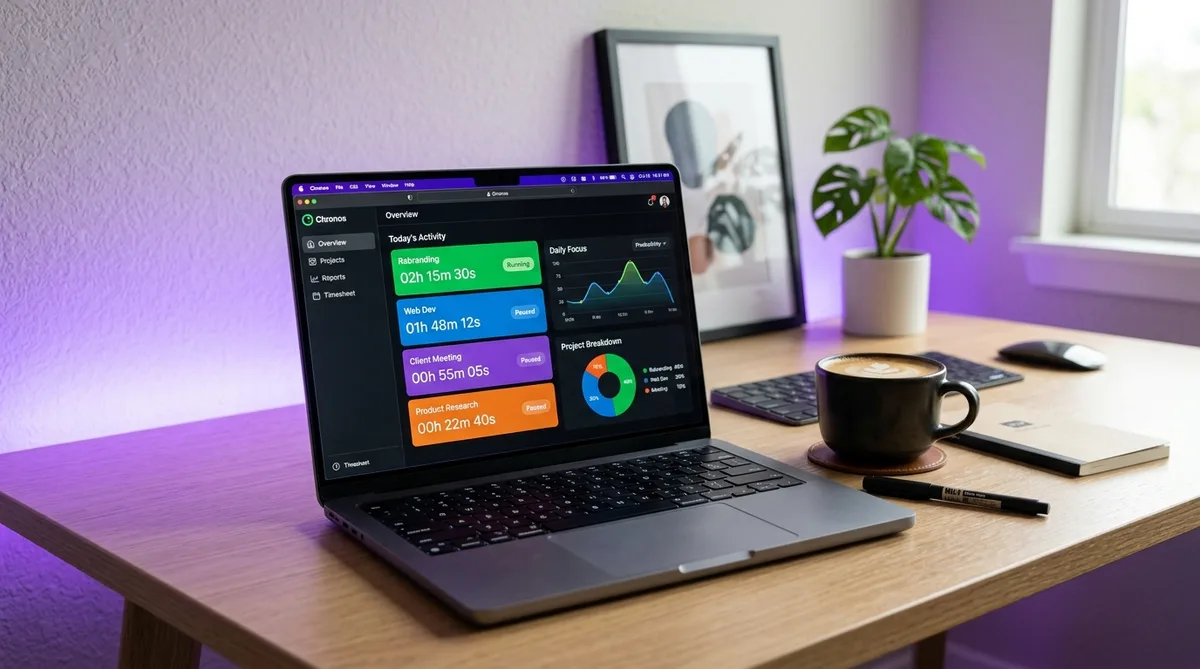
Why Mac Users Need Dedicated Time Tracking
Most time tracking tools are built for Windows first and ported to Mac as an afterthought. The Mac app is often a web wrapper — an Electron shell running Chrome under the hood — that drains your battery and ignores macOS conventions entirely.
A genuinely native Mac time tracker integrates with the features that make macOS productive in the first place: the menu bar for quick access, Spotlight for searching entries, Shortcuts and AppleScript for automation, and proper support for Apple Silicon chips without Rosetta translation overhead.
The difference matters more than you'd think. A native app uses less battery, launches faster, feels right alongside your other Mac tools, and respects system-level privacy controls like Screen Recording permissions and App Sandbox restrictions.
This guide covers 10 time tracking apps that work on macOS in 2026 — from fully native tools built exclusively for the Mac to cross-platform options with solid desktop clients. We'll break down pricing, features, and which type of user each one serves best.
Native Mac Apps vs. Web-Based Trackers
Before diving into individual apps, it helps to understand the two broad categories of Mac time trackers and what you're giving up or gaining with each.
Native macOS Apps
Built specifically for Mac using Swift or Objective-C. These apps run natively on Apple Silicon, live in your menu bar, support macOS features like Handoff and iCloud sync, and generally use less memory and battery than web-based alternatives.
- Pros: Faster performance, lower battery drain, deeper OS integration (menu bar, notifications, Shortcuts), offline-first operation
- Cons: Usually Mac-only or Mac-first, which can be a problem for mixed-OS teams. Often more expensive than web-based tools
- Examples: Timing, Tyme, Chronoid
Cross-Platform Desktop Apps
Built once, deployed everywhere using Electron or similar frameworks. These are essentially web apps wrapped in a desktop shell. They work on Mac, Windows, and Linux with the same codebase, which means broader team compatibility but less macOS polish.
- Pros: Works on any OS, usually cheaper or free, larger teams can use the same tool regardless of platform
- Cons: Higher memory usage (200-500 MB is common for Electron apps), no deep macOS integration, battery impact on laptops
- Examples: Toggl Track, Clockify, Harvest, Hubstaff
A third category — automatic trackers like Timing and Rize — sits somewhere in between. These run in the background, monitor which apps and websites you use, and categorize your time without you pressing any buttons. They require deeper OS access than a simple timer, which is why the best ones are Mac-native.
10 Best Time Tracking Apps for Mac
1. Timing — Best for Automatic Tracking
Timing is a Mac-exclusive app that tracks your time automatically by monitoring which application, document, or website is in the foreground. You never start or stop a timer — Timing runs silently in the background and builds a complete timeline of your workday.
At the end of the day (or week), you review the timeline and assign blocks to projects. Timing uses rules to learn your categorization patterns, so over time it handles most of the sorting automatically. It integrates with Calendar.app, supports Shortcuts for automation, and syncs via iCloud.
- Best for: Freelancers and solo workers who forget to start timers
- Platform: macOS only (no Windows, no mobile)
- Pricing: $11/mo (Professional), $17/mo (Expert), $22/mo (Connect — adds team features). 14-day free trial
- Standout feature: Automatic time capture with AI-powered project categorization
2. Toggl Track — Best All-Rounder
Toggl Track is the most popular time tracker globally, with a native Mac app that puts a one-click timer in your menu bar. The desktop app supports idle detection, Pomodoro timers, and offline tracking with automatic sync when you reconnect.
The free plan covers up to 5 users with unlimited projects and clients — generous enough for most freelancers and small teams. Paid plans add features like billable rates, project time estimates, scheduled reports, and a project dashboard.
- Best for: Teams of any size, especially mixed Mac/Windows environments
- Platform: macOS, Windows, Linux, iOS, Android, browser extensions
- Pricing: Free (up to 5 users), $9/user/mo (Starter), $18/user/mo (Premium). 30-day free trial on paid plans
- Standout feature: Calendar integration — drag to create time entries directly on a calendar view
3. Clockify — Best Free Option
Clockify offers one of the most generous free tiers in the market: unlimited projects and unlimited tracking with no time limits, for up to five users (Clockify capped its free plan at five users in 2026). The Mac desktop app includes a menu bar timer, idle detection, and auto-start options that begin tracking when you open your Mac.
The interface is straightforward — start a timer, add a description, assign it to a project, and stop when you're done. Reporting covers daily, weekly, and monthly summaries with filters by project, client, and tag. The free plan covers everything most individuals and small teams need.
- Best for: Budget-conscious teams and individuals who want full features for free
- Platform: macOS, Windows, Linux, iOS, Android, browser extensions
- Pricing: Free (up to 5 users), $3.99/user/mo (Basic), $5.49/user/mo (Standard), $7.99/user/mo (Pro), $11.99/user/mo (Enterprise)
- Standout feature: Cheapest paid tiers in the category
4. Harvest — Best for Invoicing
Harvest combines time tracking with invoicing and expense management in a single workflow. Track your hours, mark them as billable, generate a professional invoice from those hours, and collect payment through Stripe or PayPal — all without leaving the app.
The Mac app is lightweight and integrates with your menu bar for quick timer access. Harvest also connects to project management tools like Asana, Trello, Jira, and Basecamp, so you can start timers directly from your task board.
- Best for: Freelancers and agencies who bill clients by the hour
- Platform: macOS, Windows, iOS, Android, browser extensions
- Pricing: Free (1 user, 2 projects), $10.80/seat/mo (Pro — unlimited). 30-day free trial
- Standout feature: Time-to-invoice pipeline — generate and send invoices directly from tracked hours
5. Rize — Best for Productivity Coaching
Rize is an AI-powered time tracker that runs in the background and categorizes your work automatically, similar to Timing. The difference is Rize's focus: instead of billing, it's built around personal productivity. It scores your focus time, tracks breaks, monitors meeting load, and gives you daily and weekly productivity reports.
Rize also tracks which websites and apps you use, breaking them into "focused" and "distracted" categories. You get notifications when you've been on a distracting site too long, and weekly email summaries showing trends in your work habits.
- Best for: Knowledge workers who want to understand and improve their work patterns
- Platform: macOS, Windows
- Pricing: $16.99/mo or $9.99/mo billed annually. 14-day free trial
- Standout feature: AI focus score and daily productivity coaching notifications
6. Timely — Best for Teams with Automatic Tracking
Timely combines automatic time tracking with team management and project budgeting. Like Timing, it records everything in the background using a desktop app called "Memory." Unlike Timing, Timely is built for teams — it includes project planning, capacity management, and manager dashboards.
The AI drafts timesheets from your recorded activity, which you review and approve. This eliminates end-of-week timesheet filling while keeping humans in the loop for accuracy. Timely integrates with Outlook, Google Calendar, Slack, and project management tools like Jira and Asana.
- Best for: Mid-sized teams and agencies that want automatic tracking with oversight
- Platform: macOS, Windows, iOS, Android
- Pricing: $9/user/mo (Starter), $16/user/mo (Premium), $22/user/mo (Unlimited). 14-day free trial
- Standout feature: AI-drafted timesheets from automatic activity capture
7. RescueTime — Best for Distraction Blocking
RescueTime automatically tracks how you spend time on your Mac and categorizes everything as productive, neutral, or distracting. It runs passively in the background and gives you detailed reports on where your hours actually go — often revealing patterns you didn't notice.
The premium plan adds FocusTime, which blocks distracting websites and apps during scheduled focus sessions. You set goals (like "spend at least 4 hours on productive work") and RescueTime alerts you when you're falling behind. For a deeper look at all its features, see our full RescueTime review.
- Best for: Individuals who struggle with distractions and want data-driven accountability
- Platform: macOS, Windows, Linux, Android
- Pricing: Free (limited reports), $12/mo or $78/year (Premium). 14-day free trial
- Standout feature: FocusTime sessions that block distracting sites and apps across your Mac
8. Memtime — Best for Consultants
Memtime takes a unique approach: it captures your activity in the background (like Timing) but displays it as a vertical timeline alongside your calendar events. You see exactly what you were working on at every moment, then drag segments onto projects to create time entries.
The key selling point for consultants and professional services firms is that all data stays on your local machine — nothing goes to the cloud unless you explicitly sync to a connected time tracking tool like Harvest, Toggl, or an ERP system. This makes Memtime appealing for industries with strict data residency requirements.
- Best for: Consultants, lawyers, and professionals who need to reconstruct billable hours from a day's activity
- Platform: macOS, Windows
- Pricing: $14.50/user/mo (Essential), $19.90/user/mo (Pro), $26.90/user/mo (Business). 14-day free trial
- Standout feature: 100% local data storage with timeline-based retrospective time entry
9. Tyme — Best Lightweight Native App
Tyme is a Mac-native timer that lives in your menu bar and stays out of your way. It's built with SwiftUI, runs natively on Apple Silicon, and uses iCloud to sync between your Mac, iPhone, and Apple Watch. The interface is minimal — projects, tasks, and a one-click timer.
What sets Tyme apart is its simplicity. There's no team management, no invoicing, no AI categorization. It's a timer with clean reporting and a flat project hierarchy. If you want something that starts fast, uses almost no battery, and syncs across Apple devices without an account, Tyme fits.
- Best for: Solo users who want a simple, lightweight Mac-native timer
- Platform: macOS, iOS, watchOS (Apple ecosystem only)
- Pricing: One-time purchase from the Mac App Store — $9.99 (Tyme 3). No subscription
- Standout feature: One-time purchase with iCloud sync — no subscription, no account needed
10. Hubstaff — Best for Employee Monitoring
Hubstaff is a time tracker with built-in employee monitoring features: screenshots, activity levels based on keyboard and mouse input, app and URL tracking, and GPS for mobile workers. It's designed for managers who need to verify that remote employees are working during tracked hours.
The Mac desktop app runs in the background and captures screenshots at random intervals (configurable from every 1 to 10 minutes). Activity levels are calculated from keyboard and mouse movement, giving managers a percentage score for each work period. For a detailed look at how Hubstaff monitors, see our Hubstaff activity tracking guide.
- Best for: Remote team managers who need activity verification
- Platform: macOS, Windows, Linux, iOS, Android
- Pricing: $4.99/user/mo (Starter — 2 user min), $7.50/user/mo (Grow), $10/user/mo (Team), custom (Enterprise). 14-day free trial
- Standout feature: Screenshot capture and activity level monitoring for remote teams
Quick Comparison Table
| App | Type | Free Plan | Starting Price | Auto Tracking | Apple Silicon |
|---|---|---|---|---|---|
| Timing | Native Mac | No | $11/mo | Yes | Yes |
| Toggl Track | Cross-platform | Yes (5 users) | $9/user/mo | No | Yes |
| Clockify | Cross-platform | Yes (5 users) | $3.99/user/mo | No | Yes |
| Harvest | Cross-platform | Yes (1 user) | $10.80/seat/mo | No | Yes |
| Rize | Desktop app | No | $9.99/mo (annual) | Yes | Yes |
| Timely | Cross-platform | No | $9/user/mo | Yes | Yes |
| RescueTime | Cross-platform | Yes (limited) | $12/mo | Yes | Yes |
| Memtime | Desktop app | No | $14.50/user/mo | Yes | Yes |
| Tyme | Native Mac | No | $9.99 (one-time) | No | Yes |
| Hubstaff | Cross-platform | No | $4.99/user/mo | Yes (monitoring) | Yes |
Which App Is Best for You?
The right choice depends on how you work and what you need the data for.
Freelancers Billing Clients
If you bill by the hour and need to generate invoices, Harvest is the most streamlined option — track, invoice, and get paid in one tool. Timing is the better fit if you consistently forget to start timers, since it captures everything automatically and lets you sort it into projects later.
Solo Productivity
If you want to understand where your time goes without manual effort, Rize gives you a productivity score and coaching nudges. RescueTime adds distraction blocking on top of tracking. Both run passively — you don't interact with them during the day.
Small Teams (2-10 People)
Toggl Track is the safest choice — the free plan covers 5 users, the Mac app is solid, and it works for team members on Windows or Linux too. Clockify wins on price alone if you need more than 5 free seats.
Agencies and Professional Services
Timely handles automatic tracking at the team level with project budgets and capacity planning. Harvest is better if invoicing is your main concern. For consultants with data residency requirements, Memtime keeps everything on local machines.
Remote Team Management
If you're a manager who needs to verify activity — not just trust that hours were logged — Hubstaff is the clear pick. It captures screenshots, tracks activity levels, and integrates with payroll tools. For a broader look at monitoring tools, see our complete guide to employee monitoring software.
Just Need a Simple Timer
Tyme is the lightest option — a one-time $9.99 purchase with no subscription. It syncs across your Apple devices via iCloud, runs natively on Apple Silicon, and does exactly one thing well: track time against projects. If you also work on Linux machines, see our companion guide to the best time tracking software for Linux.
Automate Your Activity While Tracked
Trick Tack simulates natural mouse movements, keyboard input, and app switching to keep your time tracker active — even when you step away. Try it free for 7 days.
DownloadFrequently Asked Questions
What is the best free time tracking app for Mac?
Clockify is among the best free options for Mac. It offers unlimited projects on its free tier (now capped at five users), with a native macOS app that includes a menu bar timer, idle detection, and Pomodoro mode. Toggl Track also has a solid free plan with a native Mac app, likewise limited to five users. Both sync across devices, so you can track time on your Mac, iPhone, and in the browser.
Is there a Mac time tracker that works automatically without starting timers?
Yes — Timing is the gold standard for automatic time tracking on Mac. It runs in the background and categorizes everything you do based on the app, document, or website you're using. Rize and RescueTime also track automatically, but Timing is the only one that's Mac-exclusive and built entirely around macOS features like Spotlight integration and AppleScript support.
Do Mac time tracking apps work with Apple Silicon (M1/M2/M3/M4)?
All major time tracking apps for Mac now run natively on Apple Silicon. Timing, Toggl Track, Clockify, Harvest, and Rize all have universal binaries that run natively on M1, M2, M3, and M4 chips without Rosetta translation. This means better performance and lower battery impact compared to apps running through Rosetta emulation.
Which Mac time tracker is best for freelancers who bill clients?
Harvest is the top choice for freelancers who need time-to-invoice workflows. It combines time tracking with native invoicing, expense tracking, and payment collection through Stripe and PayPal — all from its Mac app. Toggl Track is a strong alternative if you need more detailed reporting, though invoicing requires their paid Track plan or a third-party integration.
Can I track time across multiple Mac apps automatically?
Timing tracks time across all Mac apps automatically by monitoring which application is in the foreground and categorizing your time into projects. Rize does something similar but focuses on productivity scoring rather than project-based billing. For manual tracking with deep Mac integration, Toggl Track and Clockify both offer menu bar widgets that let you start timers without leaving your current app.


