Why People Search for Veriato Cheats
Veriato sits in a different category from the time trackers most remote workers are used to. Tools like Hubstaff or DeskTime measure activity percentages and take screenshots. Veriato is insider risk management software — it was built to catch data theft, policy violations, and disengaged employees, and it brings AI-driven behavioral analysis to that job.
The company has been around for decades (it was formerly known as SpectorSoft, one of the original PC surveillance vendors), and its modern platform comes in two flavors: Veriato UAM for user activity monitoring and Veriato Cerebral, its AI-powered insider risk platform. Both collect data across more than 60 activity types on your endpoint — applications, websites, emails, chats, file movements, USB devices, print jobs, and more.
If your employer runs Veriato, every gap in your day is visible: the timeline shows when your machine went idle, your productivity score reflects how those active minutes were spent, and the analytics layer compares today's behavior against your own historical baseline. That is a lot of measurement pointed at the reality that real work does not happen at the keyboard 100% of the time. Phone calls, whiteboard sessions, reading printouts, or simply thinking through a problem all register as nothing.
That gap between real work and measured work is why people search for "how to cheat Veriato." This guide explains exactly what Veriato monitors, what its behavioral analytics actually do, what it costs in 2026, and how to maintain consistent activity reports when you step away. For the bigger picture across all platforms, see our umbrella guide on how to cheat time tracking software.
How Veriato Tracks Your Activity
Veriato's agent runs on the endpoint — your Windows or Mac machine — and continuously streams activity data to the company's dashboard or cloud. Here is what each layer of that monitoring looks like in practice.
AI Behavioral Analytics
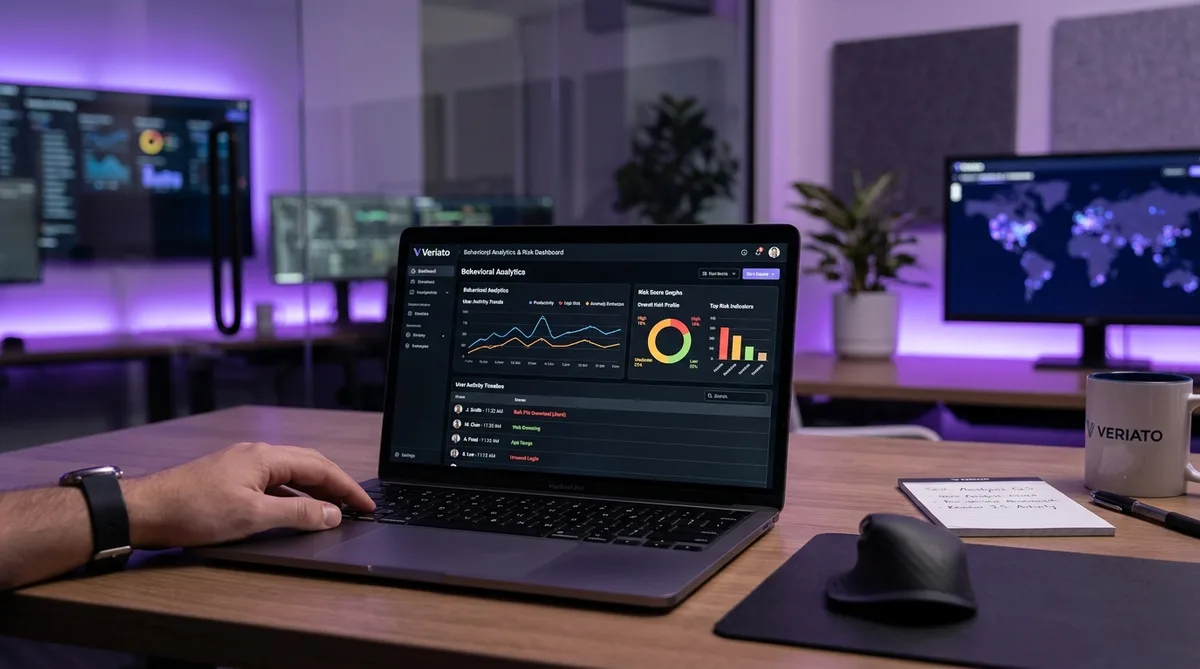
This is Veriato's headline capability and the thing that separates it from ordinary trackers. Instead of just logging what you do, Veriato's machine learning builds a behavioral baseline for each individual user: when you normally log on, which applications you typically use, how much you type, which files and servers you touch, and how your activity flows through a typical day.
Once that baseline exists, the system continuously scores your current behavior against it. Deviations raise your risk score and can trigger alerts to security teams or managers. Common anomaly triggers include:
- Unusual hours — activity at times you do not normally work
- Abnormal file access — touching folders, servers, or document volumes outside your usual pattern
- Application changes — a sudden shift in which tools you spend time in
- Activity volume shifts — a sharp drop or spike in typing, clicking, or app usage compared to your own history
The newest versions add generative AI on top: predictive risk scoring, pattern identification, and automatic flagging of sensitive data exposure. The practical takeaway for employees is simple but important — Veriato does not just measure whether you are active, it measures whether your activity looks like you.
Keystroke Logging
Veriato includes full keystroke logging, a feature most mainstream time trackers deliberately avoid. When enabled, it records what you type across applications — emails, chat messages, documents, search queries. Administrators can search the keystroke history during investigations, and keyword alerts can fire when specific terms are typed.
Keystroke data also feeds the behavioral model. Your typing volume and rhythm are part of your baseline, which means a day with mouse movement but zero keyboard input looks different from your normal pattern — something to keep in mind when we discuss activity simulation later.
Screenshots and Screen Recording
Veriato supports three screenshot modes, and the difference between them matters:
- Continuous — screenshots captured at regular intervals throughout the day, producing a near-complete visual record
- Keyword-triggered — a capture fires when specific words are typed or appear on screen (for example, a competitor's name or "resume")
- Activity-triggered — captures triggered by specific actions, such as visiting flagged websites, plugging in a USB drive, or opening certain applications
Triggered screenshots are what make Veriato's approach harder to anticipate than tools that snap a picture every ten minutes. You cannot predict when a capture will happen, because it depends on what you do — not on a timer. Screen recording (video playback of sessions) is also available for investigations.
Email, Chat, and Sentiment Analysis
Veriato monitors the content of emails and instant messages, including webmail and popular chat platforms. Beyond simply logging conversations, its psycholinguistic analysis tracks the tone and sentiment of your written communication over time.
The system is designed to flag shifts toward negativity or disengagement — language patterns that, in Veriato's model, precede resignation, policy violations, or data theft. It is a genuinely unusual capability: your employer's dashboard can surface not just what you wrote, but whether you sound less happy than you did last quarter. If that feels invasive, you are not alone — it is one of the most controversial features in the employee monitoring software industry.
Idle Time and Productivity Scoring
Alongside the security features, Veriato does conventional productivity tracking. It logs the minutes your computer is active versus idle during the workday, and combines that with app and website categorization to produce a productivity score per employee.
Idle detection works the way you would expect: no mouse or keyboard input for a configured threshold, and the timeline marks you as away. Managers see both the gaps and the score. Long or frequent idle stretches drag down your total active hours, and on the Veriato dashboard those gaps sit right next to your behavioral risk indicators — visible in one place.
File Movement, USB, and Printing
Because Veriato is fundamentally a data-loss-prevention tool, it watches how files move: downloads, uploads, copies to USB drives, transfers to cloud storage, and print jobs. Plugging in an external drive or printing a large document can itself trigger an alert or a screenshot capture. Web activity, network connections, and search history round out the picture — over 60 distinct activity types in total.
Veriato Pricing in 2026
Unlike consumer-friendly trackers with public price pages, Veriato sells through enterprise sales engagements and does not publish its pricing. Quotes depend on headcount, cloud versus on-premise deployment, and which product line you need. That said, here is what the market reports in 2026:
- Veriato UAM (user activity monitoring) — quoted per-seat, typically positioned against tools like Teramind and ActivTrak at the upper end of the market
- Veriato Cerebral (AI insider risk platform) — reported at approximately $25 per user per month, which works out to roughly $30,000 per year in licensing for a 100-person organization
- Professional services — deployment and configuration fees are common on top of licensing, along with annual minimum commitments
For comparison, mainstream employee trackers run $7–$15 per user per month. Veriato's premium pricing reflects its positioning: this is software bought by security and compliance teams, not just managers who want timesheets. If your company deployed it, they invested seriously in visibility.
Why Behavioral Analytics Changes the Game
Most monitoring tools answer the question "Was this person active?" A mouse wiggle every couple of minutes satisfies them. Veriato answers a harder question: "Does this person's activity look like their normal behavior?"
That distinction is what makes naive cheating approaches fail against it. Consider what a basic mouse jiggler produces: hours of small, uniform mouse movements, no keyboard input, no application switching, no scrolling, no content changes on screen. Against a percentage-based tracker, that reads as 100% active. Against a behavioral baseline, it reads as an anomaly — because no real person works that way, and more importantly, because you have never worked that way in the months of data Veriato has on you.
The same logic applies to other crude tricks. A script that presses the same key on a fixed interval creates a keystroke rhythm unlike any human typing pattern. Leaving a video playing keeps the screen changing but produces zero input activity. Each of these creates a mismatch between data streams that the analytics layer is specifically designed to notice.
This is the same direction the whole enterprise monitoring market is moving — Teramind applies comparable behavior rules and risk scoring, and ActivTrak markets itself on productivity insights rather than raw screenshots. Veriato is simply the furthest along the analytics path, and even budget tools like CleverControl now ship AI productivity scoring. The lesson: against behavioral monitoring, consistency and realism matter far more than raw activity volume.
How to Maintain Consistent Activity Under Veriato
Given everything above, maintaining a consistent activity profile under Veriato requires simulation that resembles genuine human work across every signal the agent collects — not just mouse movement. This is exactly the problem Trick Tack was built to solve.
Trick Tack is a lightweight desktop application that simulates natural computer activity while you are away from your desk. Unlike hardware jigglers or simple scripts, it generates the combination of signals that behavioral monitoring expects to see:
- Natural mouse movement — randomized, human-like cursor motion rather than mechanical repetition, so the movement stream does not look scripted. See the documentation for how the simulation engine works.
- Keyboard input simulation — realistic keystroke activity alongside mouse motion, keeping both input streams in balance the way your real workday does. Mouse-only activity is one of the easiest anomalies for Veriato to flag.
- Application switching — Trick Tack cycles focus between your open applications, so the foreground app history shows the variety of a working session instead of one static window for three hours.
- Scrolling simulation — scroll events through documents and pages add the final layer of realistic interaction, and keep on-screen content changing between any triggered screenshots.
- Adjustable intensity — you can tune how active each simulation type is, which lets you match the simulated activity level to your own normal pace — the thing Veriato's baseline actually measures.
A few practical tips specific to Veriato deployments:
- Open your normal work applications before stepping away. App switching only helps if the apps in rotation are the ones you genuinely use every day.
- Match your usual schedule. Behavioral analytics flag unusual hours, so simulated activity at 2 AM hurts more than it helps. Keep activity inside your established working pattern.
- Use it for breaks, not for days. Simulation keeps your timeline consistent through lunch, errands, and appointments. An entire week of simulated work produces no actual output, and no activity tool fixes that mismatch.
- Keep personal communication off the monitored machine. With keystroke logging and sentiment analysis in play, anything you type on a work device may be read and analyzed.
Used this way, Trick Tack keeps your idle timeline clean and your activity profile consistent with your own baseline — which is precisely what behavioral analytics checks for.
Stay Consistent Under Behavioral Monitoring
Veriato analyzes mouse, keyboard, app, and scroll patterns against your personal baseline. Trick Tack simulates all four — naturally. Try it free for 7 days.
DownloadFrequently Asked Questions
Does Veriato take screenshots?
Yes, Veriato captures triggered screenshots based on policy violations and suspicious activity, plus it supports continuous screen recording for full visual playback of employee sessions. Screenshots are tied to specific events flagged by the behavioral analytics engine, giving administrators visual evidence alongside activity data. TrickTack helps by maintaining realistic, varied input patterns during breaks so your screen content and activity signals stay consistent.
Can Veriato see everything I type?
If your employer has enabled keystroke logging, yes — Veriato records keystrokes across applications, including emails, chat messages, and documents. Not every deployment turns this feature on, because it raises significant privacy and compliance questions, but the capability is built into the agent. Keystroke data is searchable by administrators and can be reviewed during workplace investigations. Assume that anything typed on a monitored work device could be visible to your employer, and keep personal accounts and conversations on your own hardware.
Does Veriato run in stealth mode?
Veriato can be deployed in silent mode with no visible icon, tray indicator, or process name that obviously identifies it. This is a deliberate design choice inherited from its SpectorSoft origins, where the software was marketed for covert investigations. Many companies choose visible deployment for transparency and legal reasons, but stealth installation is supported. In most U.S. states employers can legally monitor company-owned devices without ongoing notification, though disclosure requirements vary by state and country.
Can Veriato detect mouse jigglers?
Veriato is one of the tools most likely to flag a basic mouse jiggler. Its behavioral analytics build a baseline of your normal activity patterns, so hours of uniform, repetitive mouse movement with no keyboard input, no application switching, and no content changes stands out as an anomaly. Hardware jigglers and simple scripts produce exactly that kind of unnatural pattern. Activity simulation needs to include varied mouse movement, keyboard input, scrolling, and app switching to resemble a normal working session.
How do I know if Veriato is installed on my computer?
Because Veriato supports stealth deployment, it can be difficult to confirm directly. Start with your employee handbook, IT policy, or onboarding documents — most companies disclose monitoring somewhere in writing, even when the agent itself is hidden. On a company-managed device, you generally will not have the admin rights needed to inspect running services, and attempting to remove monitoring software can violate IT policy. The safest assumption on any employer-owned machine is that activity may be monitored, and to treat the device accordingly.
Conclusion
Veriato is among the most sophisticated monitoring platforms deployed in 2026. Between keystroke logging, triggered screenshots, communication sentiment analysis, and AI behavioral baselines, it watches more signals — and correlates them more intelligently — than almost any mainstream time tracker.
That sophistication is exactly why simple tricks fail against it. The system is built to detect activity that does not look like you, which means consistency and realism are everything. Multi-layered simulation that covers mouse, keyboard, scrolling, and application focus — tuned to your normal pace and schedule — is the only approach that holds up against a behavioral baseline.
Trick Tack provides exactly that, in a lightweight app you can switch on whenever you step away. Your timeline stays clean, your input streams stay balanced, and your activity profile stays consistent with the months of data Veriato already has on you.
For more on enterprise-grade platforms, read our guides on how to cheat Teramind, how to cheat Kickidler (KeepActive), and how to cheat ActivTrak, or start with the complete overview of how to trick employee monitoring software.
Try Trick Tack Free for 7 Days
Simulate natural mouse, keyboard, scrolling, and app-switching activity to keep your Veriato reports consistent. Cancel anytime during your trial.
Download

