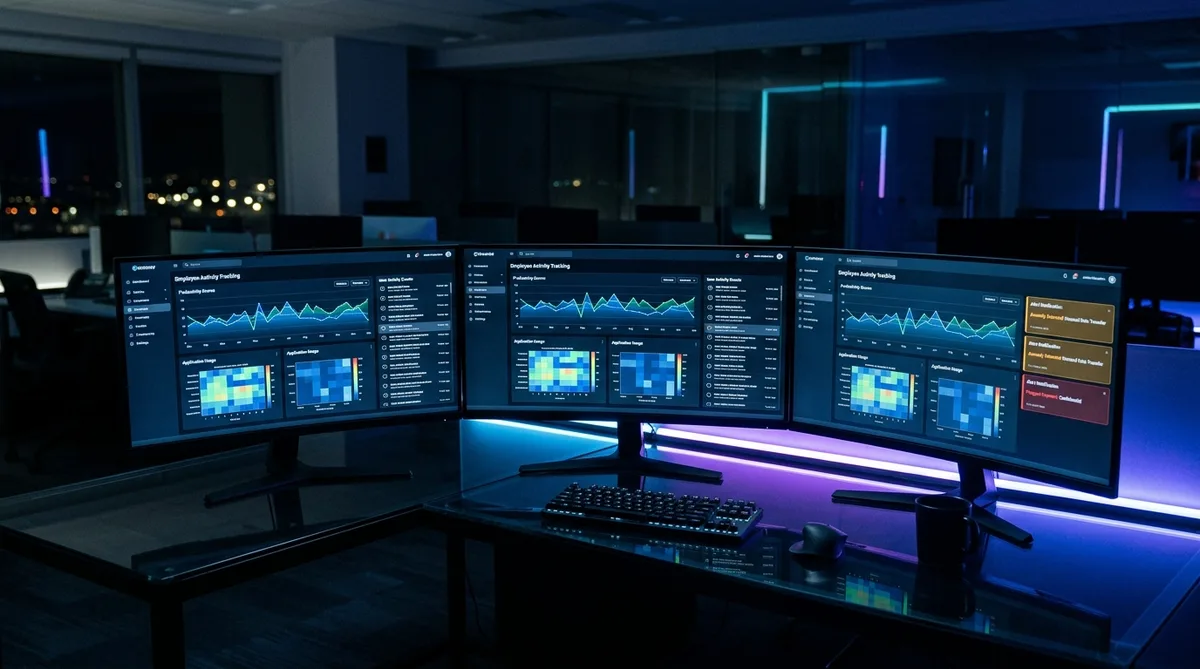
Why People Search for Teramind Hacks
Teramind is not your average time tracker. Where most employee monitoring tools focus on screenshots and activity percentages, Teramind goes several layers deeper — recording keystrokes, capturing continuous video of your screen, analyzing your behavioral patterns, and even scanning the content of your files and messages for sensitive data. It is one of the most comprehensive surveillance platforms available to employers in 2026, and for employees on the receiving end, it can feel overwhelming.
The search for a Teramind hack usually starts with a simple realization: every break, every moment of quiet thinking, and every personal task during the workday is being recorded in granular detail. A quick trip to the kitchen, a phone call with your doctor, or a few minutes reading the news — all of it shows up in your manager's dashboard as idle time, unproductive activity, or worse, flagged behavior.
That disconnect between how work actually happens and how Teramind measures it is exactly why people search for terms like "how to cheat Teramind." Most are not trying to avoid work — they want their reports to reflect their actual contribution rather than penalizing them for normal human behavior. If you are interested in how other monitoring tools compare, our guide on how to cheat time tracking software covers the broader landscape.
How Teramind Tracks Activity
Understanding exactly what Teramind monitors is essential before attempting to maintain consistent reports. Teramind operates at the operating system level, which means it sees far more than a typical browser extension or lightweight timer. Let us break down each tracking mechanism.
Screenshots and Video Recording
Teramind captures both periodic screenshots and continuous screen recordings of your desktop. Unlike tools such as Time Doctor that take screenshots at fixed or random intervals, Teramind can record your entire session as a video stream. This gives managers the ability to play back your workday like a movie, scrubbing through hours of footage to see exactly what was on your screen at any point. This continuous-video approach is shared by Kickidler (now KeepActive), which builds its entire monitoring model around full-day screen recording synced with keystroke logs.
Screenshots can be configured to capture at regular intervals or triggered by specific events like policy violations. On the Enterprise plan, captured images are searchable using optical character recognition (OCR), meaning administrators can search for specific text content within your screenshots and recordings. A screenshot every 10 minutes leaves gaps. A continuous video recording does not — and Teramind is not alone in closing them: InterGuard's continuous screenshots fire as often as every five seconds and play back as video too.
For the details of frame rate, live view, remote control, stealth agents, and which capture options your employer can switch on, see our employee guide: does Teramind take screenshots?
Keystroke Logging
On the UAM and DLP plans, Teramind includes full keystroke logging. Every key you press is recorded, along with the application and window title where the typing occurred. This means Teramind captures not just your work in documents and code editors, but also your Slack messages, email content, browser search queries, and anything else you type. This is content logging, not activity counting, and the difference decides what any workaround can do; our guide on how to beat keystroke monitoring explains which tools do which.
Keystroke data is stored with contextual metadata so administrators can see what you typed, where you typed it, and when. The system can also trigger alerts based on specific keywords or phrases. For employees, this means that even private conversations in messaging apps or personal browser searches are potentially visible to management. The Starter plan does not include keystroke logging, so the level of surveillance depends on which Teramind tier your employer has deployed.
Application and Website Monitoring
Teramind tracks every application you open and every website you visit, recording the time spent in each and monitoring which app is in the foreground. Administrators can categorize applications as productive, unproductive, or neutral — similar to other employee monitoring software. But Teramind goes further:
- Browser URLs — the full URL of every page you visit, not just the domain
- Document titles — the file name and window title of every document you work on
- Email metadata — sender, recipient, subject line, and content of emails sent and received
- Instant messages — content from Slack, Teams, and other messaging platforms
- Social media activity — posts, messages, and interactions on social platforms
- Printing activity — what documents are printed, when, and on which printer
This breadth of monitoring builds a remarkably detailed picture of your digital workday.
Data Loss Prevention
Teramind's DLP features set it apart from pure productivity trackers. The DLP module monitors data movement across your machine, watching for sensitive information being copied, transferred, or shared in unauthorized ways. This includes clipboard monitoring, file transfers to cloud storage and USB drives, content inspection that scans for sensitive data patterns like credit card numbers, data fingerprinting to track specific files, and automated policy enforcement that can block unauthorized actions in real time.
DLP is primarily a security feature, but it adds another dimension to Teramind's monitoring. Even if you are not concerned about productivity scores, the DLP module means that your file handling, clipboard usage, and data transfers are all under scrutiny.
Behavioral Analytics
This is where Teramind gets especially sophisticated. The platform's behavioral analytics engine — branded as brAIn — establishes baseline behavior patterns for each employee and then flags deviations from those patterns. Instead of just watching what you do, Teramind learns what your normal looks like and alerts administrators when something changes.
Behavioral analytics can detect unusual login times, sudden changes in application usage, shifts in communication patterns, anomalous data access, and more. Each employee receives a dynamic risk score based on their behavioral patterns, with higher scores triggering more detailed monitoring. This baseline-and-anomaly approach is becoming standard in enterprise monitoring — Veriato's behavioral analytics work on the same principle.
The implication for anyone looking to cheat Teramind is significant. Even if you can simulate basic activity, a sudden change in your usage patterns could trigger an alert. Consistency over time matters just as much as activity in the moment.
Idle Detection
Teramind's idle detection distinguishes between active time and idle time based on mouse, keyboard, and scrolling activity. When no input is detected for a configurable period, that time is marked as idle and your productivity metrics are adjusted accordingly.
Because Teramind monitors at the OS level, it can also detect the use of unauthorized jiggler software or hardware. Basic mouse movers and jigglers that move the cursor in repetitive patterns are relatively easy for the system to identify. The software looks for input signatures that deviate from natural human behavior — perfectly timed movements, uniform distances, and the absence of accompanying keyboard activity are all red flags. Frequent idle gaps or unusually long breaks are automatically surfaced in productivity reports.
Teramind Pricing in 2026
Teramind uses a per-user, per-month pricing model with a 5-seat minimum across all plans. Here is the current breakdown:
Starter — $14/user/month
The Starter plan covers the basics of activity monitoring without the more invasive features. It includes:
- Application and website monitoring
- Productivity tracking and categorization
- Screen capture at configurable intervals
- Active vs. idle time tracking
- Basic reporting and dashboards
- Policy and rules engine
With a 5-seat minimum ($70/month minimum spend), Starter is the most affordable entry point. It does not include keystroke logging, advanced DLP, or behavioral analytics.
UAM (User Activity Monitoring) — $28/user/month
The UAM plan adds deep surveillance capabilities on top of everything in Starter:
- Everything in Starter
- Keystroke logging across all applications
- Screen video recording (continuous, not just screenshots)
- Email and instant message monitoring
- Social media tracking
- Behavioral analytics and anomaly detection
- Advanced reporting and alerts
With a 5-seat minimum, UAM starts at $140/month. Annual billing saves approximately 8%. This is the most commonly deployed plan for organizations focused on productivity monitoring and insider threat detection.
DLP (Data Loss Prevention) — $32/user/month
The DLP plan includes everything in UAM plus comprehensive data protection:
- Everything in UAM
- Content inspection and data classification
- Data fingerprinting for tracking sensitive files
- Clipboard monitoring and control
- File transfer monitoring and blocking
- Automated policy enforcement
- Compliance reporting for GDPR, HIPAA, PCI-DSS
At $32/user/month (5-seat minimum, $160/month), DLP is Teramind's most feature-rich fixed-price tier. It is typically deployed in regulated industries like finance, healthcare, and government where data protection is legally required.
Enterprise — Custom Pricing
For large organizations, the Enterprise plan adds on-premise and private cloud deployment, advanced OCR for text recognition within screenshots and recordings, custom API integrations, and dedicated support. Pricing is negotiated directly with Teramind's sales team based on seat count and deployment requirements.
What Your Employer Actually Sees
Teramind gives managers one of the most detailed employee dashboards on the market. Understanding what your employer can access helps you gauge the level of scrutiny your workday receives.
Live screen view. Managers can watch your desktop in real time — no delay, no notification on your end. They see exactly what is on your monitor at that moment. This goes beyond periodic screenshots: it is a live window into your workday that can be opened at any time.
Session replay. Every minute of your workday is recorded as video that managers can play back like a movie. They can scrub to any point in the day and watch exactly what you were doing. On the Enterprise plan, this video is searchable via OCR — managers can search for specific text that appeared on your screen during the day.
Keystroke logs. On the UAM and DLP plans, every key you press is logged with the application context. Your manager can search these logs by keyword, application, or time range. If you typed a specific phrase in Slack at 2:15 PM, it is retrievable. Only the Starter plan excludes keystroke logging.
Behavioral risk scores. Teramind builds a behavioral baseline for each employee and assigns a risk score based on deviations from normal patterns. Sudden changes in your application usage, unusual data transfers, after-hours access, or activity patterns that diverge from your baseline all increase your risk score. Managers see a ranked list of employees by risk level — anyone with a high score gets extra attention.
Policy violation alerts. The DLP module monitors over 200 predefined rule templates for data handling. Copying a sensitive file to a USB drive, sending an attachment outside the company domain, or accessing restricted cloud storage triggers an instant alert. Some policies can block the action in real time before the transfer completes.
Productivity analytics. Beyond the security features, managers see standard productivity metrics: active vs idle time, app categorization, focus time, and daily productivity percentages. These are broken down by individual, team, and department. Trend lines show how your productivity has changed week over week.
How to Maintain Consistent Activity
Given the depth of Teramind's monitoring, maintaining consistent activity reports requires a tool that goes well beyond basic mouse movement. Trick Tack is a desktop application designed to simulate natural human activity patterns across multiple input types. Unlike a basic mouse jiggler that Teramind can easily detect, Trick Tack generates varied, realistic activity that addresses each layer of monitoring.
How Trick Tack Addresses Teramind's Monitoring
Here is how Trick Tack handles each of Teramind's tracking mechanisms:
- Mouse movement simulation — Trick Tack generates randomized, natural mouse movements with varying speeds, directions, and pauses. Unlike hardware jigglers that repeat the same pattern, Trick Tack's movements mimic genuine human behavior, making them far harder for behavioral analytics to flag. This keeps Teramind's idle timer from triggering.
- Keyboard input simulation — Since Teramind logs keystrokes, a user profile showing zero keyboard activity alongside constant mouse movement is suspicious. Trick Tack simulates realistic keyboard inputs to maintain a balanced activity profile across both input methods. You can read more about how these features work in the documentation.
- Application switching — Teramind tracks which application is in the foreground and categorizes your time accordingly. Trick Tack can cycle between open applications, keeping productive tools in focus. If you leave VS Code, Slack, and your browser with work-related tabs open before stepping away, Trick Tack rotates through them to build a natural foreground app profile.
- Scrolling simulation — Real work involves scrolling through documents, code, and web pages. Trick Tack includes scroll simulation to add yet another layer of realistic behavior to the activity pattern Teramind records.
The key advantage over improvised solutions is that Trick Tack varies its behavior over time. Teramind's behavioral analytics engine looks for patterns and anomalies. A tool that generates the same activity loop every 30 seconds will eventually look artificial. Trick Tack's randomized timing and varied input types are designed to avoid that kind of detection.
Tips for Teramind-Monitored Environments
- Keep productive apps in the foreground — Before stepping away, make sure your active window is a work-related application. Teramind categorizes time based on the foreground app.
- Keep personal activity off your work machine — If screen recording is enabled, your desktop is being visually captured. Use a personal device for anything private.
- Understand your plan's features — Starter does not include keystroke logging; UAM and DLP do. Knowing your plan helps you understand what is being captured.
- Maintain consistency — Teramind's behavioral analytics flag sudden changes. Aim for consistent activity levels day-to-day rather than dramatic swings.
If you are dealing with other monitoring tools alongside Teramind, our complete guide to employee monitoring software covers strategies for every major platform. For a direct matchup against a privacy-first analytics tool, see our Teramind vs ActivTrak comparison.
Keep Your Teramind Reports Consistent
Trick Tack simulates natural mouse movements, keyboard input, scrolling, and app switching — designed to address the multi-layered monitoring that Teramind uses. Try it free for 7 days.
DownloadWhat Reddit Says About Cheating Teramind
Searches for "how to cheat Teramind Reddit" turn up a noticeably more cautious tone than the threads about lighter tools, and for good reason — Teramind is the most invasive monitor most employees will ever encounter. Here is the recurring advice, and the reality behind it.
- "Do not bother with a mouse jiggler." The most common warning, and it is accurate. Teramind monitors at the OS level and specifically looks for the perfectly-timed, click-free movement a basic jiggler produces. Reddit is right that single-signal tools are a fast way to get flagged here.
- "Assume the screen is being recorded." Correct on higher tiers. Teramind can record video and log keystrokes, so advice built around "they only see screenshots" does not apply — the safer assumption is continuous capture.
- "Find out which policies your admin actually enabled." The most useful thread advice. Teramind is highly configurable, and what it watches varies enormously between deployments; knowing whether keystroke logging or video is on changes everything.
- "Realistic variation is the only thing that survives." The community consensus for the tools that behave like Teramind: anything repetitive or perfectly regular is exactly what the behavior rules are tuned to catch.
That last point is the same conclusion this guide reaches. Against a behavior-analytics tool, the goal is not to defeat one signal but to avoid producing the artificial, uniform patterns its detection is built around.
Frequently Asked Questions
Does Teramind take screenshots?
Yes, and Teramind goes well beyond periodic screenshots. It captures triggered screenshots based on policy violations, records continuous screen video throughout the workday, and offers live screen viewing so managers can watch your desktop in real time. This makes Teramind one of the most visually invasive monitoring tools available. TrickTack helps by keeping realistic app switching and input activity running during breaks, so both the video timeline and any screenshots show natural work behavior.
Can Teramind detect mouse jigglers?
Teramind monitors at the operating system level and can detect basic mouse jiggler hardware and simple automation scripts. The software analyzes input patterns for signs of artificial activity, such as perfectly repetitive mouse movements or unnaturally consistent timing between inputs. Basic jigglers that move the cursor in predictable loops are relatively easy for Teramind to flag. More sophisticated activity simulation that varies input types, timing, and includes realistic app switching is significantly harder to distinguish from genuine human behavior.
Does Teramind record everything I type?
On the UAM and DLP plans, Teramind includes full keystroke logging that records every key pressed across all applications, including emails, chat messages, documents, and web forms. The Starter plan does not include keystroke logging. When active, keystroke data is associated with the specific application and window title where the typing occurred, giving administrators detailed context. Some organizations configure Teramind to exclude password fields or specific applications from keystroke capture for privacy reasons, but this depends entirely on your company's configuration.
Can I tell if Teramind is installed on my computer?
Teramind can run in either visible or hidden mode depending on how your employer configured it. In visible mode, you will see a Teramind icon in your system tray and may receive notifications about monitoring. In hidden (stealth) mode, the software does not appear in the system tray, the Start menu, or the standard Add/Remove Programs list. It runs as background processes with generic names that do not obviously identify it as monitoring software. Checking Task Manager for unusual processes or reviewing network traffic for connections to Teramind's servers are potential indicators, but the hidden mode is designed to be difficult to detect.
Does Teramind track activity outside of work hours?
Teramind tracks activity whenever the agent is running on your computer. Most organizations configure monitoring schedules that align with business hours, but this is an administrative setting that varies by company. If your employer has not defined a specific monitoring schedule, Teramind will record activity at all times the computer is on. Some companies enable 24/7 monitoring for compliance reasons, especially in regulated industries like finance or healthcare. You can check with your IT department about your organization's specific monitoring schedule.
What is the difference between Teramind's UAM and DLP plans?
The UAM (User Activity Monitoring) plan focuses on tracking employee productivity and behavior. It includes keystroke logging, screen recording, application and website monitoring, email monitoring, and behavioral analytics. The DLP (Data Loss Prevention) plan includes everything in UAM plus advanced data protection features like content inspection, data fingerprinting, clipboard monitoring, file transfer tracking, and automated policy enforcement to prevent sensitive data from leaving the organization. If your employer only needs to track productivity, they are likely on the UAM plan. If they are concerned about data security and compliance, they will use the DLP plan.
How does Teramind's behavioral analytics detect cheating?
Teramind builds a behavioral baseline for each employee over the first few weeks of monitoring. It learns your typical application usage patterns, typing speed and rhythm, mouse movement characteristics, active hours, and break patterns. Once the baseline is established, the system flags deviations: a sudden shift to mouse-only activity when you normally type frequently, activity at unusual hours, or input patterns that are too regular to be human. The behavioral analytics engine specifically looks for automation signatures — perfectly timed keystrokes, uniform mouse distances, and repetitive loops that suggest a script or jiggler rather than a person.
Can Teramind monitor personal devices on the same network?
No. Teramind only monitors devices where its agent software is installed. It cannot see your personal phone, tablet, or home computer unless your employer has installed the Teramind agent on that device. However, if you use your personal device to access company systems (like a VPN or web-based tools), those sessions are not monitored by Teramind unless the agent is running on that device. Keep personal activity on personal devices — Teramind cannot reach across to unmanaged machines.
Conclusion
Teramind is one of the most aggressive employee monitoring tools available in 2026, combining screenshots, continuous video recording, keystroke logging, behavioral analytics, and data loss prevention into a single platform. Basic hacks like mouse jigglers or simple scripts are unlikely to work and may even be detected.
Trick Tack addresses each layer of Teramind's monitoring by simulating natural mouse movements, keyboard inputs, scrolling, and application switching with randomized patterns that resist behavioral analysis. Whether you are taking a lunch break or need a mental reset, Trick Tack keeps your Teramind dashboard looking consistent.
For more strategies on specific monitoring platforms, check out our articles on how to cheat Time Doctor and our comprehensive guide to cheating time tracking software. You can also read our full Teramind review for an honest look at its features, pricing tiers, pros, cons, and how it compares to alternatives, or see how its full surveillance stacks up against a lighter analytics tool in our Teramind vs Insightful comparison.
Try Trick Tack Free for 7 Days
Simulate natural mouse, keyboard, and app-switching activity to keep Teramind reports looking consistent. Cancel anytime during your trial.
Download

