Introduction
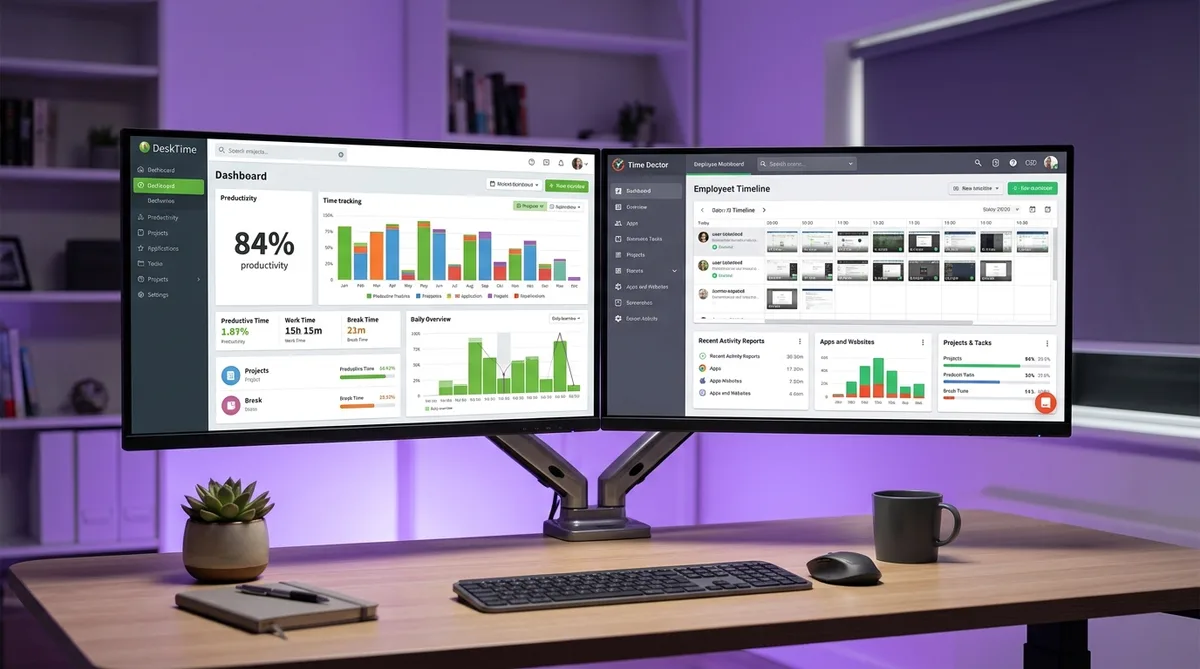
When a company shops for time tracking software, two names land on almost every shortlist: DeskTime and Time Doctor. Both automatically record how employees spend their working hours, both calculate productivity, and both have spent more than a decade refining their dashboards. On paper, they look like close cousins.
They are not. DeskTime and Time Doctor sit at opposite ends of the monitoring spectrum. DeskTime leans toward quiet, analytics-first tracking — it watches in the background and turns your day into charts. Time Doctor leans toward active oversight — screenshots on every plan, distraction pop-ups, and even video recording of your screen. The gap between "measured" and "policed" is wider than the marketing pages admit.
That difference matters whether you are a manager choosing a tool or an employee who just learned one of these is being installed on your work laptop. The level of surveillance varies not only between the two products but between their pricing tiers — a nuance most comparisons skip right over.
This guide breaks down exactly what each tool records, compares pricing tier by tier, and explains which one watches you more closely. For a wider view of how these platforms operate, start with our complete guide to employee monitoring software.
DeskTime Overview
DeskTime launched in 2011 out of Latvia and has grown into one of the most widely used automatic time trackers, with a strong following among agencies, startups, and productivity-focused teams. Its pitch is straightforward: install it once, and it tracks everything automatically — no timers to start, no tasks to clock into. For a full breakdown of features, pricing, and alternatives, see our DeskTime review.
Key Features
- Automatic time tracking — Starts the moment the computer turns on and runs silently in the background. No manual start/stop required.
- App and URL tracking — Logs every application and website used, then sorts each one as productive, unproductive, or neutral. Managers can customize those labels per role.
- Productivity calculation — Turns the categorized activity into a single productivity percentage for each person and team.
- Document title tracking — Records the titles of documents and files opened during tracked time for deeper context.
- Idle time tracking — Separates "time at computer" from "productive time," so breaks and away-from-keyboard gaps show up clearly.
- Screenshots — Optional automatic screen captures, available only on the Premium and Enterprise plans.
- Project tracking and cost calculation — Assigns time to projects and estimates labor cost based on tracked hours.
- Absence calendar and shift scheduling — Built-in attendance, time-off, and shift planning on higher tiers.
- Pomodoro timer — Reminds users to take breaks, reinforcing DeskTime's work-life-balance positioning.
Who Uses It
DeskTime is popular with creative agencies, software teams, and small-to-mid-size businesses that want visibility into where time goes without turning the workplace into a surveillance operation. The automatic, set-and-forget design appeals to teams that dislike fiddly manual timers, and the productivity analytics make it a favorite for managers who think in terms of efficiency rather than policing.
Monitoring Philosophy
DeskTime markets itself around productivity and balance rather than control. Screenshots are off by default and locked to higher tiers, employees can see their own data, and the Pomodoro reminders frame the product as a wellbeing tool. That said, when an admin enables every feature, DeskTime still produces a detailed minute-by-minute record of the workday. To see exactly how it measures activity, read our DeskTime tracking guide.
Time Doctor Overview
Time Doctor, founded in 2012, positions itself as a workforce analytics platform built to maximize productivity through close measurement. Where DeskTime watches quietly, Time Doctor is designed to understand every minute of the workday — and to nudge employees the moment they drift off task.
Key Features
- Time tracking — Task-level tracking in two modes: interactive (the user starts and stops timers) or silent (fully automatic in the background).
- Screenshots — Configurable captures every 3, 9, 15, or 30 minutes, included on every plan with no monthly cap.
- Video screen recording — Continuous video of the employee's screen on the Premium plan, a step beyond isolated snapshots.
- Web and app monitoring — Logs every site and application, categorizes them as productive or unproductive, and measures active time per app (Standard and above).
- Productivity ratings — Combines monitoring data into a composite score for each employee.
- Distraction alerts — Real-time pop-ups that appear when a worker lingers on a site flagged as unproductive, actively interrupting them.
- Unusual activity detection — Flags anomalies such as repetitive input or signs of automation tools (Premium).
- Payroll and integrations — Pay calculation plus 60+ integrations on Standard and above.
Who Uses It
Time Doctor is widely adopted by BPO firms, call centers, and large distributed teams — organizations where managers need to confirm that hundreds of people stay on task during their shifts. It is also common with outsourcing companies that bill clients for work and need granular proof-of-work documentation.
Monitoring Philosophy
Time Doctor's approach is openly interventionist. The distraction pop-ups interrupt people in real time, the productivity rating reduces each person to a number, and unusual activity detection exists specifically to catch employees trying to game the system. The company leads with a "productivity boost" promise, which signals exactly where its priorities sit. For a full breakdown of what it captures, see our Time Doctor guide and our detailed Time Doctor review.
Feature Comparison
Here is where the two tools separate. The table below compares every major tracking capability so you can see exactly what each platform records.
| Tracking Feature | DeskTime | Time Doctor |
|---|---|---|
| Time tracking mode | Fully automatic; starts with the computer | Interactive (manual) or silent (automatic) |
| Screenshots | Premium and Enterprise only; configurable | All plans, no cap; every 3, 9, 15, or 30 min |
| Video screen recording | Not available | Continuous video on Premium |
| Activity measurement | Keyboard/mouse activity feeds the productivity % | Keyboard/mouse counts for active vs. idle time |
| App and URL tracking | All plans; categorized productive/unproductive/neutral | Standard and above; categorized and timed per app |
| Distraction alerts | Not available | Real-time pop-ups on flagged non-work sites |
| Productivity scoring | Productivity percentage per person/team | Composite productivity rating from all data |
| Unusual activity detection | Not available | Flags repetitive patterns and automation (Premium) |
| Idle detection | Logs idle time separately from productive time | Detects idle time; can prompt or pause tracking |
| Scheduling and payroll | Absence calendar and shift scheduling (Premium) | Scheduling and payroll (Standard and above) |
The pattern is clear. DeskTime concentrates on passive measurement — it categorizes your activity and scores it, but it does not interrupt you or record your screen as video. Time Doctor layers on active surveillance and intervention: screenshots from the cheapest plan, distraction pop-ups, screen recording, and anomaly detection are all things DeskTime simply does not do.
Both measure keystrokes and mouse movement the same way — counting them to gauge activity, not logging the actual keys you press. Neither is a traditional keylogger.
Pricing Comparison
Pricing only makes sense alongside features, because the cheaper tool is not automatically the better value. Here is what each plan costs and what tracking it unlocks.
DeskTime Pricing (per user/month)
| Plan | Price | Tracking Included |
|---|---|---|
| Pro | $7 ($6.42 annual) | Automatic tracking, app/URL tracking, productivity calculation, projects — no screenshots |
| Premium | $10 ($9.17 annual) | Everything in Pro + screenshots, absence calendar, shift scheduling, integrations & API |
| Enterprise | Custom (200+ users) | Everything in Premium + custom API, onboarding/training, dedicated account manager |
Time Doctor Pricing (per user/month, billed annually)
| Plan | Price | Tracking Included |
|---|---|---|
| Basic | $6.70 | Time tracking, unlimited screenshots, project tracking (3-month data retention) |
| Standard | $11.70 | Everything in Basic + productivity ratings, web/app monitoring, scheduling, payroll, 60+ integrations (6-month retention) |
| Premium | $16.70 | Everything in Standard + video screen recording, unusual activity detection, SSO, open API (2-year retention) |
At the entry level, the two are almost the same price — DeskTime Pro at $7 versus Time Doctor Basic at $6.70 — but you get very different things. Time Doctor Basic already includes unlimited screenshots; DeskTime Pro has none. To get screenshots on DeskTime, you have to jump to Premium at $10, which is more expensive than Time Doctor's screenshot-equipped Basic tier.
At the mid and top tiers, Time Doctor climbs faster: Standard at $11.70 and Premium at $16.70 reflect the heavier feature set — productivity ratings, video recording, and anomaly detection. DeskTime tops out lower for most teams, with Premium at $10 and custom Enterprise pricing reserved for organizations of 200+ users.
Both tools offer a 14-day free trial, and neither has a permanent free plan in 2026. As always, pricing shifts over time — verify current rates on each vendor's site before signing an annual contract. For a wider set of options, see our roundup of the top time tracking tools.
Which Tracks More?
The short answer: Time Doctor tracks more, and more aggressively.
Both tools categorize apps, score productivity, and measure active versus idle time. But Time Doctor goes further in ways that matter to anyone sitting at a computer all day:
- Screenshots from the cheapest plan — Time Doctor captures your screen on every tier, with no cap. DeskTime takes none until you reach the $10 Premium plan.
- Video screen recording — Time Doctor Premium records continuous video of your screen. DeskTime offers nothing like it at any price.
- Distraction pop-ups — Time Doctor actively interrupts you with real-time warnings about non-work browsing. DeskTime logs your sites silently and never confronts you.
- Unusual activity detection — Time Doctor Premium hunts for repetitive or automated input patterns. DeskTime has no anomaly detection at all.
DeskTime is the lighter tool by design. It will tell your manager how productive you were and where your time went, but it does so passively — it measures, it does not police. Time Doctor is built to maximize visibility and intervene in real time, which makes it the heavier monitor for remote and desk-based workers.
If you want to see how Time Doctor stacks up against another heavy hitter, our Hubstaff vs Time Doctor comparison covers that matchup in detail.
Stay Active Under Any Time Tracker
Trick Tack simulates natural mouse movement, keyboard input, and app-switching to keep your activity reports consistent while you step away from your desk.
DownloadPros and Cons
DeskTime Pros
- Lighter footprint — No screenshots until Premium, no video recording, no distraction pop-ups.
- Truly automatic — Starts with the computer; nothing to remember to switch on.
- Clear productivity analytics — Productive/unproductive/neutral categorization rolled into a simple percentage.
- Work-life-balance framing — Pomodoro timer and balance metrics encourage healthier routines.
- Lower top-tier cost — Premium at $10 covers most teams without enterprise pricing.
DeskTime Cons
- Screenshots cost more — Locked behind the $10 Premium tier rather than included at entry level.
- No real-time intervention — Managers wanting active nudges or alerts will not find them here.
- No video recording — Only categorized activity and optional screenshots.
- No free plan — Just a 14-day trial.
Time Doctor Pros
- Unlimited screenshots on all plans — Even the cheapest Basic tier captures your screen with no cap.
- Distraction alerts — Real-time pop-ups that discourage non-work browsing.
- Video screen recording — Continuous capture for full context on Premium.
- Productivity ratings — A single composite score per employee.
- Unusual activity detection — Flags patterns that suggest automation or gaming the system.
Time Doctor Cons
- More intrusive by design — Pop-ups and scoring can feel punitive and erode trust.
- Climbs in price — Standard ($11.70) and Premium ($16.70) cost more than DeskTime's equivalents.
- Retention varies by plan — Basic keeps data only 3 months, Standard 6 months, Premium 2 years.
- Storage-heavy recording — Video capture generates far more data than screenshots.
- No free plan — Only a 14-day trial.
Managing Your Activity with Either Tool
Whichever tool your employer picks, the core mechanic is the same: both DeskTime and Time Doctor measure keyboard and mouse activity to decide whether you are working. Step away for a call, a meeting, or a coffee, and your activity drops — DeskTime's productivity percentage dips, and Time Doctor's idle detection and distraction tracking take note.
This is where Trick Tack helps. Trick Tack is a lightweight desktop app that simulates natural human activity — mouse movement, keyboard input, scrolling, and app-switching — so your tracked time stays consistent while you are away from the keyboard. Because both tools measure the same inputs, the same approach works for each. You can see exactly which behaviors it produces in our documentation.
How Trick Tack Works
- Mouse simulation — Natural, randomized cursor movement that mimics real browsing.
- Keyboard simulation — Keystroke activity at human-like intervals.
- App switching — Cycles between open applications to simulate multitasking.
- Scrolling — Page scrolling inside active windows.
The randomized, varied nature of that input matters. A basic hardware mouse jiggler repeats one identical motion, which is exactly the kind of pattern Time Doctor's unusual activity detection is built to flag. Natural, varied movement reads as ordinary work instead. For tool-specific tips, see our dedicated guides on staying active in DeskTime and staying active in Time Doctor, plus our umbrella guide on cheating time tracking software.
Frequently Asked Questions
Does DeskTime take screenshots?
Yes, but only on the Premium and Enterprise plans. DeskTime's automatic screenshot feature is locked behind the $10/user Premium tier and is not available on the cheaper Pro plan. Admins can configure how often captures are taken, and the feature can be turned off entirely. This is a key difference from Time Doctor, which includes screenshots on every plan, including its cheapest Basic tier.
Is Time Doctor more invasive than DeskTime?
In most respects, yes. Time Doctor includes screenshots on all plans, offers continuous video screen recording on Premium, fires real-time distraction pop-ups when you visit non-work sites, and has unusual activity detection that flags repetitive or automated input. DeskTime takes a lighter, analytics-first approach: screenshots are optional and Premium-only, there are no distraction pop-ups, and there is no video recording or anomaly detection. For desk workers, Time Doctor watches more closely.
Which is cheaper, DeskTime or Time Doctor?
At the entry level they are nearly identical: DeskTime Pro is about $7/user/month and Time Doctor Basic is about $6.70/user/month on annual billing. But the value differs. Time Doctor Basic already includes unlimited screenshots and project tracking, while DeskTime Pro has no screenshots at all — you need DeskTime Premium at $10/user to match that. If full monitoring on a budget is the goal, Time Doctor delivers more surveillance per dollar; if you want lighter productivity analytics, DeskTime Pro is enough.
Can DeskTime or Time Doctor detect a mouse jiggler or fake activity?
Time Doctor's Premium plan includes unusual activity detection, which is designed to flag repetitive or robotic input patterns — the kind a basic hardware mouse jiggler produces by moving the cursor in an identical loop. DeskTime has no equivalent feature. Tools that generate natural, randomized movement and varied keyboard input are far harder to flag than a device that repeats the same motion endlessly, because the activity looks like ordinary human work rather than a fixed pattern.
Conclusion
DeskTime and Time Doctor solve the same problem from opposite directions. DeskTime is the lighter, analytics-first tracker — it measures your day automatically, categorizes your activity, and hands managers a productivity percentage without recording your screen or interrupting you. Time Doctor is the heavier monitor — screenshots on every plan, video recording, distraction pop-ups, and anomaly detection give managers a far more invasive view of how each minute is spent.
For employers, the choice comes down to culture and goals. If you want productivity insight with a lighter touch and a team that won't feel policed, DeskTime fits. If your priority is maximum visibility and proof-of-work at scale — common in BPOs and large remote operations — Time Doctor's toolkit is hard to beat. If neither feels right because you want simple, trust-based time tracking without surveillance, our Harvest vs Toggl comparison covers lighter alternatives.
If you are the employee working under one of these tools, the reality is the same either way: both track your keyboard, mouse, and active time throughout the day, and every idle stretch gets noticed. Trick Tack helps you keep those activity reports steady — it produces the natural mouse movement, keyboard input, scrolling, and app-switching that both DeskTime and Time Doctor measure, so your tracked time stays consistent even when you step away.
Try Trick Tack Free for 7 Days
Keep your activity reports consistent with DeskTime, Time Doctor, or any time tracking tool. Cancel anytime during your trial.
Download

