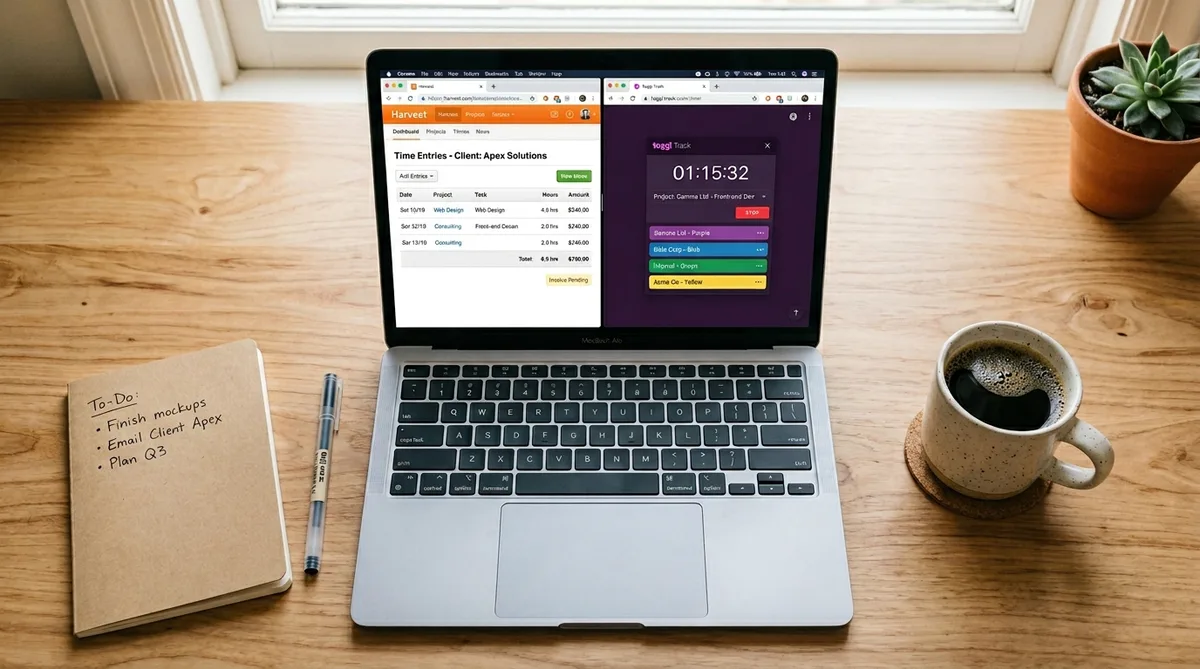
Harvest vs Toggl: Which Time Tracker Should You Pick?
If you have been researching time tracking software for any length of time, two names keep coming up: Harvest and Toggl Track. Both launched in 2006, both bootstrapped their way to millions in revenue without venture capital, and both remain among the most widely used time trackers in the world. Yet they serve noticeably different audiences and excel in different areas.
Harvest is the tool you choose when time tracking is only half the job. Its real superpower is turning tracked hours directly into invoices, syncing with accounting software, and giving managers a clear picture of project budgets and expenses. If your workflow looks like track time, bill clients, get paid, Harvest was designed for exactly that loop.
Toggl Track, on the other hand, puts speed and simplicity first. It is the one-click timer that lives inside your browser, your desktop, and your phone. Toggl's strength lies in flexible reporting, a generous free tier, and over 100 integrations that let it plug into practically any existing workflow. Where Harvest is opinionated about billing, Toggl is agnostic, letting you handle invoicing through whatever tool you already use. For the full breakdown of Toggl's features and pricing, see our Toggl Track review.
In this guide we will compare every important dimension: features, pricing, user experience, integrations, reporting, and ideal use cases. By the end you will know exactly which one fits your workflow, whether you are a solo freelancer, a growing agency, or a distributed team. If you are also weighing other options, check out our Toggl vs Clockify comparison, our Everhour vs Toggl comparison, or the broader top time tracking software roundup.
At a Glance
⚡ Quick Verdict
Harvest is the better choice if you bill clients by the hour and want invoicing, expense tracking, and project budgets in a single tool. Toggl Track wins if you want a faster, simpler timer with a genuinely useful free plan and deep integrations across 100+ apps. Toggl is the better value for most individuals and small teams; Harvest is the better workflow for agencies and consultancies.
Invoicing & Billing Harvest
Harvest has full native invoicing with Stripe/PayPal payments. Toggl has none — you need a separate tool.
Tracking UX & Speed Toggl
Toggl's one-click timer, entry duplication, and Pomodoro mode make daily tracking faster and less tedious.
Free Plan Toggl
Toggl: 5 users, unlimited projects, no expiration. Harvest: 1 user, 2 projects — barely a demo.
Project Budgets Harvest
Harvest has real-time hour and fee budgets with automatic alerts. Toggl only offers basic estimates on Premium.
Integrations Toggl
100+ integrations with in-browser timer buttons vs Harvest's 50+ with deeper accounting sync.
Reporting Tie
Different strengths — Harvest excels at budget and utilization reports, Toggl at profitability and custom exports.
Harvest Overview
Harvest was founded in 2006 in New York City by Danny Wen and Shawn Liu. The pair built it out of their own frustration: their web design consultancy needed a reliable way to track hours and invoice clients without juggling spreadsheets and separate billing tools. That origin story explains why invoicing has always been at the heart of the product rather than an afterthought.
Over the years Harvest grew steadily, reaching over 40,000 paying customers and an estimated $150 million in annual recurring revenue, all without taking a dollar of venture capital. In 2025 the company was acquired by Bending Spoons, an Italian software firm known for acquiring and streamlining SaaS products (they also acquired Evernote in 2023). The acquisition is worth noting because some existing customers have reported pricing changes at renewal — a factor we cover in detail in the pricing section below and in our full Harvest review.
Key Differentiators
- Native invoicing and payments — Generate invoices directly from tracked time and expenses. Clients can pay through Stripe or PayPal right from the invoice, closing the loop between work and revenue.
- Expense tracking — Log project-related costs, attach receipt photos, categorize expenses, and roll billable expenses into client invoices automatically.
- Project budgets — Set fee or hour budgets per project and get automatic alerts before you blow past them. Budget reports show real-time progress against your targets.
- Accounting integrations — Deep, two-way connections with QuickBooks Online and Xero keep your books in sync without manual data entry.
- Multi-platform — Available on web, macOS, Windows, iOS, and Android, plus a browser extension for Chrome.
Who Uses Harvest?
Harvest tends to attract agencies, consultancies, and professional-services firms where billable hours drive revenue. For a deeper look at how agencies use time tracking, see our agency time tracking guide. Freelancers who want a single tool that handles both tracking and invoicing are also a core audience. If you bill clients by the hour and want your time data to flow straight into an invoice, Harvest is purpose-built for that. For a detailed breakdown of Harvest's monitoring capabilities and idle detection, see our Harvest activity tracking guide.
Toggl Track Overview
Toggl Track (originally just "Toggl") was founded in 2006 in Tallinn, Estonia, by Alari Aho and Krister Haav. Like Harvest, it started as an internal tool for a software consultancy that needed accurate time records for client billing. Unlike Harvest, Toggl eventually pivoted away from invoicing and doubled down on making time tracking as effortless as possible.
Today Toggl is a family of products: Toggl Track (time tracking), Toggl Plan (project planning), and Toggl Focus (task management). The company remains 100% bootstrapped, employs over 130 people distributed across dozens of countries, and serves more than 600,000 active users worldwide.
Key Differentiators
- One-click simplicity — Start a timer from the web app, desktop app, mobile app, or browser extension with a single click. Duplicate previous entries, pin frequent tasks, or use the built-in Pomodoro timer.
- Generous free tier — The free plan supports up to 5 users with unlimited time tracking, unlimited projects, and basic reporting. It never expires.
- Rich reporting — Summary, detailed, and weekly reports with filters by client, project, tag, or team member. Premium plans add profitability metrics, labor costs, and custom report exports.
- 100+ integrations — Most work through the browser extension, which embeds a timer button inside tools like Asana, Jira, Trello, GitHub, Notion, and Salesforce. Around 9 are native app-to-app integrations (including Google Calendar, Outlook, and QuickBooks).
- Open-source clients — Desktop apps for Windows, macOS, and Linux, plus browser extensions for Chrome, Firefox, and Edge, are all open-source and hosted on GitHub. Both tools also have solid mobile apps for iOS and Android.
Who Uses Toggl Track?
Toggl appeals to a broad range of users: freelancers, developers, designers, small teams, and large organizations who want a lightweight, distraction-free timer. Because it does not bundle invoicing, it pairs well with dedicated billing tools like FreshBooks, Wave, or QuickBooks. Teams that care more about where their time goes than about generating invoices will feel right at home. For details on how Toggl compares to surveillance-style trackers, see our Toggl vs Time Doctor comparison. And for teams that want a completely screen-free approach, our Timeular vs TimeFlip comparison reviews physical tracking devices that eliminate software timers entirely.
Feature-by-Feature Comparison
The table below puts the most important capabilities side by side. A green check means the feature is fully supported; a partial note means it exists but with limitations.
| Feature | Harvest | Toggl Track |
|---|---|---|
| Time Tracking UX | Manual start/stop timer; weekly timesheet grid view | One-click timer; duplicate entries; Pomodoro mode; pin favorites |
| Project Budgets | Hour and fee budgets with automatic alerts | Time and fee estimates (Premium plan); no automatic alerts |
| Invoicing | Full native invoicing with Stripe/PayPal payments | Not available; requires a third-party tool |
| Expense Tracking | Built-in expense logging with receipt attachments | Not available |
| Reporting | Time, budget, and expense reports; team capacity view | Summary, detailed, and weekly reports; profitability metrics (Premium) |
| Team Management | Roles, permissions, timesheet approvals (Premium) | Teams, project groups, labor cost tracking (Premium) |
| Integrations | 50+ integrations; deep QuickBooks/Xero sync | 100+ integrations (mostly via browser extension); timer buttons for popular tools |
| Mobile Apps | iOS and Android with offline tracking | iOS and Android with offline tracking |
| Desktop Apps | macOS and Windows | macOS, Windows, and Linux (open-source) |
| Browser Extension | Chrome | Chrome, Firefox, Edge |
| API | REST API (V2) | REST API with webhooks |
| Free Plan | 1 user, 2 projects | 5 users, unlimited projects |
Bottom line: Harvest wins on invoicing, expenses, and project budgets. Toggl wins on tracking UX, free tier generosity, integration breadth, and cross-platform coverage. For a broader look at where Toggl stands against other trackers, see our top time tracking software overview.
🏆 Feature breadth winner: Harvest (invoicing + expenses + budgets in one tool)
User Experience & Interface
Features only matter if people actually use the tool. A clunky interface leads to missed time entries, which leads to inaccurate reports and lost revenue. This is where Harvest and Toggl take meaningfully different approaches.
Toggl Track's UX
Toggl Track is built around removing every possible friction point from starting a timer. The web app opens to a single-line timer bar. Type a description, pick a project, and hit the play button — or just hit play and categorize later. If you tracked the same task yesterday, one click duplicates the entry. The Pomodoro timer is built in for focus sessions.
The browser extension takes this further. It injects a Toggl timer button directly inside tools you already use — Asana, Jira, Trello, GitHub, Notion, Todoist, and dozens more. Click the button inside your project management tool and a timer starts with the task name already filled in. This eliminates the context switch that kills time tracking habits.
The Timeline view on desktop apps visualizes your day as a continuous bar chart, showing which applications you used and when. You can select blocks and convert them into time entries retroactively, which is helpful if you forget to start the timer. Toggl also supports keyboard shortcuts, drag-to-resize entries, and a calendar view that helps you spot gaps.
Harvest's UX
Harvest's interface is clean and functional but more structured. The default view is a weekly timesheet grid: projects down the left, days across the top, with cells for hours. It works well for people who prefer to fill in their time at the end of the day or week rather than running a live timer. There is a timer, but the timesheet is the primary workflow.
Where Harvest's UX shines is in the invoice creation flow. Select tracked time entries, click "Create Invoice," customize the layout, and email it to the client — all within the same tool. There is no export-import dance with a separate billing app. For anyone who invoices weekly or biweekly, this is genuinely faster than any Toggl-plus-invoicing-tool combination.
The downside is that day-to-day tracking feels heavier. Starting a timer requires more clicks, there is no entry duplication, and no Pomodoro mode. The browser extension exists but only for Chrome, compared to Toggl's extensions for Chrome, Firefox, and Edge. If your team's primary need is quick, painless time tracking, Toggl's interface will win more compliance.
🏆 UX winner: Toggl Track (faster daily tracking, more integrations, better desktop apps)
Reporting & Analytics
Both tools offer solid reporting, but they prioritize different metrics. The best choice depends on whether you care more about project financials or team productivity patterns.
Harvest Reporting
Harvest's reporting centers on project budgets and financial health. The budget report shows real-time progress against hour or fee caps for every project, with visual progress bars and automatic email alerts when budgets approach their limits. The team capacity report shows who is overloaded and who has bandwidth. Expense reports break down costs by project and category.
For agencies and consultancies, the utilization report is the standout. It calculates each team member's billable percentage — hours billed divided by total capacity — giving managers a clear view of profitability at the team and individual level. This data flows directly into invoices and accounting integrations.
Toggl Track Reporting
Toggl offers three core report types: Summary (aggregated time by project/client/tag), Detailed (every individual time entry), and Weekly (a team-wide timesheet view). Free users get all three with basic filters.
On Premium, Toggl unlocks profitability metrics including labor cost tracking, billable vs. non-billable breakdowns, and project profitability calculations. You can set up scheduled report emails, save custom report templates, and export to CSV, PDF, or XLS. The Insights dashboard gives a visual overview of where your team's time is going with trend lines and comparisons to previous periods.
Toggl's reporting is more flexible in terms of filtering and slicing data. You can create complex filters combining clients, projects, tags, and team members, then save those views for quick access. Harvest's reporting is more streamlined but more focused on the financial outcome.
| Report Type | Harvest | Toggl Track |
|---|---|---|
| Budget tracking | Real-time progress bars with auto alerts | Basic project estimates (Premium only) |
| Utilization / capacity | Team capacity and utilization rates | Available on Premium plan |
| Profitability | Via budget-vs-actual and invoiced amounts | Dedicated profitability dashboard (Premium) |
| Custom filters | By project, client, team member, date | By project, client, tag, team member, billable status |
| Scheduled reports | Not available | Automated email reports (Premium) |
| Export formats | CSV, PDF | CSV, PDF, XLS |
🏆 Reporting winner: Tie — Harvest for budget/financial tracking, Toggl for flexible analytics and custom reporting
Pricing Comparison
Pricing is one of the most important decision factors, and the two tools now take fundamentally different structural approaches. Toggl uses a straightforward flat per-seat model. Harvest, following its 2025 acquisition by Bending Spoons, has shifted to a base-rate-plus-usage-fees model that makes the real cost harder to predict.
| Plan | Harvest | Toggl Track |
|---|---|---|
| Free | 1 user, 2 projects | Up to 5 users, unlimited projects |
| Teams / Starter | Teams: $9/seat/mo (annual) + usage fees* | Starter: $9/user/mo or ~$8.10 annual |
| Enterprise / Premium | Enterprise: $14/seat/mo (annual) + usage fees* | Premium: $18/user/mo or ~$16.20 annual — profitability, labor costs, SSO |
| Enterprise (custom) | Included above | Custom pricing with dedicated account manager |
| Free Trial | 30 days, no credit card | 30 days of Premium, no credit card |
| Pricing model | Base rate + metered usage fees | Flat per-seat, all-inclusive |
*Harvest's usage fees are metered charges for invoices, projects, clients, and tasks above plan limits. The exact per-unit rates are not listed on the pricing page — you need to check Harvest's Help Center or pricing calculator for details.
Pricing Analysis
The Bending Spoons Factor
This is the elephant in the room. Bending Spoons acquired Harvest in July 2025 and restructured the pricing model — the same playbook they used with Evernote, WeTransfer, and Vimeo. The advertised per-seat price ($9 or $14/seat) is now a base rate only. On top of that, Harvest charges metered usage fees for invoices, projects, clients, and tasks above your plan limits.
The practical impact has been severe for some teams. Multiple customers have reported renewal quotes 5-10x their previous rate. One widely reported case saw a bill jump from $12/month to $1,900/month when Harvest auto-migrated the account to the new unlimited-usage tier. Another customer reported going from $130/year to an estimated $888/year ($168 base + ~$720 in usage fees). These are not isolated incidents — they are a consistent pattern in Harvest's community forums and social media.
This makes Harvest's pricing unpredictable. Toggl, by contrast, charges a flat per-seat fee with no usage limits and no surprise overages. What you see on the pricing page is what you pay.
Cost Comparison by Team Size
For a solo freelancer, Toggl is the clear value winner. Its free plan gives you unlimited projects and will stay free indefinitely. Harvest's free plan is too limited at one user and two projects — it is a demo, not a working solution.
For a small team of 5 people:
- Harvest Teams: 5 x $9 = $45/month base + usage fees (total unpredictable)
- Toggl Starter: 5 x ~$8.10 = ~$41/month (annual, all-in)
- Toggl Premium: 5 x ~$16.20 = ~$81/month (annual, all-in)
The base rates look similar, but Harvest's usage fees can push the real cost significantly higher depending on how many invoices, projects, and clients you manage. Toggl's price is the final price.
For larger teams (20+ seats), Harvest Enterprise at $14/seat/month base is comparable to Toggl Premium at ~$16.20/seat (annual). But again, Harvest's usage fees make the actual bill hard to forecast. If predictable budgeting matters to your finance team, Toggl has a clear structural advantage.
🏆 Pricing winner: Toggl Track (flat pricing, no hidden fees, better free plan)
Take a Break Without Breaking Your Reports
Whether you use Harvest, Toggl, or any other tracker, TrickTack keeps your activity consistent while you step away. Try it free for 7 days.
DownloadWhich Tool Is Best for Your Situation?
Rather than declaring one tool "better" across the board, the smarter move is to match the tool to the job. Here is how the two stack up for common scenarios.
Freelancers
Pick Toggl Track if you just need to know where your hours go and you already invoice through FreshBooks, Wave, or a simple PDF. The free plan covers everything a solo operator needs, and the browser extension makes it effortless to start timers from inside your project management tool.
Pick Harvest if you want one tool that does everything from tracking to invoicing to getting paid. Harvest lets you turn a week of time entries into a polished invoice with two clicks, send it to the client, and accept payment via Stripe or PayPal. For freelancers who bill hourly, that tight loop is hard to beat.
Small Teams (2-15 People)
Pick Toggl Track if your team values a fast, frictionless timer, you handle billing through separate accounting software, and you want generous reporting at a lower per-seat cost. Toggl's Starter plan at ~$8.10/user/month (annual) gives small teams everything they need with no surprise fees.
Pick Harvest if your team bills clients directly, needs project budget guardrails, or tracks expenses alongside time. Harvest Teams at $9/seat/month base includes invoicing, expense management, and budget tracking — but factor in usage fees that vary based on your project and invoice volume.
Agencies and Consultancies
Pick Harvest in most cases. Agencies live and die by billable utilization, project profitability, and getting invoices out the door quickly. Harvest's combination of budgets, invoicing, expense tracking, and QuickBooks/Xero sync was essentially designed for this workflow.
Pick Toggl Track Premium if your agency already has a mature billing system (like a full ERP or custom invoicing workflow) and you care more about profitability analytics, labor cost tracking, and granular reporting across dozens of projects.
Development Teams and Internal Projects
Pick Toggl Track. Internal teams rarely need invoicing. Toggl's deep integration with developer tools (Jira, GitHub, GitLab, Asana) and its lightweight timer that stays out of the way make it the natural choice for engineering teams tracking time for resource planning rather than billing.
Freelancers Who Bill Hourly
This is the tightest race. If you bill fewer than five clients and want everything in one place, Harvest saves you from juggling multiple tools. If you already have an invoicing system you like (or use a marketplace like Upwork that handles billing), Toggl's free plan gives you everything you need at zero cost. The deciding factor is whether "track and invoice in one click" is worth $9/month plus usage fees to you.
Budget-Conscious Startups
Pick Toggl Track. Five team members can track time for free, indefinitely. When you outgrow the free plan, Starter at $9/user/month is the cheapest paid option between the two tools. Harvest's limited free tier (1 user, 2 projects) is essentially a 30-day evaluation, not a working solution.
Pros and Cons
Harvest Pros
- All-in-one time-to-invoice workflow — Track time, log expenses, create invoices, and accept payments without leaving the app.
- Project budget management — Real-time budget tracking with automatic alerts prevents scope creep before it becomes a financial problem.
- Deep accounting integrations — Two-way sync with QuickBooks Online and Xero keeps your books accurate without manual reconciliation.
- Simple, focused interface — Harvest does not try to be a project management tool. It tracks time, manages budgets, and sends invoices. That focus keeps the learning curve short.
- Expense tracking with receipts — A genuine differentiator. Attach photos, categorize costs, and roll them into invoices.
Harvest Cons
- Limited free plan — One user and two projects is barely enough to evaluate the product, let alone use it long-term.
- Fewer integrations — Around 70 compared to Toggl's 100+. Missing some popular tools, especially in the developer ecosystem.
- No Linux desktop app — Linux users are limited to the web app.
- Ownership uncertainty — The 2025 Bending Spoons acquisition has left some long-time users concerned about the product's future direction and pricing stability.
- Basic time tracking UX — The timer works well but lacks Toggl's convenience features like entry duplication, pinned tasks, and Pomodoro mode.
Toggl Track Pros
- Best-in-class tracking UX — Starting, stopping, duplicating, and editing time entries is faster and more intuitive than almost any competitor.
- Generous free plan — Five users, unlimited projects, no expiration. One of the best free time tracking offers available.
- Massive integration library — 100+ integrations with in-browser timer buttons embedded directly into your favorite tools.
- Cross-platform coverage — Native apps for macOS, Windows, Linux, iOS, and Android, plus extensions for Chrome, Firefox, and Edge.
- Open-source desktop and browser clients — Transparency and community contributions improve trust and feature development.
- Powerful reporting — Premium plan reporting covers profitability, labor costs, and custom exports that rival dedicated analytics tools.
Toggl Track Cons
- No invoicing — The biggest gap. If you bill clients, you will need a separate invoicing tool, which adds cost and complexity.
- No expense tracking — Cannot log project costs, attach receipts, or roll expenses into bills.
- Premium plan is expensive — At $18/user/month (annual), the Premium tier costs more than Harvest's equivalent, and it still does not include invoicing.
- No budget alerts — Toggl shows project estimates but does not proactively notify you when a budget is about to run out.
- Feature depth requires paid plans — The free plan covers basics, but meaningful team features like billable rates, project templates, and scheduled reports all require Starter or Premium.
Switching from Harvest to Toggl (or Vice Versa)
If you are already using one tool and considering a switch, here is what the migration looks like in practice.
Harvest to Toggl
Toggl has a dedicated Harvest import tool that pulls in your time entries, projects, clients, and tags. The process takes minutes for most accounts. What does not transfer: invoices, expenses, and payment history — those stay in Harvest. If you rely on Harvest's invoicing, you will need to set up a separate billing tool (FreshBooks, Wave, or QuickBooks) before canceling Harvest.
The main adjustment for teams is the workflow shift. Harvest users who are accustomed to the weekly timesheet grid will need to adapt to Toggl's timer-first interface. Some teams run both tools in parallel for a week to ease the transition.
Toggl to Harvest
Moving from Toggl to Harvest is less straightforward. There is no one-click import from Toggl into Harvest. You would need to export time data from Toggl as CSV and then import it into Harvest using their CSV import feature or the API. Project structures and client mappings will need manual setup.
The upside is that if you are switching to Harvest, you are likely doing it for invoicing. Once your projects are set up, the time-to-invoice workflow immediately starts saving you effort compared to the Toggl-plus-separate-invoicing setup you were using before.
When to Consider Switching
- Switch to Toggl if: you are paying for Harvest but rarely use invoicing, your team complains about tracking friction, or Harvest's post-acquisition pricing has increased beyond your budget.
- Switch to Harvest if: you have been cobbling together Toggl plus FreshBooks (or similar), you need project budget guardrails, or you want expenses and invoicing in one place.
- Stay put if: your current tool is working. Switching has a real cost in team retraining and data migration. Only move if the pain points are persistent and the alternative directly solves them.
Both Tools Monitor Your Work
It is worth understanding that both Harvest and Toggl Track record your work activity. While neither is as invasive as screenshot-based monitors like Hubstaff or Time Doctor, they still create a detailed record of when you were working, how long you worked, and what you worked on.
Harvest logs every start and stop event, ties entries to specific projects, and lets managers review timesheets. Toggl captures similar data and adds timeline views that show exactly when work happened throughout the day. For managers these records are valuable. For workers, they can create pressure to show "green" on the dashboard at all times.
The reality is that everyone takes breaks. You make coffee, handle a personal phone call, or simply need ten minutes to reset. But when your tracker shows a gap, it can look like lost productivity even though short breaks actually improve focus and output.
TrickTack bridges that gap. It is a lightweight desktop application that simulates natural mouse movements, keyboard inputs, scrolling, and app-switching while you step away. Your time tracker, whether it is Harvest, Toggl, or any other tool, continues to see consistent activity. When you return, you pick up exactly where you left off with no awkward gaps in your report.
TrickTack is not about faking work. It is about maintaining accurate, consistent reports that reflect the full workday, breaks included, without triggering unnecessary questions from managers or clients.
Frequently Asked Questions
Is Harvest still worth it after the Bending Spoons acquisition?
It depends on pricing. Bending Spoons acquired Harvest in 2025 and has since adjusted pricing for some customers, particularly those on legacy plans. The product itself remains fully functional and the core features (invoicing, budgets, expense tracking) have not been removed. However, some long-time users have reported significant price increases at renewal — in some cases 30-50% above their previous rate. Before committing to an annual plan, confirm your renewal price directly with Harvest. If the new pricing pushes Harvest above your budget, Toggl plus a lightweight invoicing tool like Wave (free) could replace the core workflow at lower total cost.
Does Harvest have a free plan?
Yes, but it is extremely limited: 1 user and a maximum of 2 active projects. It includes the core timer, basic invoicing, and mobile app access, making it useful for a quick evaluation but impractical for ongoing use. Toggl's free plan is far more generous — up to 5 users with unlimited projects, and it never expires. If you need a genuinely usable free tier, Toggl is the clear winner.
Can Toggl Track replace Harvest for invoicing?
No — Toggl has zero invoicing features. If you switch from Harvest to Toggl, you will need a separate invoicing tool. The most common pairings are Toggl plus FreshBooks, Toggl plus Wave (free), or Toggl plus QuickBooks Online. You can export tracked time from Toggl and import it into your invoicing tool, but there is no direct integration that auto-generates invoices from time entries the way Harvest does. For freelancers who bill by the hour, this is the single biggest trade-off of choosing Toggl. See our guide on time tracking and billing accuracy for more on connecting trackers to invoicing.
Which is better for remote teams?
For internal remote teams that track time for resource planning (not client billing), Toggl is the better fit. Its fast timer, generous free plan, and integrations with tools like Jira, Asana, and GitHub reduce tracking friction for distributed developers and designers. For remote agencies that bill clients, Harvest's invoicing and budget tracking make more sense. Neither tool is a surveillance platform — if you need screenshot monitoring or activity tracking for remote accountability, look at Hubstaff or Time Doctor instead.
Which tool has better integrations?
Toggl Track has more integrations overall, with 100+ compared to Harvest's 50+. More importantly, Toggl's browser extension embeds a timer button directly inside tools like Jira, Asana, Trello, GitHub, Notion, Todoist, and Salesforce, so you can start tracking without switching tabs. Harvest focuses on deeper connections with fewer tools, particularly accounting platforms like QuickBooks Online and Xero. If integration breadth matters, go with Toggl. If tight accounting sync is your priority, Harvest is stronger.
Can I import my data from Harvest to Toggl?
Yes. Toggl has a built-in Harvest import feature that transfers your time entries, projects, clients, and tags automatically. The process takes only a few minutes for most accounts. What does not transfer: invoices, expenses, payment history, and recurring invoice templates. Those remain in Harvest, so keep your account active until you have exported or archived everything you need. Going the other direction (Toggl to Harvest) requires a manual CSV export and import.
Does Harvest or Toggl work on Mac?
Both work on Mac. Toggl Track has a native macOS desktop app with a menu bar timer, idle detection, Timeline view, and offline tracking. Harvest also has a Mac app, though it focuses on the timer and invoicing rather than deep desktop integration. Both support Apple Silicon natively. If Mac is your primary platform, Toggl's desktop app is more full-featured. For a broader look at Mac time trackers, see our guide to the best time tracking software for Mac.
Is there a free alternative to both Harvest and Toggl?
Clockify is the most popular free alternative. It offers unlimited users, unlimited projects, and unlimited tracking on its free plan — more generous than both Harvest and Toggl. However, Clockify's free plan lacks features like invoicing (Harvest) and in-app timer buttons (Toggl). If you want the deepest free plan, Clockify wins on paper. If you want the best free experience, Toggl's UX is significantly smoother. We compare them in detail in our Toggl vs Clockify comparison.
Does Toggl have project budgets?
Toggl offers time estimates on all paid plans, where you can set an expected number of hours per project and track progress against that estimate. On Premium, you also get fee-based estimates and project profitability calculations. However, Toggl does not send automatic alerts when budgets are about to run out — you have to check the reports manually. Harvest's budget feature is more robust: automatic email alerts, visual progress bars, and the ability to set both hour and fee caps with real-time tracking against actual invoiced amounts.
Is Harvest cheaper than Toggl?
It depends on how you measure. For a solo user, Toggl is cheaper — the free plan covers everything a freelancer needs, while Harvest's free plan is too limited for real use. For paid plans, Harvest Teams starts at $9/seat/month (annual), the same base rate as Toggl Starter. But Harvest now adds usage-based fees for invoices, projects, clients, and tasks above plan limits, making the real cost higher and harder to predict. Toggl's pricing is flat and all-inclusive. When comparing total cost, factor in that Harvest includes invoicing but charges usage fees, while Toggl requires a separate invoicing tool but has no hidden costs.
Conclusion — Which Should You Choose?
Harvest and Toggl Track are both excellent time trackers that have earned their reputations over nearly two decades. The choice between them comes down to what happens after you track your time.
🏆 Final Verdict
Choose Harvest if:
- You bill clients by the hour
- You need invoicing, expenses, and budgets in one tool
- You use QuickBooks or Xero for accounting
- Your team is an agency or consultancy
Choose Toggl Track if:
- You want the fastest, simplest daily timer
- You need a genuinely useful free plan
- You already handle invoicing separately
- Your team uses Jira, Asana, GitHub, or Notion
If you need a tool that closes the loop from tracking to invoicing to payment, with project budgets and expense management baked in, Harvest is the right pick. It is the tool built for people who bill clients by the hour and want everything in one place.
If you want the fastest, simplest timer that plugs into your existing workflow, offers a genuinely useful free tier, and gives you powerful reporting to understand where your time goes, Toggl Track is the better fit. Handle invoicing separately and let Toggl do what it does best: track time without getting in your way.
If neither tool offers the level of monitoring your employer requires, our Hubstaff vs Time Doctor comparison covers the two most popular full-surveillance platforms. And for a wider view of the market, see our top time tracking software roundup.
Whichever tool you choose, remember that time trackers create a record that managers and clients use to evaluate your productivity. If you want to keep your reports consistent during breaks, TrickTack can help. It runs quietly in the background, simulating natural activity, so your tracker never shows unexplained gaps.
Try TrickTack Free for 7 Days
Keep your Harvest or Toggl activity reports consistent while you step away. Cancel anytime during your trial.
Download

