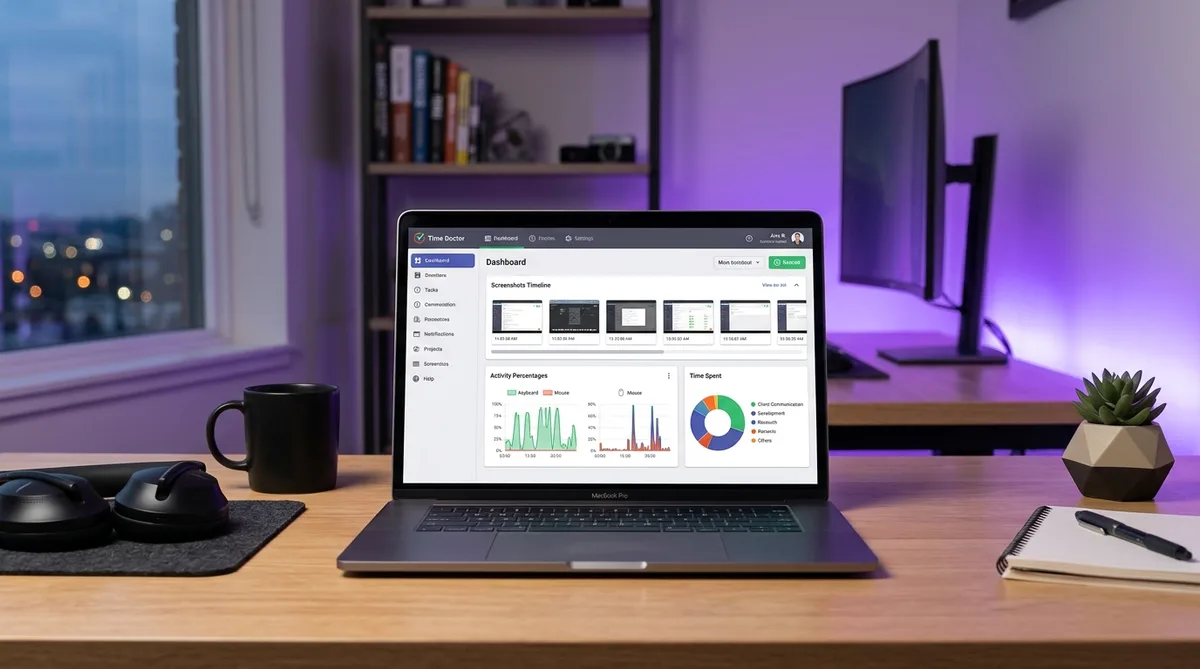
What Is Time Doctor?
Time Doctor is an employee monitoring and time tracking platform designed for remote teams. It combines traditional time tracking with screenshots, activity level monitoring, app and website tracking, and detailed productivity reports. Founded in 2012, it has grown into one of the most widely used monitoring tools alongside Hubstaff, DeskTime, and Insightful.
Unlike automatic trackers like RescueTime that run passively in the background, Time Doctor typically requires employees to start and stop a timer when working. This manual approach gives employees more control over when monitoring is active, but it also means the tracked hours carry more weight — managers know that every logged minute was intentionally recorded.
Time Doctor is popular with remote-first companies, outsourcing firms, and distributed teams that need visual proof of work alongside time data. But is it the right tool for your team? This review covers the features that matter, current pricing, the trade-offs, and what alternatives exist. If you have already chosen Time Doctor and just need to set it up, our guide on how to use Time Doctor walks through configuration step by step. And if you are looking for ways to maintain consistent activity while using it, see our detailed guide on how to cheat Time Doctor.
Key Time Doctor Features
Screenshots and Screen Recording
Time Doctor's screenshot feature is available on all plans, including Basic. The system captures periodic screenshots of your screen at configurable intervals — typically every 3, 5, or 10 minutes, depending on how the administrator sets it up. Screenshots are stored in the cloud and visible to managers on the Time Doctor dashboard.
On the Standard and Premium plans, Time Doctor goes further with video screen recording. Instead of individual snapshots, it can record continuous video of your screen activity, providing managers with a complete visual record of work sessions. This is a significant step up from screenshot-only tools and puts Time Doctor closer to Teramind in terms of visual monitoring capability.
Employees can delete individual screenshots before they sync to the server, but the time associated with those screenshots is also removed from the tracked total. This is Time Doctor's compromise between monitoring and privacy — you can remove a screenshot that captured personal information, but you lose the work credit for that period.
Activity Levels and Idle Detection
Time Doctor monitors mouse and keyboard activity to calculate an activity level percentage for each work session. If you are actively typing and moving the mouse, your activity level is high. If there are gaps in input, the percentage drops. Managers can see activity levels per employee, per day, and per project.
When Time Doctor detects no mouse or keyboard input for a configurable period (typically 3–5 minutes), it triggers an idle time pop-up. This notification asks whether you are still working. If you do not respond, Time Doctor stops the timer and the idle period is not counted as work time. This is more aggressive than the silent idle detection used by tools like DeskTime or ActivTrak.
Activity levels are one of the primary metrics managers watch in Time Doctor. Consistently low activity levels (below 50–60%) raise red flags, especially when combined with screenshots that show non-work content. The combination of screenshots plus activity percentages gives managers two independent data points to evaluate productivity.
App and Website Monitoring
Time Doctor logs every application and website you use while the timer is running. It records the app name, the specific URL (if browsing), and the time spent in each. This data is compiled into reports that show managers exactly how employees distribute their work time across different tools and sites.
Managers can configure distraction alerts that notify them when employees spend too much time on sites classified as non-work-related. They can also set up website blocking to prevent access to specific sites during tracked hours. On the employee side, these alerts appear as pop-ups that remind you to return to work.
Payroll and Integrations
Starting with the Standard plan, Time Doctor includes payroll features that let managers calculate payments based on tracked hours and approved timesheets. It integrates with payment providers like PayPal, Payoneer, and Wise for direct transfers.
Time Doctor offers 60+ integrations with project management, communication, and business tools including Jira, Asana, Trello, Slack, Salesforce, and Google Workspace. These integrations allow Time Doctor to pull in project and task context, so managers can see not just how many hours were worked but which specific tasks consumed the time.
Time Doctor Pricing in 2026
Time Doctor uses a per-user, per-month pricing model with annual billing. All plans include a 14-day free trial with full Premium features and no credit card required.
Basic — $6.70/user/month
- Time tracking with project and task assignment
- Screenshots at configurable intervals
- Activity level monitoring (mouse and keyboard)
- Idle detection with pop-up alerts
- Basic reports (daily, weekly summaries)
- App and website tracking
Standard — $11.70/user/month
- Everything in Basic
- Video screen recording
- 60+ integrations (Jira, Asana, Trello, Slack, etc.)
- Payroll features and payment integrations
- Advanced reports and analytics
- Manager dashboard with team overview
Premium — $16.70/user/month
- Everything in Standard
- SOC 2 Type II certification
- ISO 27001 and ISO 27701 compliance
- GDPR compliance with appointed DPO
- HIPAA compliance
- VIP support and executive dashboards
- Advanced workforce analytics
Annual billing saves approximately 17% compared to monthly rates. Enterprise pricing is available for large organizations with custom requirements.
Compared to competitors: Hubstaff starts at $4.99/user/month (cheaper, includes GPS), DeskTime starts at $7/user/month (automatic tracking, no timer required), and ActivTrak starts at $10/user/month (analytics-focused, screenshots cost extra).
Pros and Cons
What Time Doctor Does Well
- Comprehensive monitoring — Screenshots, activity levels, app tracking, and website monitoring on every plan. You get visual proof of work plus behavioral data.
- Video recording — The screen recording feature on Standard and Premium is uncommon in this price range. Most competitors only offer static screenshots.
- Strong compliance — SOC 2, HIPAA, GDPR, and ISO certifications on the Premium plan make Time Doctor suitable for regulated industries like healthcare and finance.
- Payroll integration — Built-in payroll with direct payment support simplifies freelancer and contractor management.
- Generous free trial — 14 days with full Premium features and no credit card is enough time to properly evaluate the tool.
Where Time Doctor Falls Short
- Manual timer requirement — Having to start and stop a timer is friction that automatic trackers like DeskTime and RescueTime eliminate. Employees can forget to start it, creating gaps in data.
- Idle pop-ups are disruptive — The idle time notification that appears during breaks is intrusive. Stepping away for a bathroom break triggers a pop-up asking if you are still working, which many employees find annoying.
- No GPS on desktop — Unlike Hubstaff, Time Doctor does not offer GPS tracking for desktop users. Mobile GPS is available but desktop location tracking is absent.
- Privacy concerns — Screenshots and video recording on all plans (not opt-in like ActivTrak) create a surveillance feel that can hurt morale and trust.
- No productivity categorization — Unlike RescueTime and DeskTime, Time Doctor does not automatically categorize apps as productive or unproductive. It tracks what you use but does not score your productivity.
Time Doctor Alternatives
Hubstaff
Hubstaff is the closest competitor to Time Doctor. It offers screenshots, activity levels, app tracking, plus GPS and geofencing that Time Doctor lacks. Starting at $4.99/user/month, it is also cheaper. Hubstaff is the better choice for teams with field workers or anyone who needs location tracking. See our Hubstaff vs Time Doctor comparison for the full breakdown.
DeskTime
DeskTime takes a fundamentally different approach with fully automatic tracking and productivity categorization. It runs silently from boot to shutdown, categorizes every app as productive, unproductive, or neutral, and calculates a productivity score. Starting at $7/user/month, it is ideal for teams that want insight without the friction of timers and pop-ups.
ActivTrak
ActivTrak focuses on workforce analytics and behavioral patterns rather than screenshots and activity percentages. It builds behavioral baselines, measures focus time, and detects burnout risk. Screenshots are an optional $2/month add-on rather than a default feature. Starting at $10/user/month, it is positioned for organizations that want insights over surveillance.
TrickTack
If you are using Time Doctor or any other monitoring tool and need to maintain consistent activity reports while stepping away, TrickTack was built for exactly that. It simulates natural mouse movements, keyboard inputs, scrolling, and application switching — the specific inputs that Time Doctor monitors for activity levels. TrickTack works alongside any tracking tool with a free 7-day trial.
Frequently Asked Questions
How much does Time Doctor cost?
Time Doctor offers three pricing tiers, all billed per user per month with annual billing. Basic costs $6.70/user/month and includes time tracking with screenshots and basic reports. Standard costs $11.70/user/month and adds 60+ integrations, payroll features, and video screen recording. Premium costs $16.70/user/month and includes advanced analytics, compliance certifications (SOC 2, HIPAA, GDPR), and enterprise features. All plans include a 14-day free trial with full Premium features and no credit card required.
Does Time Doctor take screenshots?
Yes. Screenshots are included on all Time Doctor plans, including the Basic tier. Time Doctor captures screenshots at configurable intervals, typically every few minutes, showing what is on your screen at the time of capture. Screenshots are visible to managers on the dashboard. On the Standard and Premium plans, Time Doctor can also record video of your screen for continuous visual monitoring rather than just periodic snapshots.
Can Time Doctor track me when I am not working?
Time Doctor only tracks activity when the timer is running. Unlike tools such as DeskTime or RescueTime that start automatically when your computer boots up, Time Doctor requires you to manually start the timer or clock in. When the timer is stopped, no tracking occurs. This gives employees direct control over when monitoring is active. However, some companies configure Time Doctor to start automatically on login, which reduces this control.
Is Time Doctor better than Hubstaff?
Both are strong employee monitoring tools, but they serve slightly different needs. Time Doctor provides video screen recording on Standard plans and stronger compliance certifications on Premium. Hubstaff offers GPS tracking and geofencing which Time Doctor lacks, making it better for field teams. Hubstaff starts at $4.99/user/month versus Time Doctor's $6.70. For detailed monitoring of desk-based remote workers, Time Doctor has the edge. For mobile and field teams, Hubstaff is the better choice. Read our full Hubstaff vs Time Doctor comparison for a detailed breakdown.
Does Time Doctor work on Mac and Linux?
Yes. Time Doctor has native desktop applications for Windows, macOS, and Linux. It also offers a Chrome extension for browser-based tracking. On mobile, Time Doctor supports both Android and iOS with GPS tracking, activity monitoring, and timer controls. The desktop applications provide the fullest feature set including screenshots, app tracking, and video recording. The mobile apps focus on time tracking and location monitoring.
Conclusion
Time Doctor is one of the most comprehensive employee monitoring tools available in 2026. It covers all the bases: screenshots, video recording, activity levels, app and website tracking, idle detection, and payroll. The Premium plan's compliance certifications (SOC 2, HIPAA, GDPR, ISO) make it a viable option for regulated industries where other tools fall short.
The trade-offs are the manual timer requirement, intrusive idle pop-ups, and a surveillance-heavy approach that can impact employee morale. If your priority is understanding productivity patterns rather than visual proof of work, tools like RescueTime or ActivTrak offer a lighter touch. If you need GPS for field teams, Hubstaff is the better fit.
And if you are working under Time Doctor's watchful eye and need to maintain consistent activity during breaks, offline meetings, or thinking time that does not involve a keyboard, TrickTack was built specifically for that purpose.
Keep Your Time Doctor Activity Consistent
TrickTack simulates mouse movements, keyboard input, scrolling, and app switching — every input Time Doctor monitors for activity levels. Try it free for 7 days.
Download

