Introduction
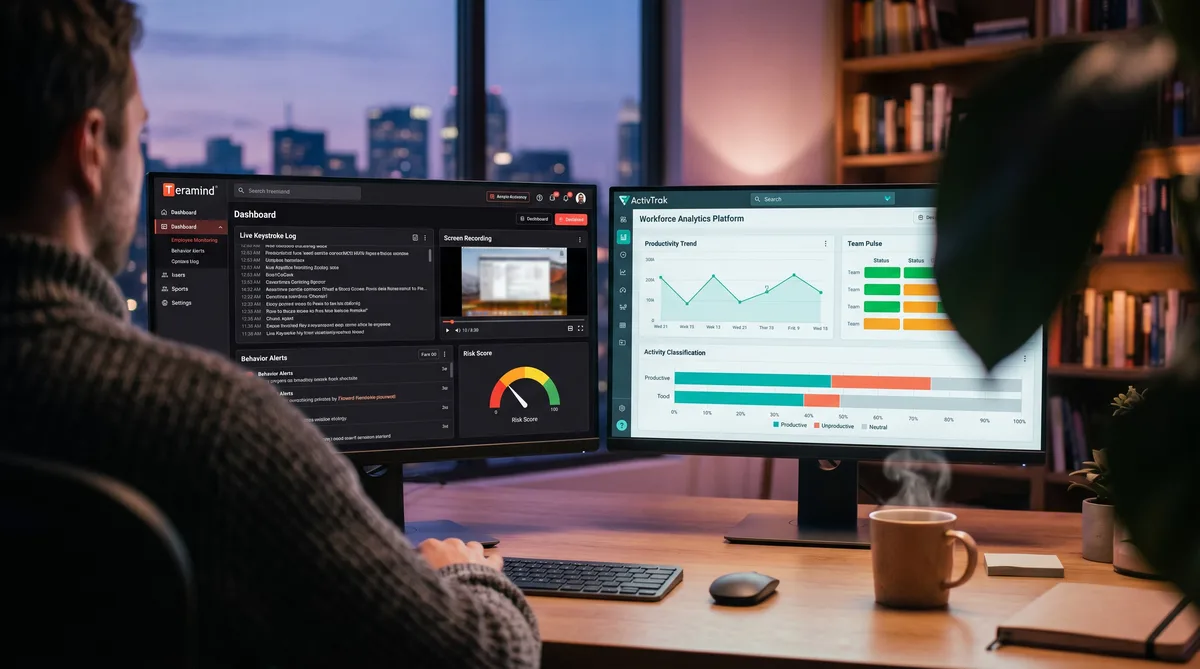
Teramind and ActivTrak are both filed under employee monitoring, but they represent two opposite philosophies of what monitoring should be. One is built to capture everything for security and compliance. The other is built to measure productivity while deliberately capturing as little as possible about the individual.
Teramind is a full surveillance and insider-threat platform. It logs keystrokes, records the screen, monitors email and chat, and enforces data-loss-prevention rules — a content-level record of the workday. ActivTrak is privacy-first workforce analytics. It classifies activity and surfaces productivity trends, team health, and burnout signals, with no keystroke content, no video, and no screenshots by default.
So the choice is stark: do you want to watch everything or understand the trend? This guide breaks down exactly what each tool records, compares pricing tier by tier, and helps you choose. For the wider category, start with our complete guide to employee monitoring software.
Teramind Overview
Teramind, founded in 2014, is one of the most comprehensive surveillance platforms on the market. It is built for security, compliance, and insider-threat detection as much as productivity, capturing a deep, content-level record of user behavior. For the full breakdown, see our Teramind review.
Key Features
- Keystroke logging — Records the actual keys typed, not just activity level — the content of what you write.
- Screen recording and live view — Continuous or triggered video of the screen, plus real-time viewing of active sessions.
- Email, IM, and social monitoring — Captures messages and communications across channels.
- Data-loss prevention (DLP) — Rules that detect and block sensitive-data movement, with OCR on screen content.
- Behavior rules and risk scoring — Policy-based alerts and per-user risk scores for insider-threat detection.
- Productivity and activity tracking — App and website usage, active and idle time, productivity classification.
- Stealth or visible mode — Can run fully hidden on the endpoint.
- OCR and content search — Searchable capture of on-screen text.
Who Uses It
Teramind is used by regulated industries, finance, healthcare, and any organization where insider threat, data protection, and compliance evidence are top priorities. It appeals to security teams that need a defensible, detailed record of who did what, not just a productivity dashboard.
Monitoring Philosophy
Teramind is maximum-capture by design. It assumes the value is in the detail: the actual keystrokes, the screen video, the blocked data transfer. This makes it powerful for security and compliance but heavy on privacy, and it is the reference point for how intrusive monitoring can get. To see exactly what it records, read our Teramind monitoring guide.
ActivTrak Overview
ActivTrak, founded in 2015, built its brand on the opposite promise: productivity insight without heavy surveillance. It measures how time is spent across teams and turns that into analytics, deliberately steering clear of content capture. For the full breakdown, see our ActivTrak review.
Key Features
- Automatic activity tracking — Runs in the background measuring active and idle time, with no timers to start.
- Productivity classification — Labels apps and websites as productive, unproductive, or neutral, then scores it.
- Productivity reports and trends — Deep dashboards on how time is spent by person, team, and over time.
- Team health and burnout — Workload balance, healthy-hours, and burnout-risk signals on higher tiers.
- Alarms and policy adherence — Rule-based alerts, lighter than Teramind's behavior engine.
- No keystrokes or video — No keystroke content and no continuous recording; screenshots only via the optional Screen Details add-on.
- Benchmarks and AI coaching — Team benchmarking and coaching suggestions on the Professional tier.
- Integrations — Connects with HRIS, BI, and collaboration tools.
Who Uses It
ActivTrak appeals to HR, operations, and workforce-strategy teams that want productivity insight without the optics or liability of heavy surveillance. Its aggregate, trend-first reporting suits hybrid and knowledge-work teams focused on balancing workload and spotting burnout rather than building an evidence file.
Monitoring Philosophy
ActivTrak is analytical and deliberately restrained. It measures activity and produces insight, but stops short of keystroke content, video, and default screenshots. Its center of gravity is understanding the workday at the team level, not capturing every detail. To see how it measures activity, read our ActivTrak monitoring guide.
Feature Comparison
Here is where the two separate. The table compares every major capability so you can see exactly what each platform does.
| Capability | Teramind | ActivTrak |
|---|---|---|
| Core focus | Surveillance, DLP, insider-threat | Privacy-first productivity analytics |
| Keystroke logging | Yes — logs actual typed content | No content logging (none) |
| Screen video recording | Yes — continuous/triggered, live view | Not available |
| Screenshots | Yes | No by default; opt-in Screen Details add-on |
| Email/IM monitoring | Yes | No |
| Data-loss prevention | Yes — rules, OCR, blocking | No |
| Behavior rules and risk score | Yes — per-user risk scoring | Alarms and policy adherence (lighter) |
| Productivity analytics | Yes | Yes — a core strength |
| Team health and burnout | Limited | Yes |
| Free plan | No (trial only) | Yes — up to 3 users |
The gap is enormous. Teramind owns the surveillance layer — keystrokes, video, email, and DLP that build a content-level record for security and compliance. ActivTrak owns the analytics layer — productivity trends, team health, and burnout signals that describe the workforce without capturing what anyone types or sees. They share a productivity-tracking middle, but everything above it belongs to Teramind and everything about restraint belongs to ActivTrak.
The most important distinction is content versus counts. ActivTrak counts activity; Teramind captures the actual content of your keystrokes and screen. That difference matters enormously for anyone thinking about how monitoring can be managed, as our guide to beating keystroke monitoring explains.
Pricing Comparison
Pricing follows the philosophy. Here is what each plan costs and what it unlocks.
Teramind Pricing (per user/month, billed annually)
| Plan | Price | Tracking Included |
|---|---|---|
| Starter | $14 | Activity tracking, productivity, basic rules (5-seat minimum) |
| UAM | $28 | Everything in Starter + keystroke logging, screen recording, live view, OCR |
| DLP | $32 | Everything in UAM + data-loss prevention, advanced rules, clipboard control |
| Enterprise | Custom | Everything in DLP + full insider-threat suite and dedicated support |
ActivTrak Pricing (per user/month, billed annually)
| Plan | Price | What It Adds |
|---|---|---|
| Free | $0 (up to 3 users) | Activity tracking, productivity reports, activity logs |
| Essentials | $10 | Full activity tracking, productivity reports, unlimited history |
| Essentials Plus | $15 | Everything above + workload and schedule management |
| Professional | $19 | Everything above + team health, burnout, benchmarks, AI coaching |
On price, ActivTrak is far cheaper: a free tier for up to three users and paid plans from $10 with no seat minimum. Teramind is enterprise-priced, starting at $14/user with a 5-seat minimum, and its keystroke logging and screen recording only appear on the $28 UAM tier and above. The gap is not a discount so much as a different product: you pay Teramind for security-grade surveillance and ActivTrak for productivity insight.
Both offer a free trial, and pricing shifts over time, so confirm current rates before committing. For a wider set of options, see our roundup of the top time tracking tools.
Which Should You Choose?
The decision comes down to why you are monitoring at all.
Choose Teramind if your priority is security, compliance, or insider-threat protection. Keystroke logging, screen recording, email monitoring, DLP, and risk scoring give security teams a defensible, content-level record, which is why regulated industries and data-sensitive organizations accept its weight and cost. If you genuinely need evidence of exactly what happened, Teramind is built for it.
Choose ActivTrak if you want to understand and improve productivity without the surveillance liability. Its trend analytics, team-health metrics, and burnout signals give HR and operations a workforce-level picture, and its privacy-first defaults make it far easier to roll out to employees who would resist a tool that reads their keystrokes and records their screen.
For most productivity use cases, ActivTrak is the proportionate choice, and Teramind is overkill unless security is the real driver. For related matchups, our Teramind vs Insightful comparison pits Teramind against another analytics tool, and Time Doctor vs ActivTrak lines ActivTrak up against a classic accountability tracker.
Stay Active Under Any Time Tracker
Trick Tack simulates natural mouse movement, keyboard input, and app-switching to keep your activity and productivity metrics consistent while you step away from your desk.
DownloadPros and Cons
Teramind Pros
- Deepest capture — Keystrokes, screen video, email, and DLP in one platform.
- Insider-threat and compliance — Behavior rules and risk scoring built for security teams.
- Powerful rule engine — Detect and block sensitive-data activity in real time.
- Content-level evidence — A defensible record of exactly what happened.
- Flexible deployment — Cloud or on-premise, stealth or visible.
Teramind Cons
- Highly invasive — The heaviest surveillance footprint in the category.
- Expensive — Enterprise pricing with a 5-seat minimum.
- Employee pushback — Content capture damages trust and morale.
- Overkill for productivity — Far more than most teams need to measure output.
ActivTrak Pros
- Privacy-first defaults — No keystrokes, video, or default screenshots.
- Deep analytics — Productivity trends, benchmarks, and team-health insight.
- Burnout and workload signals — Insight Teramind does not prioritize.
- Free plan — No-cost tier for up to three users.
- Easy rollout — A light footprint meets far less resistance.
ActivTrak Cons
- No content capture — Not built for security or compliance evidence.
- No DLP — Nothing to detect or block data exfiltration.
- Screenshots cost extra — Visual proof needs the Screen Details add-on.
- Analytics, not investigation — Weaker where a detailed record is required.
Managing Your Activity with Either Tool
These two demand an honest distinction. Both track activity and idle time, so stepping away lowers your numbers in either one, and that part is straightforward to keep steady. But Teramind also captures content — the keys you actually type and video of your screen — and that is a different thing entirely. Keeping an activity score up does nothing to change what a keylogger or recorder has already captured.
This is where Trick Tack fits, and where it is important to be clear about scope. Trick Tack is a lightweight desktop app that simulates natural human activity — mouse movement, keyboard input, scrolling, and app-switching — so your activity and productivity metrics stay consistent while you are away from the keyboard. Against ActivTrak, which measures exactly those signals and captures no content, that covers what it records. Against Teramind, it keeps your activity metrics steady but does not hide keystroke content or screen video, which are records of real events. You can see exactly which behaviors it produces in our documentation, and the boundary is explained in our guide to beating keystroke monitoring.
How Trick Tack Works
- Mouse simulation — Natural, randomized cursor movement that mimics real browsing.
- Keyboard simulation — Keystroke activity at human-like intervals.
- App switching — Cycles between open applications to simulate multitasking.
- Scrolling — Page scrolling inside active windows.
The randomized, varied nature of that input reads as ordinary work rather than a robotic loop, which keeps activity metrics steady in both tools. For tool-specific tips, see our guides on understanding Teramind monitoring and staying consistent under ActivTrak, plus our umbrella guide on cheating time tracking software.
Frequently Asked Questions
Does ActivTrak log keystrokes or record my screen like Teramind?
No. This is the core difference between them. Teramind logs the actual keys you type, records continuous screen video, and can capture email, chat, and file activity. ActivTrak does none of that: no keystroke content, no video, and no screenshots unless an admin buys the optional Screen Details add-on. ActivTrak measures which apps and websites you use and how active you are, then rolls it into productivity analytics. Teramind builds a detailed, content-level record of everything you do.
Which is more invasive, Teramind or ActivTrak?
Teramind, by a wide margin. It is a full surveillance and insider-threat platform: keystroke logging, screen recording, live view, email and IM monitoring, OCR, and data-loss prevention, plus behavior rules and per-user risk scoring. ActivTrak positions itself at the opposite end as privacy-first workforce analytics, deliberately avoiding content capture in favor of aggregate productivity trends. If minimizing employee surveillance matters, ActivTrak is the far lighter tool.
Can you beat Teramind's keystroke logging by faking activity?
No, and it is important to be honest about this. Activity simulation keeps your activity and productivity metrics from dropping while you are away, but it cannot hide or alter what a keylogger or screen recorder actually captures. Teramind records the content of what you type and what is on your screen, and that is a record of real events, not an activity score. Against Teramind, keeping metrics up is a different job from defeating content capture. ActivTrak is simpler, because it captures no keystroke content or video in the first place, so keeping your activity steady covers what it measures. See our guide on beating keystroke monitoring for the full distinction.
Which is cheaper, Teramind or ActivTrak?
ActivTrak, clearly. It has a free plan for up to three users and paid tiers from about $10/user/month billed annually, with no seat minimum. Teramind is enterprise-priced, starting around $14/user/month billed annually with a 5-seat minimum, and its DLP and insider-threat tiers cost more. You are paying Teramind for security-grade surveillance and ActivTrak for productivity analytics, so the price gap reflects two very different products.
Can Teramind or ActivTrak detect a mouse jiggler or fake activity?
Both graph activity over time, so a basic hardware jiggler that repeats one identical motion can appear as a flat, robotic pattern. Teramind goes further, with behavior rules that can flag anomalies and screen recording that would show an empty or unchanging screen behind the movement. ActivTrak relies on activity trends alone. Natural, randomized mouse movement, keystrokes, scrolling, and app-switching read as ordinary human work and keep activity metrics steady, but remember that on Teramind that does nothing about the content its keylogger and recorder capture.
Conclusion
Teramind and ActivTrak share a category label but almost nothing else. Teramind is the surveillance platform — keystroke logging, screen recording, email monitoring, and DLP that build a content-level record for security, compliance, and insider-threat teams. ActivTrak is the privacy-first analytics platform — productivity trends, team health, and burnout signals that describe the workforce without capturing what anyone types or sees.
For employers, the choice is really about intent. If you are protecting sensitive data and need defensible evidence, Teramind is purpose-built, and its weight and price are the cost of that depth. If you want to understand and improve productivity with minimal intrusion, ActivTrak is the proportionate and far cheaper choice, and it will meet much less resistance from your team. To see ActivTrak against a lighter accountability tracker, our Time Doctor vs ActivTrak comparison is a useful next read.
If you are the employee, the two feel worlds apart. Under ActivTrak, only your activity and app usage are measured, and Trick Tack keeps those metrics steady when you step away. Under Teramind, your keystrokes and screen are recorded as content, and it is worth being clear-eyed: keeping an activity score up does not change what a keylogger captures. Our guide to beating keystroke monitoring explains exactly where that line falls.
Try Trick Tack Free for 7 Days
Keep your activity metrics consistent with ActivTrak, Teramind, or any time tracking tool. Cancel anytime during your trial.
Download

