The Core Difference
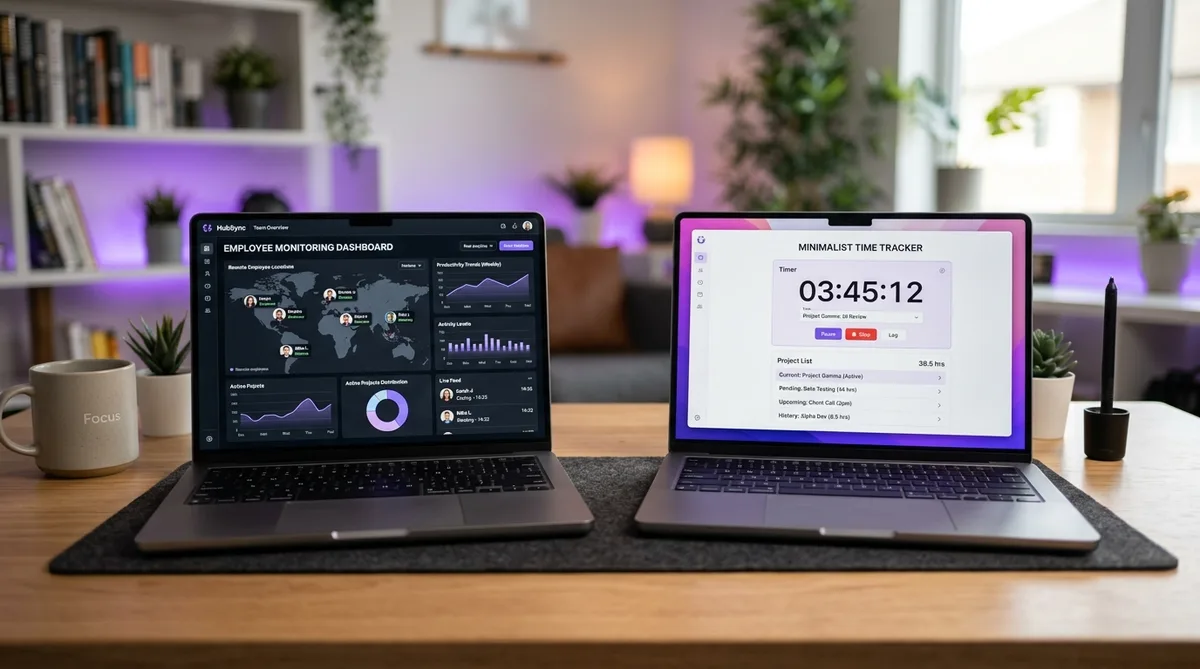
Hubstaff and Clockify both track time, but they were built to do very different jobs. Hubstaff is a workforce-management and monitoring platform — it pairs time tracking with screenshots, activity levels, GPS, and payroll. Clockify is a time tracker first and foremost, best known for a generous free plan (up to five users) and a deliberately lighter touch on surveillance.
That difference drives everything else. If you need to verify how a remote or field team spends its hours, Hubstaff hands you the evidence. If you mainly need accurate, low-cost time data for billing, reporting, and project budgets — without watching anyone — Clockify does that for free or close to it. This comparison covers pricing, features, the monitoring divide, and which tool fits which team.
For more context on Hubstaff specifically, see our full Hubstaff review, and for how it compares to its closest monitoring rival, our Hubstaff vs Time Doctor breakdown.
Pricing Comparison
Pricing is where these two tools diverge most. The rates below are per user per month billed annually (monthly billing costs more for both). Crucially, Hubstaff charges a 2-seat minimum on paid plans and Clockify does not, and Clockify's free tier covers up to five users at no cost.
| Plan | Hubstaff | Clockify |
|---|---|---|
| Free | 1 user, 100 screenshots/mo | Up to 5 users; unlimited projects & tracking |
| Tier 1 | Starter: $4.99/user/mo ($7 monthly). 2-seat min. | Basic: $3.99/user/mo ($4.99 monthly) |
| Tier 2 | Grow: $7.50/user/mo ($9 monthly). 2-seat min. | Standard: $5.49/user/mo ($6.99 monthly) |
| Tier 3 | Team: $10/user/mo ($12 monthly). 2-seat min. | Pro: $7.99/user/mo ($9.99 monthly) |
| Enterprise | $25/user/mo (annual) | $11.99/user/mo ($14.99 monthly) |
| Free trial | 14 days + 30-day money-back | 7-day trial of paid features |
The pricing takeaway: Clockify wins decisively on cost. A small team can track time on Clockify's free plan (up to five users) indefinitely, while Hubstaff caps its free tier at one user and bills at least two seats on every paid plan. Even tier for tier, Clockify undercuts Hubstaff. Hubstaff also charges extra for add-ons like GPS (around $3.33/user/month) and advanced analytics (around $2.50/user/month). The only reason to pay Hubstaff's premium is if you need the monitoring Clockify deliberately leaves out.
Feature-by-Feature Breakdown
| Feature | Hubstaff | Clockify |
|---|---|---|
| Free plan | 1 user only | Up to 5 users |
| Screenshots | Yes (Starter+, capped) | Optional (Pro plan) |
| Activity levels | Yes (keyboard/mouse %) | Yes (Pro plan) |
| GPS / Geofencing | Yes (Team / add-on) | GPS on Pro plan |
| App/URL tracking | Yes (visible to managers) | Auto tracker (optional) |
| Built-in payroll | Yes (Team+) | No (rates & billable only) |
| Invoicing | Yes | Yes (Standard+) |
| Scheduling / attendance | Yes (Team+) | Yes (paid add-on) |
| Idle detection | Yes | Yes |
| Pomodoro timer | No | Yes |
| Integrations | 35+ | 80+ |
| Platforms | Win, Mac, Linux, iOS, Android | Win, Mac, Linux, iOS, Android |
Hubstaff Overview
Hubstaff is a monitoring-first platform. While the timer runs, it can capture screenshots, measure an activity-level percentage from mouse and keyboard input, log the apps and websites used, and — on mobile — track GPS location with geofencing. Managers see all of this on a real-time dashboard, which is exactly what makes it valuable for teams that need proof of work for client billing or remote oversight.
Beyond monitoring, Hubstaff bundles built-in payroll, scheduling, and attendance on its Team plan, paying contractors directly through PayPal, Wise, or Payoneer. Its standout capability is location: GPS and geofencing make it one of the few tools that genuinely suits construction, delivery, and field-service teams. The trade-offs are the surveillance feel, the capped screenshots and add-ons, and the 2-seat minimum. For the full picture, read our Hubstaff review or our guide on how Hubstaff tracks activity.
Clockify Overview
Clockify built its reputation on one of the most generous free plans in the category: unlimited projects and unlimited time tracking at no cost, for up to five users. (Clockify capped the free plan at five users in 2026; it was previously unlimited.) For freelancers, startups, and small teams on a budget, that is often the deciding factor. The free tier includes timesheets, a calendar view, a Pomodoro timer, idle detection, and apps on every platform — see our full Clockify review for the complete breakdown.
Paid tiers add reporting, invoicing, project budgets, scheduling, and optional monitoring such as screenshots and GPS — but these are layered on top of a time tracker, not the core of the product. Clockify's philosophy is closer to Toggl Track than to Hubstaff: track time accurately and stay out of the way. See how the two budget-friendly trackers compare in our Toggl vs Clockify breakdown.
Monitoring — The Biggest Divide
The single biggest difference is how much each tool watches. Hubstaff treats monitoring as the point: screenshots start on the entry-level Starter plan, activity levels are always measured, and app, URL, and location data feed a manager dashboard by default. The data is designed to be seen by employers.
Clockify treats monitoring as optional and secondary. Its free and lower tiers track time with no screenshots and no activity percentages at all. Screenshots, a productivity view, and GPS exist only on higher paid plans and must be deliberately enabled. For a team that values trust — or simply does not want the overhead and morale cost of surveillance — that distinction matters more than any feature checkbox.
Worth remembering: activity-based monitoring rewards constant mouse and keyboard input, which does not always reflect real work. Reading, calls, and planning all register as low activity even when you are fully engaged. That gap between measured and real work is why TrickTack exists — it simulates the natural mouse movement, keystrokes, scrolling, and app switching that tools like Hubstaff measure, so a quiet stretch of focused work does not read as idle.
Keep Your Activity Consistent on Any Tracker
Whether your team runs Hubstaff or Clockify, TrickTack keeps your activity steady during calls, reading, and thinking time. Try it free for 7 days.
DownloadWho Should Use Which?
| Your situation | Best pick |
|---|---|
| Solo freelancer or startup on a budget | Clockify — free, unlimited |
| Large team that just needs time data | Clockify — free for everyone |
| Remote team needing proof of work | Hubstaff — screenshots + activity |
| Field / mobile workforce | Hubstaff — GPS + geofencing |
| Team that needs built-in payroll | Hubstaff — pays contractors directly |
| Trust-based team avoiding surveillance | Clockify — no forced monitoring |
The decision really comes down to one question: do you need to monitor your team, or just track time? If you need verification, GPS, or payroll, Hubstaff earns its price. If you need accurate time tracking for any number of people without paying — or watching — Clockify is hard to beat.
Frequently Asked Questions
Is Clockify cheaper than Hubstaff?
Yes, in almost every scenario. Clockify's free plan supports up to five users, with unlimited projects and time tracking, while Hubstaff's free plan is limited to a single user. For paid plans, Clockify Basic is $3.99/user/month billed annually versus Hubstaff Starter at $4.99, and Clockify has no two-seat minimum. A five-person team can use Clockify entirely free, whereas the same team on Hubstaff's cheapest paid plan costs at least $24.95/month. Hubstaff is only worth the extra cost if you need its monitoring features.
Does Clockify take screenshots like Hubstaff?
Clockify can take screenshots, but only on its higher paid tiers and as an optional feature an admin turns on, whereas Hubstaff includes screenshots from its entry-level Starter plan. Clockify is built primarily as a time tracker, so monitoring features are add-ons layered on top rather than the core. Hubstaff is monitoring-first: screenshots, activity levels, and app and URL tracking are central to how it works. If avoiding surveillance matters, Clockify's free and lower tiers track time without screenshots at all.
Which is better for a remote team, Hubstaff or Clockify?
It depends on whether you need oversight or just time data. Hubstaff is better for managers who need proof of work, with screenshots, activity percentages, GPS for field teams, and built-in payroll. Clockify is better for teams that want accurate, low-cost time tracking without monitoring employees, especially budget-conscious teams that benefit from its low-cost plans. Trust-based teams usually prefer Clockify, while teams that require verification of remote or field work tend to choose Hubstaff.
Do Hubstaff and Clockify both work on Linux?
Yes. Both offer native desktop applications for Windows, macOS, and Linux, plus mobile apps for iOS and Android, browser extensions, and a web app. That makes either tool practical for engineering teams on Linux — notable because some competitors like Toggl Track have discontinued their Linux desktop app. Hubstaff's Linux client includes its full monitoring feature set, while Clockify's focuses on time tracking.
Can I use Clockify for employee monitoring?
You can, to a degree. Clockify has added optional monitoring features such as screenshots, a productivity view, and GPS on its paid plans, so it can work as a light monitoring tool. But it is not as comprehensive as Hubstaff, which is purpose-built for monitoring with forced activity levels, frequent screenshots from the entry tier, geofencing, and detailed app and URL logging visible to managers. If monitoring is your primary goal, Hubstaff goes deeper; if you mainly need time tracking with occasional oversight, Clockify's add-ons may be enough.
Conclusion
Hubstaff and Clockify aren't really competing for the same buyer. Clockify is the best choice when your priority is tracking time accurately at little or no cost, without surveillance. Its free plan (up to five users) and category-low paid tiers undercut Hubstaff at every level.
Hubstaff is the better choice when you genuinely need to monitor — screenshots, activity levels, GPS for field teams, and built-in payroll justify its higher price for managers who need proof of work. If you are weighing Hubstaff against another monitoring tool rather than a time tracker, our Hubstaff vs Time Doctor comparison is the more relevant read, and the top time tracking software roundup puts both in wider context.
Whichever you choose, if your work involves stretches away from the keyboard and you need your activity to reflect that you are present and working, TrickTack was built for exactly that.


