What Is Hubstaff?
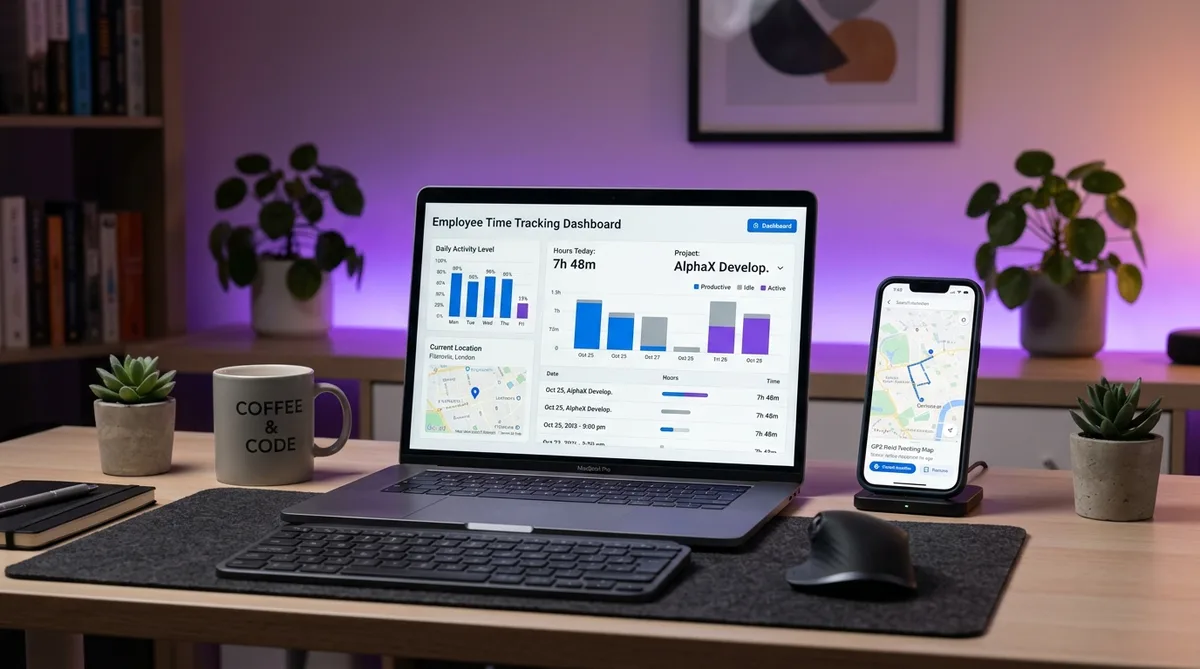
Hubstaff is a time tracking and workforce management platform built for remote, hybrid, and field teams. It combines a time tracker with activity level monitoring, optional screenshots, app and URL logging, GPS location tracking, and built-in payroll. Founded in 2012, it has become one of the most widely used monitoring tools alongside Time Doctor, DeskTime, and Insightful.
What sets Hubstaff apart from most desk-focused competitors is its location capability. GPS tracking and geofencing make it a genuine option for construction crews, delivery drivers, cleaning services, and other teams whose work happens out in the field rather than at a desk. Few monitoring tools in this price range handle mobile workforces as well.
This review covers Hubstaff's core features, its current 2026 pricing, the trade-offs to weigh before committing, and the strongest alternatives. If you have already decided to use it, our step-by-step Hubstaff setup guide walks through configuring tracking, screenshots, and GPS, while our companion guide on how Hubstaff tracks activity breaks the monitoring down feature by feature. For a broader comparison across all monitoring tools, see our guide to cheating time tracking software.
Key Hubstaff Features
Time Tracking and Activity Levels
At its core, Hubstaff is a timer-based tracker. Employees start a timer tied to a project or task from the desktop, web, or mobile app, and Hubstaff records the hours. Unlike fully automatic trackers such as RescueTime, the timer is usually started manually, which gives workers control over when monitoring is active.
While the timer runs, Hubstaff measures an activity level based on the frequency of mouse and keyboard input. This appears as a percentage on the manager dashboard, alongside the hours worked. The metric does not judge what you are doing — only how often you are interacting with the device — so reading, calls, and video meetings naturally register as lower activity even when you are fully engaged.
Screenshots and App Monitoring
Hubstaff can capture screenshots at random or fixed intervals while tracking. Unlike some competitors, screenshots are capped by plan — 100 per user per month on the free plan and 500 per user per month on paid plans — and administrators can disable or blur them. Because of the cap, many teams treat screenshots as a spot-check rather than constant surveillance.
On paid plans, Hubstaff also logs the applications and websites used during tracked time, recording how long is spent in each. Like screenshots, app and URL records are capped (500 per user per month on Starter), and this data feeds into productivity reports that show where work hours actually go. Idle detection rounds out the monitoring: when there is no input for a set period, Hubstaff can stop the timer or flag the idle time.
GPS Tracking and Geofencing
The feature that most distinguishes Hubstaff is GPS location tracking, available on the Team plan (and as a paid location add-on on lower tiers) through the mobile app. It logs an employee's location during work hours and plots it on a map, which is valuable for field teams where location is part of the job or the billing.
Hubstaff pairs this with geofencing — virtual boundaries around job sites that automatically start or stop the timer when a worker arrives or leaves. For industries like construction, landscaping, and home services, this removes the need to remember to clock in and produces accurate on-site hours. Time Doctor and most desk-oriented tools offer no equivalent.
Payroll, Scheduling, and Integrations
The Team plan adds built-in payroll: set each member's pay rate, and Hubstaff calculates totals from approved timesheets and pays out through PayPal, Wise, Payoneer, and other providers. Scheduling and attendance tools let managers set shifts, track lateness, and see who is currently working.
Hubstaff connects to 30+ integrations including Jira, Asana, Trello, QuickBooks, Slack, and GitHub. Lower tiers limit how many integrations you can connect (Grow allows one), while the Team plan unlocks unlimited integrations — useful for syncing tracked time with project management and accounting tools.
Hubstaff Pricing in 2026
Hubstaff uses per-user, per-month pricing with a two-seat minimum on paid plans — an important detail, because even a single-user paid team is billed for two seats. The rates below are the annual-billing prices Hubstaff features; paying month-to-month costs more (for example, Starter is $7/user/month billed monthly versus $4.99 billed annually). All paid plans include a 14-day free trial with no credit card required.
| Plan | Price (annual, per user/mo) | Best for |
|---|---|---|
| Free | $0 (1 user) | Solo freelancers testing tracking |
| Starter | $4.99 | Small teams needing the basics |
| Grow | $7.50 | Growing teams wanting reporting |
| Team | $10 | Full monitoring, GPS, payroll |
| Enterprise | Custom | Large orgs, compliance, security |
Free — $0 (single user)
- Time tracking, timesheets, and activity levels
- Up to 100 screenshots per month
- Limited reports, invoices, and data retention
- One user only — ideal for solo freelancers
Starter — $4.99/user/month (billed annually)
- Everything in Free, for teams (2-seat minimum)
- 500 screenshots and 500 app & URL records per user/month
- Up to 5 clients and client invoicing
- Two-factor authentication and Help Center support
Grow — $7.50/user/month (billed annually)
- Everything in Starter
- Advanced reporting and expanded limits
- One integration
- Project budgets and time-off tracking
Team — $10/user/month (billed annually)
- Everything in Grow
- GPS tracking and geofencing (mobile)
- Payroll and payments
- Scheduling, attendance, and unlimited integrations
Beyond the plan price, some capabilities are paid add-ons rather than included features — notably GPS tracking (around $3.33/user/month), advanced analytics (around $2.50/user/month), and longer data retention — which can raise the real cost. Compared with rivals: Time Doctor starts at $6.70/user/month with screenshots on every plan, DeskTime starts around $7/user/month with automatic tracking and productivity scoring, and Toggl Track focuses on lightweight time tracking without the screenshots or activity surveillance.
Pros and Cons
What Hubstaff Does Well
- GPS and geofencing — The standout feature. No other tool in this price tier handles field and mobile teams as cleanly.
- Free plan for solo users — A genuinely usable free tier for one person, which Time Doctor and DeskTime do not offer.
- Cross-platform, including Linux — Native apps for Windows, macOS, Linux, iOS, and Android cover almost any team.
- Built-in payroll — Calculating pay from tracked hours and paying through PayPal or Wise simplifies contractor management.
- Optional, capped screenshots — Screenshot limits and blur options make the monitoring less invasive than always-on alternatives.
Where Hubstaff Falls Short
- Two-seat minimum — Paid plans bill for at least two users, so a one-person paid team pays double the headline rate.
- Feature caps and add-ons — Screenshot and app-record limits, plus paid add-ons for analytics and data retention, mean the advertised price is rarely the final price.
- Activity-level pressure — Judging people on input-based activity percentages penalizes legitimate work that does not involve constant typing.
- GPS is mobile-only — There is no desktop location tracking, so the headline feature only helps teams using the mobile app.
- Surveillance feel — Screenshots plus activity tracking can hurt morale and trust if rolled out without a clear, transparent policy.
Hubstaff Alternatives
Time Doctor
Time Doctor is Hubstaff's closest competitor. It offers screenshots on every plan, video screen recording on Standard, and strong compliance certifications (SOC 2, HIPAA, GDPR) on Premium. It lacks GPS, so Hubstaff wins for field teams, but Time Doctor edges ahead for detailed desk monitoring in regulated industries. See our full Hubstaff vs Time Doctor comparison.
DeskTime
DeskTime takes the opposite approach with fully automatic tracking — no timer to start. It categorizes apps as productive, unproductive, or neutral and calculates a productivity score, which Hubstaff does not do. It suits teams that want passive insight rather than active surveillance.
Toggl Track
Toggl Track is the lightweight alternative for teams that want clean time tracking and reporting without screenshots, activity levels, or GPS. If monitoring feels like overkill and you mainly need accurate billable hours, Toggl is far less invasive. Compare the two trackers in Hubstaff vs Toggl.
TrickTack
If you are tracked by Hubstaff and need your activity levels to reflect the real work you do — including reading, calls, and thinking time that does not involve constant typing — TrickTack simulates natural mouse movement, keystrokes, scrolling, and app switching, the exact inputs Hubstaff measures. It works alongside any tracker with a free 7-day trial.
Frequently Asked Questions
How much does Hubstaff cost?
Hubstaff offers a free plan for a single user and three paid tiers, with a two-seat minimum on paid plans. The headline rates are billed annually; monthly billing costs more. Free covers one user with time tracking, activity levels, and 100 screenshots per month. Starter is $4.99/user/month annually ($7 monthly) and adds 500 screenshots and 500 app and URL records per user plus invoicing. Grow is $7.50/user/month annually ($9 monthly) and adds advanced reporting and one integration. Team is $10/user/month annually ($12 monthly) and adds payroll, scheduling, GPS, geofencing, and unlimited integrations. Enterprise is custom. All paid plans include a 14-day free trial with no credit card required.
Does Hubstaff take screenshots?
Yes, but screenshots are optional and capped by plan. The free plan includes up to 100 screenshots per user per month; Starter and higher include 500 per user per month. Administrators choose whether screenshots are captured at random intervals, on a fixed schedule, or disabled, and they can blur them to protect sensitive content. Because screenshots count against a monthly limit, many teams use them selectively — different from tools like Time Doctor that screenshot on every plan without a cap.
Does Hubstaff have GPS tracking?
Yes. GPS location tracking is available on the Team plan through the mobile app on iOS and Android. It logs an employee's location during tracked hours and displays it on a map for managers. Hubstaff also supports geofencing, which automatically starts or stops the timer when a worker enters or leaves a defined job site. These location features make Hubstaff a strong choice for field, construction, and delivery teams, and they are the main capability that sets it apart from desk-focused competitors.
Is Hubstaff better than Time Doctor?
It depends on your team. Hubstaff wins for field and mobile teams thanks to GPS and geofencing, and it offers a free plan for solo users. Time Doctor provides video screen recording on Standard and stronger compliance certifications on Premium, making it better for regulated industries and detailed desk monitoring. On price, Hubstaff Starter at $4.99/user (billed annually) undercuts Time Doctor Basic at $6.70, so Hubstaff is the cheaper entry point. Read our full Hubstaff vs Time Doctor comparison for the details.
Does Hubstaff work on Mac and Linux?
Yes. Hubstaff has native desktop applications for Windows, macOS, and Linux, plus mobile apps for iOS and Android and a Chrome extension. The desktop clients provide the fullest monitoring including screenshots, app and URL tracking, and activity levels, while the mobile apps add GPS and geofencing. Linux support is notable because many competitors are Windows and Mac only, making Hubstaff a practical option for engineering teams and developers on Linux.
Conclusion
Hubstaff is one of the most versatile monitoring platforms of 2026. Its combination of time tracking, optional screenshots, GPS, geofencing, and payroll covers both desk-based and field teams in a single tool — a breadth few competitors match. The free plan for solo users and broad platform support, including Linux, add to its appeal.
The catches are the two-seat minimum, the feature caps and paid add-ons that push the real cost above the sticker price, and the familiar downsides of activity-based surveillance. If you need GPS for a mobile team, Hubstaff is the clear pick. If you want detailed desk monitoring with compliance certifications, Time Doctor is worth comparing; if you prefer lightweight or free tracking without surveillance, see Hubstaff vs Clockify or consider Toggl as the gentler option.
And if you work under Hubstaff and need your activity to reflect the work you actually do during calls, reading, or focused thinking, TrickTack was built for exactly that.
Keep Your Hubstaff Activity Consistent
TrickTack simulates mouse movement, keyboard input, scrolling, and app switching — every signal Hubstaff measures for activity levels. Try it free for 7 days.
Download

