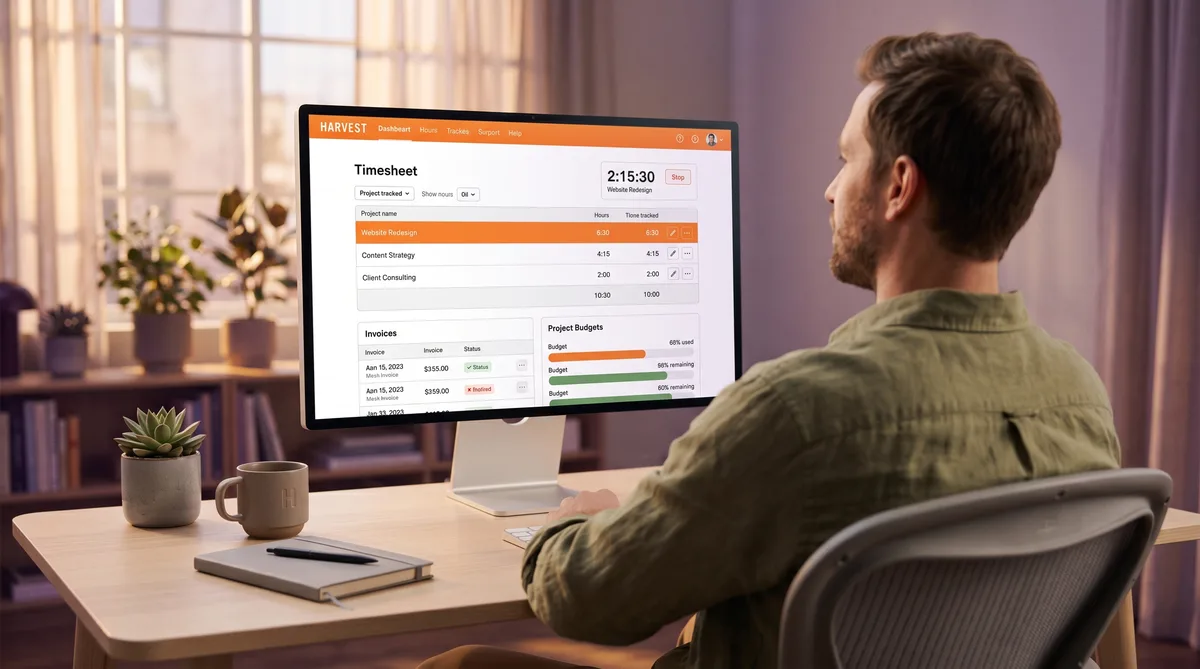
What Is Harvest?
Harvest is a time tracking and invoicing platform built for teams that bill clients by the hour. Founded in 2006 in New York, it is one of the longest-running time trackers on the market and has become a standard tool for agencies, consultancies, law firms, and freelancers who need to turn tracked hours into invoices.
What sets Harvest apart from most competitors reviewed on this site is what it deliberately does not do. There are no screenshots, no keystroke logging, no app or website tracking, no GPS, and no activity-level scoring. Harvest records only the time entries you create and the expenses you log. It is a trust-based tool designed for billing accuracy, not employee surveillance.
In July 2025, Harvest was acquired by Bending Spoons, the Italian software company known for acquiring and restructuring products like Evernote and Meetup. Since then, pricing has changed — features that were previously available on a single plan have been split into tiers — but the core product remains the same. This review covers the current 2026 state of Harvest: features, pricing, trade-offs, and how it compares to alternatives. For a deeper look at what Harvest tracks from an employee's perspective, see our companion guide on how Harvest monitors activity. For the broader landscape, our guide to cheating time tracking software compares all major tools.
Key Harvest Features
Time Tracking Methods
Harvest offers several ways to log time, all of them user-initiated. Unlike automatic trackers such as RescueTime or DeskTime that record everything from the moment your computer starts, Harvest only captures time when you actively start a timer or enter hours manually.
- Start/stop timer — Select a project and task, hit start, and Harvest counts the minutes. Available across web, desktop, and mobile apps.
- Manual entry — Type hours directly into a daily or weekly timesheet grid. Useful for end-of-day or end-of-week batch entry.
- Browser extension — Chrome, Firefox, and Edge extensions embed a "Track time" button inside Asana, Jira, Trello, GitHub, Basecamp, and other tools, so you can start a timer from a specific task without switching apps.
- Desktop apps — macOS and Windows apps with desktop widget timers, keyboard shortcuts, and offline support that syncs when you reconnect.
- Mobile apps — iOS and Android apps with full timer and manual entry, home-screen widgets, expense logging with receipt photos, and offline support.
- Calendar integration — Pull events from Google Calendar or Outlook and convert them into time entries.
The timer-based approach means Harvest only knows what you tell it. If you work for two hours without starting a timer, there is no record. If you enter 8 hours manually without running a timer at all, Harvest accepts that. The desktop app includes an idle reminder that nudges you to start tracking when it detects computer activity without a running timer — but this is a personal notification, not a surveillance feature visible to managers.
Project Budgets and Client Management
This is where Harvest earns its reputation with agencies. Every project can be assigned to a client and configured with a budget measured in hours or dollars. As team members log time, Harvest tracks progress against the budget in real time.
- Budget types — Total project hours, total project fees, hours per task, fees per task, or hours per person. Flexible enough for fixed-fee and time-and-materials engagements.
- Budget alerts — Automatic email notifications when a project hits configurable thresholds (75%, 90%, 100%).
- Billable vs. non-billable — Mark individual time entries, tasks, or entire projects as billable or non-billable. Harvest calculates the split in reports.
- Cost rates — Assign internal cost rates per team member so Harvest calculates not just billable revenue but actual profit margin per project.
- Capacity planning — Utilization reports show how many hours each person has logged versus their capacity, highlighting overwork and underutilization.
Harvest also offers Forecast, a companion product (sold separately) for visual resource planning with drag-and-drop scheduling and planned-vs-actual comparisons.
Invoicing and Expense Tracking
Built-in invoicing is Harvest's biggest differentiator from tools like Toggl Track and Clockify, which require external invoicing tools. Harvest lets you generate an invoice directly from tracked time and expenses with a few clicks.
- Invoice from tracked time — Select uninvoiced time entries for a client, and Harvest builds the invoice automatically with line items, rates, and totals.
- Online payments — Accept credit card and ACH payments via Stripe, or PayPal payments, directly from the invoice. Clients click a link and pay.
- Invoice management — Dashboard showing draft, sent, paid, and overdue invoices with automated late-payment reminders.
- Recurring invoices — Set up automatic invoices for retainer-based clients.
- Accounting sync — Native integrations with QuickBooks Online and Xero push invoices and payments automatically, eliminating double entry.
Expense tracking works alongside invoicing. Log expenses per project with receipt photos (mobile), mark them as billable, and they roll into the next client invoice. Categories are customizable, and managers can review and approve expenses as part of the timesheet approval workflow.
Reporting and Team Management
Harvest offers role-based access (Administrator, Manager, Project Manager, Member) with granular permissions. On the Premium plan, managers can require timesheet submission and formal approval, creating an audit trail for billing and compliance.
The reporting suite includes:
- Time reports — Hours by client, project, task, or team member with custom date ranges and visual charts.
- Project budget reports — Budget consumed vs. remaining for every active project.
- Utilization reports — Billable vs. non-billable hours per person, with capacity tracking.
- Uninvoiced report — Time and expenses that have not yet been billed — critical for agencies that want to minimize revenue leakage.
- Scheduled reports — Automatically generate and email project health summaries on a recurring schedule.
- Exports — CSV, Google Sheets, and Excel exports for external analysis.
What Harvest Does Not Monitor
Harvest is transparent about what it does not track. Their support page explicitly lists the features they have intentionally excluded. This table compares Harvest against the monitoring capabilities found in tools like Hubstaff, Time Doctor, and Teramind:
| Feature | Harvest | Typical Monitoring Tools |
|---|---|---|
| Screenshots | No | Yes (periodic or random) |
| Keystroke logging | No | Some (Time Doctor, Teramind) |
| App/website tracking | No | Yes (with productive/unproductive scoring) |
| GPS location | No | Yes (Hubstaff, TSheets) |
| Activity percentage | No | Yes (mouse/keyboard activity scoring) |
| Screen recording | No | Some (ActivTrak, Teramind) |
| Idle detection | User reminder only | Reported to managers as inactivity |
| Webcam monitoring | No | Some (CleverControl, Teramind) |
Harvest's idle reminder deserves clarification. When a timer is running and no keyboard or mouse input is detected, the desktop app shows a notification asking the user whether to keep or discard the idle time. This is a personal convenience feature — managers never see idle data, and the user controls the outcome. Compare that to Hubstaff or Time Doctor, which calculate activity percentages from input frequency and display them on the manager dashboard.
For teams that want time tracking without surveillance, this is Harvest's strongest selling point. For teams that need proof-of-work verification, it is its biggest limitation. For more detail, see our full breakdown of what Harvest does and does not track.
Harvest Pricing in 2026
Since the Bending Spoons acquisition in July 2025, Harvest has restructured from a single flat-rate plan into three tiers. The free plan remains but is extremely limited.
| Plan | Price (per user/month) | Best For |
|---|---|---|
| Free | $0 (1 user, 2 projects) | Solo freelancers testing the platform |
| Pro | $11 | Teams needing time tracking + invoicing |
| Premium | $14 | Teams needing approval workflows + profitability |
| Enterprise | Custom | Large organizations, SSO, dedicated support |
Free — $0 (1 seat, 2 projects)
- Single user with up to 2 active projects
- Basic time tracking, invoicing, and expense tracking
- Desktop and mobile apps included
- Suitable for testing, but teams outgrow it immediately
Pro — $11/user/month
- Unlimited users and projects
- Start/stop timers, manual entry, browser extension
- Project budgets, budget alerts, and estimates
- Full invoicing with Stripe and PayPal payments
- Team reports, expense tracking, and integrations
- QuickBooks and Xero accounting sync
Premium — $14/user/month
- Everything in Pro
- Timesheet approval workflows
- Profitability reporting (cost rates vs. billable rates)
- Activity log and audit trail
- Required notes on time entries
- Custom reports and data exports
Enterprise — Custom pricing
- Everything in Premium
- SAML-based single sign-on (SSO)
- Dedicated account manager and priority support
- Custom onboarding for teams of 50+
All paid plans include a 30-day free trial with no credit card required.
Post-acquisition pricing note: Before the acquisition, Harvest charged roughly $10.80/user/month on a single plan that included all features. The new tiered structure means features like timesheet approval and profitability reporting — previously available to everyone — are now gated behind the $14 Premium tier. Some existing customers have also reported usage-based fees at renewal that significantly exceeded the advertised per-seat rate.
For context: Toggl Track starts at $9/user/month with a free plan for up to 5 users. Clockify starts at $3.99/user/month with a free plan for 5 users. Hubstaff starts at $4.99/user/month with screenshots and activity tracking. Harvest is more expensive than all three, but none of them include built-in invoicing.
Pros and Cons
What Harvest Does Well
- Built-in invoicing — Generate invoices directly from tracked hours and expenses, accept online payments, and sync with accounting tools. No other time tracker in this price range does billing this well.
- Zero surveillance — No screenshots, no keystroke logging, no app tracking, no GPS. Employees appreciate the trust-based approach, and it avoids the morale damage that invasive monitoring can cause.
- Clean, simple interface — Consistently praised in user reviews as one of the easiest time trackers to learn and use. No feature bloat.
- Project budget management — Real-time budget tracking with configurable alerts keeps projects profitable without manual spreadsheet work.
- Deep integrations — Browser extensions embed timers into Asana, Jira, Trello, GitHub, and dozens of other tools. Native accounting sync with QuickBooks and Xero eliminates double entry.
- Mature and reliable — Nearly 20 years of operation. The platform rarely goes down and the core product is battle-tested by thousands of agencies.
- Good mobile apps — Full timer functionality, receipt capture, offline support, and home-screen widgets on iOS and Android.
Where Harvest Falls Short
- Price increased post-acquisition — The Bending Spoons restructuring moved features behind higher tiers and introduced usage-based fees that some customers call opaque.
- Free plan is minimal — One user, two projects. Toggl and Clockify both offer free plans with up to 5 users and more features.
- No activity verification — For managers who need proof of work, Harvest offers no way to confirm what employees were doing during tracked hours.
- Invoicing is basic — Works well for simple time-and-materials billing, but lacks the depth of dedicated invoicing tools like FreshBooks for complex recurring billing or multi-tax scenarios.
- Limited reporting customization — Reports cover the basics but power users wanting custom dashboards or advanced visualizations may need to export data to external tools.
- No built-in payroll — Harvest tracks hours but does not process payroll. Tools like Hubstaff and QuickBooks Time include payroll functionality.
- Bending Spoons uncertainty — Bending Spoons has a pattern of acquiring products and aggressively monetizing them (Evernote, Meetup). Some long-time users are cautious about Harvest's long-term direction.
Harvest Alternatives
Toggl Track
Toggl Track is Harvest's closest competitor for trust-based time tracking. It offers a more generous free plan (up to 5 users), stronger reporting and analytics, and a wider range of integrations. However, Toggl does not include built-in invoicing, so teams that bill clients need a separate tool. Neither platform includes employee monitoring. See our Harvest vs Toggl comparison for the full breakdown.
Clockify
Clockify is the budget option, starting free for up to 5 users with optional paid tiers from $3.99/user/month. It adds screenshots and GPS on the Pro plan ($7.99/user/month), which Harvest never offers. Clockify lacks Harvest's invoicing depth but costs significantly less.
Hubstaff
Hubstaff sits on the opposite end of the monitoring spectrum. Starting at $4.99/user/month, it includes screenshots, activity-level tracking, app and URL monitoring, and GPS. If you need proof of work or manage field teams, Hubstaff fills the gap Harvest intentionally leaves open.
Time Doctor
Time Doctor is another monitoring-first alternative, starting at $6.70/user/month with screenshots on every plan, distraction alerts, and compliance certifications on Premium. Like Hubstaff, it provides the activity verification that Harvest does not.
TrickTack
If you use Harvest and want your daily hours to stay consistent during short breaks, TrickTack keeps your computer active with simulated mouse movement and keyboard input, preventing your session from timing out and your Harvest timer from accumulating idle gaps. Free 7-day trial, no credit card.
Frequently Asked Questions
How much does Harvest cost in 2026?
Harvest offers a limited free plan for one user and two projects. The paid tiers are Pro at $11/user/month, Premium at $14/user/month, and Enterprise with custom pricing. Harvest was acquired by Bending Spoons in July 2025, and the pricing was restructured from a single flat plan into these three tiers. Some longtime customers have reported price increases at renewal. All paid plans include a 30-day free trial with no credit card required.
Does Harvest take screenshots or monitor your screen?
No. Harvest does not take screenshots, record your screen, log keystrokes, track mouse movements, or monitor which apps or websites you use. It is a billing-first time tracker, not an employee monitoring platform. Harvest only records the hours you log against projects and tasks. If your employer needs screenshot-based monitoring, they would use a separate tool like Hubstaff or Time Doctor alongside or instead of Harvest.
Does Harvest have GPS tracking?
No. Harvest does not track your location through GPS or any other method. The mobile app is used for starting timers, logging expenses, and capturing receipt photos, but it does not record where you are. This makes Harvest unsuitable for field workforce management where location verification matters, but it also means there is no location surveillance for desk-based workers.
Is Harvest better than Toggl?
It depends on what you need. Harvest is the better choice if you invoice clients directly because it includes built-in invoicing, expense tracking, and project budget management. Toggl Track is stronger for teams that want detailed reporting, a more generous free plan (up to 5 users), and a wider integration ecosystem. Neither tool includes employee monitoring features like screenshots or activity tracking. Read our full Harvest vs Toggl comparison for a detailed breakdown.
What happened after Bending Spoons acquired Harvest?
Bending Spoons acquired Harvest in July 2025. Since then, the pricing has been restructured from a single plan at roughly $10.80/user/month into three tiers: Pro ($11), Premium ($14), and Enterprise (custom). Features like timesheet approval and profitability reporting that were previously available to all users are now gated behind the Premium tier. The core product features remain the same, but some users have reported significant price increases at renewal due to usage-based fees layered on top of the base per-seat rate.
Conclusion
Harvest occupies a unique position in the time tracking market. It is the only major tool that combines competent time tracking with built-in invoicing while deliberately excluding all employee monitoring. For agencies, consultancies, and freelancers who bill clients by the hour, that combination saves the cost and friction of maintaining separate tracking and invoicing systems.
The Bending Spoons acquisition has introduced uncertainty. The tiered pricing is more expensive than the old flat rate, features have been gated, and the parent company's track record with other acquisitions gives some users pause. But the core product — simple time tracking, project budgets, and one-click invoicing from tracked hours — remains solid and well-integrated.
If invoicing is central to your workflow, Harvest is hard to beat. If you mainly need time tracking without billing, Toggl or Clockify offer more for less. And if you need activity monitoring or proof of work, look at Hubstaff or Time Doctor instead — Harvest was never designed for that role and does not pretend to fill it. For a broader look at where every tool falls on the spectrum, see our top time tracking software comparison.
Keep Your Harvest Hours Consistent
TrickTack prevents your computer from idling during short breaks, so your Harvest timer keeps running and your daily totals stay where they should be. Try it free for 7 days.
Download

