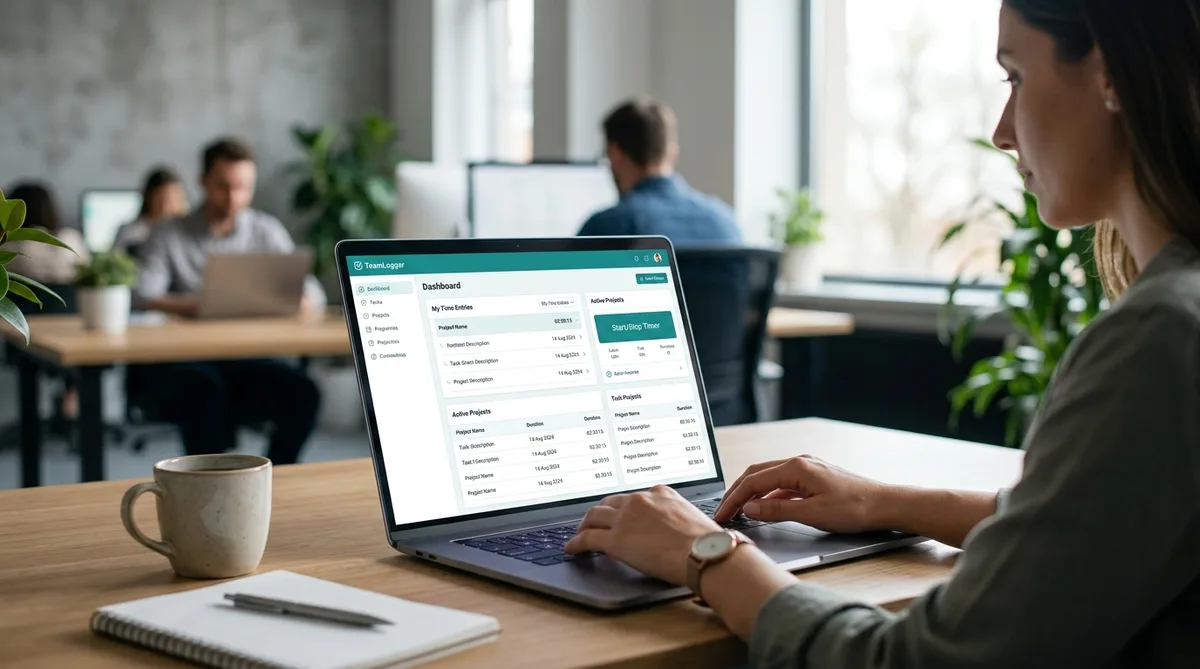
Why People Search for TeamLogger Hacks
TeamLogger is a lightweight employee monitoring tool that packs more surveillance capability than its $1/month price tag suggests. It captures screenshots at random intervals, monitors which apps and websites you use, detects idle time, and even includes a pop-up attention quiz that asks you to prove you are still at your computer. For a tool that costs less than a cup of coffee per user, it watches a lot.
That level of monitoring creates a familiar problem for remote workers. Not every minute of productive thinking, brainstorming, or collaborative conversation happens with your fingers on the keyboard. Reading a whiteboard, sketching ideas on paper, or talking through a problem with a colleague do not register as "active" on TeamLogger's dashboard. A five-minute coffee break turns into a visible gap in your timeline, and a missed attention quiz gets flagged as suspicious activity.
This is why searches for "TeamLogger hack," "how to hack TeamLogger," and "what is TeamLogger" continue to grow. Most people are not trying to avoid work entirely. They want their reports to reflect the real work they are doing, not just the fraction of it that happens directly at the keyboard. For a broader look at this problem across all monitoring platforms, see our guide on how to cheat time tracking software.
What Is TeamLogger?
TeamLogger is a cloud-based employee monitoring and time tracking tool that records screenshots, active and idle time, app and website usage, and periodic attention quizzes for remote and in-office teams. It costs $1 per user per month, offers a free 15-day trial, and runs on Windows, macOS (Intel and Apple Silicon), and Linux, plus a web dashboard. Managers install the agent on employee machines and review the collected activity online.
People also search for it as "team logger" (two words) or "teamlogger" — both refer to the same software. It is aimed squarely at small businesses, agencies, and freelancers who manage remote workers and want aggressive monitoring at a low price. Because it bundles screenshots, idle detection, an attention quiz, and fraud alerts into that single dollar, it watches more closely than many tools that cost ten times as much.
How TeamLogger Tracks Your Activity
TeamLogger uses several overlapping monitoring methods to build a complete picture of your work. Understanding each one is essential before thinking about how to maintain consistent reports. Let us walk through every layer.
Screenshot Capture
TeamLogger captures screenshots at regular intervals with randomized timing to make the captures unpredictable. Your supervisor controls the frequency, and in burst mode, screenshots can be taken as often as every 30 seconds. That is among the most aggressive screenshot intervals in the monitoring category, on par with tools like Screenshot Monitor.
Beyond periodic captures, TeamLogger also supports live screen streaming. Managers can view an employee's desktop in real time whenever they need to verify active work or provide remote support. This means a manager does not need to wait for the next screenshot interval to see what you are doing.
The screenshot policy is customizable per employee. Employers can make screenshots mandatory for certain roles, optional for others, or disable them entirely while keeping other tracking features running. You can check whether screenshots are active in your TeamLogger settings.
Active Time and Idle Detection
TeamLogger tracks active time by monitoring mouse and keyboard input. When the software detects no activity for a configurable period, it marks you as idle and stops the timer. Administrators can set different idle thresholds for different employees, so the timeout might be 3 minutes for one person and 10 minutes for another.
This is the same fundamental approach used by tools like DeskTime and Hubstaff, but the key difference is that TeamLogger combines idle detection with screenshots and attention quizzes. A gap in your active time is not just a number on a chart. It shows up alongside blank screenshots and potentially a missed quiz, making idle periods far more visible to managers.
Attention Quiz
This is one of TeamLogger's most distinctive features and the one that catches people off guard. The attention quiz pops up at random intervals, typically every 1 to 3 hours depending on your employer's configuration. When it appears, you have exactly 1 minute to answer the question.
If you fail to respond within the time limit, TeamLogger logs the event as suspicious activity. The employee then needs to explain the missed quiz to their employer. Even legitimate reasons, like stepping away for a bathroom break at the wrong moment, create a record that requires justification.
The attention quiz is specifically designed to catch situations where someone has their computer generating activity (through a script, mouse jiggler, or similar tool) but is not actually sitting at the desk. It is a human-presence verification check, and it makes TeamLogger harder to work around than most monitoring tools.
Application and Website Tracking
TeamLogger automatically tracks which applications and websites you use throughout the day and logs how long you spend on each one. This data feeds into daily and weekly reports that are emailed directly to your manager. Each morning, managers receive a concise daily summary for every team member, describing what they worked on and how they spent their time the previous day.
Unlike tools such as ActivTrak that categorize every app as productive or unproductive and calculate a score, TeamLogger takes a simpler approach. It logs the raw data and lets managers draw their own conclusions from the reports and screenshots. The tradeoff is that there is no productivity "score" to game, but the detailed app-level data combined with screenshots gives managers a very clear picture of your workday.
Optional Webcam Monitoring
TeamLogger can capture webcam photos alongside screenshots to verify that the person at the computer is actually the employee. This feature requires explicit consent during installation and will not activate without the employee agreeing to it.
When enabled, the webcam captures happen simultaneously with screen captures, so the manager sees both what is on your screen and who is sitting in front of it. This is a relatively uncommon feature in the monitoring space. Tools like CleverControl offer similar webcam monitoring, but most mainstream trackers like Hubstaff and DeskTime do not.
Fraud Detection
TeamLogger includes a built-in fraud detection system that specifically targets fake activity generators. When enabled, the system monitors activity patterns and sends real-time alerts to administrators when it detects behavior consistent with mouse jigglers, auto-clicker software, or other automation tools.
This means that a simple mouse jiggler is not just ineffective against TeamLogger's screenshot and quiz systems. It is actively flagged. The fraud detection dashboard gives admins a centralized view of all suspicious activity across their team, making it easy to identify and investigate anomalies.
TeamLogger Pricing in 2026
TeamLogger uses one of the simplest pricing models in the monitoring category: $1 per user per month. There are no complex tier structures, no feature gating behind expensive plans, and no annual commitment requirements.
For that dollar, every user gets the full feature set:
- Screenshot capture with configurable frequency and burst mode
- Live screen streaming for real-time viewing
- Idle detection with per-employee thresholds
- Attention quiz with configurable intervals
- Application and website tracking
- Daily and weekly reports delivered by email
- Fraud detection alerts for suspicious activity
- Optional webcam monitoring (with consent)
- Custom branding with your own subdomain and logo
- Client access for external stakeholders (free, does not count as an employee seat)
TeamLogger also offers a free 15-day trial with no obligations. Compared to tools like Time Doctor at $7-20/user/month or Teramind at $15-30/user/month, TeamLogger delivers an aggressive feature set for a fraction of the price. The low cost makes it especially popular with smaller businesses and freelancers who manage remote teams.
TeamLogger Alternatives
If you are researching TeamLogger, you are probably comparing it against the other monitoring tools your employer might choose — or that you have already been asked to install. From the employee's perspective, the differences that matter are how aggressively each tool captures screenshots, whether it runs an attention quiz, and how its idle detection behaves. Here is how the most common alternatives stack up:
- Time Doctor ($7–20/user/month) — more expensive, with stronger reporting and pop-ups that ask what you are working on. No attention quiz, but persistent idle nudges.
- Hubstaff ($4.99–25/user/month) — activity-percentage scoring based on keyboard and mouse input, random screenshots, and optional GPS. Popular with agencies.
- Teramind ($15–30/user/month) — the most invasive of the group: keystroke logging, screen recording, and behavior rules. Aimed at enterprise, not small teams.
- Screenshot Monitor — the closest match to TeamLogger's screenshot-first approach, but without the attention quiz or fraud-detection layer.
- DeskTime — automatic productivity categorization and app tracking, lighter on screenshots, no quiz.
The through-line is that every one of these tools measures the same core signals TeamLogger does: input activity, which application is in focus, and how much time is idle. Whichever one your employer picks, keeping those signals consistent is the same problem — which is exactly what the next section covers.
How to Maintain Consistent Activity in TeamLogger
TeamLogger's combination of screenshots, idle detection, attention quizzes, app tracking, and fraud detection makes it one of the more layered monitoring tools to work with. A basic mouse jiggler fails on almost every level: it gets flagged by fraud detection, it produces repetitive screenshots, it cannot answer attention quizzes, and it does nothing about which applications are visible.
This is where Trick Tack becomes relevant. Trick Tack is a desktop application designed specifically to simulate natural human activity across all the input channels that monitoring tools look for. Here is how it addresses each layer of TeamLogger's tracking.
Why Trick Tack Works with TeamLogger
- Mouse movement simulation — Trick Tack generates natural, randomized mouse movements that prevent idle detection from triggering. The movements follow realistic patterns, not robotic straight lines, which produces natural-looking screenshots when TeamLogger captures your screen.
- Keyboard input simulation — Periodic keyboard activity matches normal work patterns. TeamLogger's idle detection monitors both mouse and keyboard, so having both input types active creates a more convincing activity profile.
- App switching — Trick Tack rotates between open applications, ensuring that productive tools appear in your screenshots and app usage logs. Since TeamLogger tracks which apps are in the foreground and includes them in daily summaries, having work-related applications visible is critical.
- Scrolling simulation — Realistic scrolling through documents and web pages adds depth to the activity pattern. Natural computer use involves scrolling, and it shows up in screenshots as evidence of engagement with content.
One important note: Trick Tack cannot answer TeamLogger's attention quizzes for you. If your employer has attention quizzes enabled, you still need to be near your computer to respond within the 1-minute window. However, Trick Tack handles everything else. It keeps your active time accumulating, your screenshots showing productive work, and your app usage logs looking realistic during those stretches between quizzes when you step away.
Getting Started
- Open your work applications before stepping away — your IDE, email, browser with work tabs, project management tools, or whatever your manager expects to see in your app usage reports.
- Download Trick Tack and sign up for a free 7-day trial.
- Configure your simulations — enable mouse, keyboard, scroll, and app switching based on what TeamLogger monitors in your setup.
- Activate when you step away and let Trick Tack maintain your activity profile. Just stay close enough to handle attention quizzes if they are enabled.
For walkthroughs on similar monitoring tools, see our guides on cheating Insightful (formerly Workpuls), the DeskTime hack, and the general guide on how to trick employee monitoring software.
Keep Your TeamLogger Reports Consistent
Trick Tack simulates mouse movements, keyboard input, scrolling, and app switching — covering every layer of TeamLogger's monitoring except the attention quiz. Try it free for 7 days.
DownloadFrequently Asked Questions
Does TeamLogger take screenshots?
Yes. TeamLogger captures screenshots at regular intervals with random timing to reduce predictability. Supervisors can set the frequency, and burst mode captures as often as every 30 seconds. Managers can also use live streaming to view an employee's screen in real time when they need immediate visibility. Screenshots can be made mandatory, customized per employee, or turned off entirely while keeping other tracking features active.
What is TeamLogger?
TeamLogger is an employee monitoring and time tracking tool that captures screenshots, tracks application and website usage, monitors idle time, and provides daily activity summaries delivered by email. It is used by over 2,700 companies and 40,000 professionals to monitor remote and in-office teams. At $1 per user per month, it is one of the most affordable monitoring tools available, offering features that competitors like Hubstaff and Time Doctor charge significantly more for.
Can TeamLogger detect mouse jigglers or fake activity?
Yes. TeamLogger includes a built-in fraud detection feature that alerts administrators when it detects activity patterns consistent with mouse jigglers or clicker software. Once enabled, admins receive real-time alerts on their dashboard when suspicious activity is identified. A simple mouse jiggler that only moves the cursor will also look unnatural in screenshots and cannot answer the attention quiz, making it easy for managers to spot. Tools like TrickTack that combine mouse, keyboard, scrolling, and app switching produce more realistic activity patterns across all monitoring layers.
Does TeamLogger have an attention quiz?
Yes. TeamLogger includes an attention quiz feature that pops up at random intervals, typically every 1 to 3 hours depending on the employer's configuration. The quiz lasts for 1 minute, and if the employee fails to answer within that time, it is logged as suspicious activity. The employee must then explain the missed quiz to their employer. This feature is specifically designed to verify that someone is physically present at the computer, not just generating automated input.
Does TeamLogger track idle time?
Yes. TeamLogger automatically detects inactivity and stops the timer when no mouse or keyboard input is detected. The idle detection threshold is fully customizable, and administrators can enable, disable, or adjust the idle duration for each employee individually. When the timer stops due to idle detection, the gap is visible in your daily activity timeline and reflected in the reports your manager receives each morning.
How much does TeamLogger cost?
TeamLogger costs $1 per user per month, making it one of the cheapest employee monitoring tools on the market. Unlike most competitors, there are no tiered plans or feature restrictions. Every user gets the full feature set including screenshots, idle detection, app tracking, daily summaries, and fraud detection. TeamLogger also offers a free 15-day trial with no obligations, so teams can evaluate the software before committing.
What are the best TeamLogger alternatives?
The most common TeamLogger alternatives are Time Doctor, Hubstaff, Teramind, Screenshot Monitor, and DeskTime. Screenshot Monitor is the closest match to TeamLogger's screenshot-first style, Hubstaff and Time Doctor add activity scoring and richer reporting, and Teramind is the most invasive with keystroke logging and screen recording. All of them track the same core signals — input activity, foreground application, and idle time — so the way to keep any of them showing consistent activity is the same.
Conclusion
TeamLogger is deceptively capable for its price point. At $1 per user per month, it delivers screenshot capture with burst mode, live screen streaming, idle detection, application tracking, daily activity summaries, fraud detection, and even attention quizzes. That combination of features means TeamLogger monitors more layers of your activity than many tools that cost ten times as much.
The fraud detection and attention quiz features make TeamLogger particularly resistant to simple hacks. A mouse jiggler gets flagged automatically. A script that presses keys does nothing for your screenshots or quiz responses. Any effective approach needs to address screenshots, idle detection, app usage, and the visual appearance of your desktop simultaneously.
Trick Tack was designed for exactly this kind of multi-layered monitoring. By simulating natural mouse movements, keyboard inputs, scrolling, and application switching, it keeps your TeamLogger reports looking like genuine work activity across every metric except the attention quiz, which still requires your physical presence. Whether you are taking a lunch break, stepping out for an appointment, or just need to recharge, Trick Tack keeps your TeamLogger timeline consistent.
For more strategies on working with specific monitoring tools, check out our articles on how to cheat Insightful and our comprehensive guide to cheating time tracking software.
Try Trick Tack Free for 7 Days
Simulate natural mouse, keyboard, and app-switching activity to keep your TeamLogger reports looking consistent. Cancel anytime during your trial.
Download

