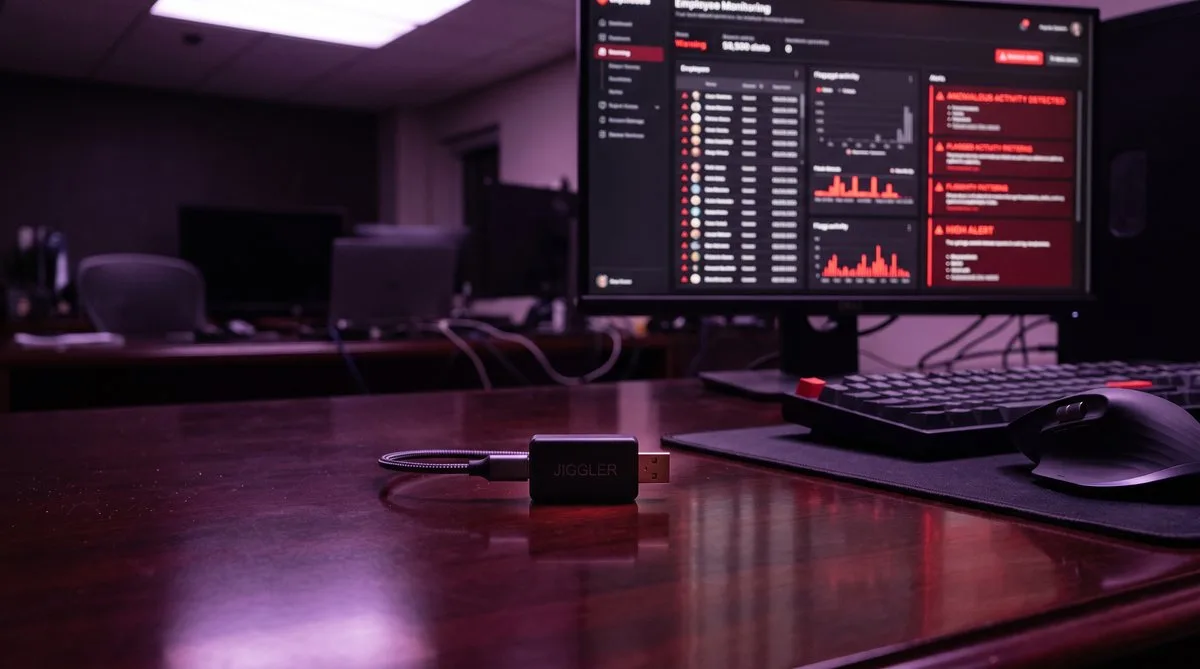
The Wells Fargo Incident
In 2024, Wells Fargo fired over a dozen employees in its wealth and investment management division for using mouse jigglers. The company classified their actions as “simulation of keyboard activity” that created “the impression of active work,” and called it gross misconduct.
The story was covered by Bloomberg, BBC, and major tech publications. It marked a turning point: mouse jiggler detection went from a niche IT concern to a mainstream corporate policy issue. Companies that had quietly tolerated remote work workarounds suddenly had a public precedent for termination.
Wells Fargo was not the first employer to fire people for this. But they were the first Fortune 500 company to make it public. Since then, monitoring software adoption has accelerated, and the detection tools have gotten significantly more sophisticated.
How Mouse Jigglers Work
Mouse jigglers come in two forms:
Hardware Jigglers
Small USB devices that plug into your computer and register as a standard mouse. They send periodic movement signals — typically a small circular or oscillating pattern — that keep your OS from entering idle mode. Popular models cost $25-$50 on Amazon. Mechanical versions (like the Liberty Mouse Mover) physically move a real mouse sitting on a platform, avoiding any USB connection entirely.
Software Mouse Movers
Applications like Move Mouse that programmatically move your cursor at set intervals. They do the same thing as hardware jigglers but without a physical device — keeping the cursor in motion to prevent screensavers, screen locks, and “Away” status in Teams or Slack.
Both types share the same fundamental limitation: they only simulate one channel of activity. The cursor moves, but nothing else happens.
5 Ways Employers Detect Mouse Jigglers
1. USB Device Logs
Every time a USB device is plugged into a Windows machine, the operating system creates an Event Log entry recording the device’s brand, model, serial number, and the exact time it was connected. IT departments can set up automated alerts for new HID (Human Interface Device) connections.
If your company laptop suddenly shows a “HONKID Mouse Jiggler” or an unfamiliar generic mouse appearing in the logs, it raises an immediate red flag. Some organizations run endpoint security tools (like CrowdStrike or Carbon Black) that specifically monitor for unauthorized USB devices.
2. Movement Pattern Analysis
Human mouse movement is messy. We accelerate and decelerate unevenly, overshoot targets, make micro-corrections, and pause in unpredictable positions. Mouse jigglers produce mechanically uniform patterns: perfect circles, fixed intervals, identical distances, zero acceleration variation.
Monitoring tools like Hubstaff, ActivTrak, and Teramind analyze movement data and flag patterns that are “too perfect.” Even randomized jigglers that vary their movement still lack the organic noise of real human input.
3. Screenshot Comparison
Most monitoring software takes periodic screenshots — every 1-10 minutes depending on configuration. When a mouse jiggler is running, consecutive screenshots show the same static screen. The cursor has moved, but the active window has not changed, no new text has appeared, and the scroll position is identical.
A manager reviewing screenshots does not need sophisticated analysis to notice that your screen looks exactly the same across 20 consecutive captures spanning 2 hours.
4. Activity Channel Mismatch
Modern trackers do not just measure “is the user active?” They measure what kind of activity. Time Doctor, for example, tracks mouse activity percentage and keyboard activity percentage separately. A normal work session shows both metrics fluctuating together. A mouse jiggler produces 100% mouse activity and 0% keyboard activity for hours at a time — a signature that no real work pattern produces.
Insightful goes further with second-by-second tracking. It can distinguish between a cursor moving steadily and a cursor moving with the varied velocity of someone navigating between windows, clicking buttons, and selecting text.
5. Work Output Correlation
The most damaging detection method is not technical at all. If your mouse has been moving for 8 hours but you have sent zero Slack messages, opened no files, attended no meetings, and produced no deliverables, the jiggler does not need to be detected for the absence of work to be noticed.
Managers who suspect low output will check monitoring data retroactively. Perfect mouse activity with zero everything else is the confirmation they need.
Software Movers vs Hardware Jigglers
The common advice online is that hardware jigglers are “safer” because they do not install software. This is only partially true:
- USB jigglers avoid software scans — endpoint security tools will not flag them as a running process because there is no process. But they do create USB device logs.
- Mechanical jigglers avoid USB detection entirely — the Liberty Mouse Mover physically moves your real mouse, so no new device appears in any log. This is the hardest type to detect from a hardware perspective.
- Software movers leave no USB trail — no device logs, no hardware evidence. But they may be detected by endpoint security scans if they match known jiggler app signatures.
None of this matters for detection methods 2-5. Whether a USB dongle, a mechanical platform, or a software app moves the cursor, the result is the same: uniform cursor movement with no keyboard input, no app switching, and identical screenshots. The monitoring software does not care what moved the cursor. It cares that nothing else happened while the cursor was moving.
What Actually Works Instead
The detection problem with mouse jigglers is fundamentally a single-channel problem. They simulate one signal (cursor movement) while leaving every other signal at zero. The fix is simulating all the signals that monitoring software tracks.
Multi-Channel Activity Simulation
TrickTack takes the opposite approach from a mouse jiggler. Instead of moving just the cursor, it generates activity across every channel that monitoring software measures:
- Mouse movement with natural acceleration, deceleration, and varied paths (not circles or oscillation)
- Keyboard input at realistic intervals, matching natural typing rhythm
- Application switching that changes the active window, so consecutive screenshots show different content (Pro tier)
- Tab cycling within browsers, creating varied screen content (Pro tier)
- Scrolling with varied speed and direction
- Randomized idle gaps — because real humans do not produce perfectly continuous activity for 8 hours straight
The result: every metric the tracker records — mouse %, keyboard %, active app changes, screenshot variation, idle gaps — shows realistic, varied, human-looking data. There is no single-channel signature to detect.
Available for Windows, macOS, and Linux. 7-day free trial, plans from $7/month.
Risk Assessment — When to Worry
Low risk — a mouse jiggler may be fine
- Your employer does not use monitoring software (just Teams or Slack status)
- You just need to prevent your personal laptop from sleeping during long downloads or builds
- You are a freelancer managing your own time and nobody tracks your activity
Medium risk — consider a multi-channel tool
- Your employer uses a lightweight tracker (Clockify, Toggl) with idle detection but no screenshots
- You need to step away for 30-60 minutes occasionally during work hours
- Your employer tracks Teams presence but does not run dedicated monitoring software
High risk — a mouse jiggler will get you caught
- Your employer runs Hubstaff, Time Doctor, ActivTrak, Teramind, or Insightful
- Screenshots are taken periodically and reviewed by your manager
- Your company uses endpoint security (CrowdStrike, Carbon Black, SentinelOne)
- You are managing multiple remote jobs and need consistent activity on both devices
If you are in that last group, a monitored activity report is only one of the ways a second job gets noticed. Our guide on how employers detect overemployment walks through all six detection vectors, from The Work Number to LinkedIn, and how to reduce each one.
Frequently Asked Questions
Can employers really detect mouse jigglers?
Yes. Employers detect mouse jigglers through three methods: USB device logs (Windows Event Logs record every new HID device including brand and model), movement pattern analysis (monitoring software flags mechanically regular cursor paths with fixed intervals and zero variation), and screenshot comparison (consecutive screenshots showing the same static screen with a moving cursor but no app changes, no typing, and no scroll position changes). Any one of these signals is enough for IT to investigate.
Can companies tell if you're using a mouse jiggler?
Yes, companies can tell if you are using a mouse jiggler — especially a hardware one. When you plug a USB jiggler in, Windows records it in the device logs with its brand and model, so IT can see a "mouse mover" appeared on your machine. Even a software jiggler gives itself away through its pattern: a cursor that drifts with no keyboard input, no app switching, and screenshots that never change. Companies running monitoring software get automated alerts for exactly this behavior, which is how the Wells Fargo terminations happened.
Can companies detect mouse jigglers remotely?
Yes. Because most monitoring agents run in the cloud, a company does not need physical access to your machine to detect a jiggler. The agent uploads USB device events, activity patterns, and screenshots to a dashboard the employer reviews remotely. A hardware jiggler is caught by the device log the moment it is connected; a software mover is caught by the single-channel activity pattern it produces. Neither requires anyone to physically inspect your desk.
What happened at Wells Fargo with mouse jigglers?
In 2024, Wells Fargo fired over a dozen employees in its wealth and investment management division for using mouse jigglers and similar devices. The company classified the behavior as “simulation of keyboard activity creating the impression of active work,” called it gross misconduct, and terminated the employees. The story was reported by Bloomberg, BBC, and IT Pro, making mouse jiggler detection a mainstream corporate concern rather than a niche IT issue.
Are software mouse movers safer than hardware jigglers?
Software mouse movers avoid the USB device log problem since they do not register as a new hardware device. However, they produce the same detectable single-channel pattern: cursor movement with no keyboard input, no app switching, and identical screenshots. Monitoring software flags this pattern regardless of whether a hardware dongle or a software program generated it. The detection risk is different in method but similar in outcome.
What actually works to avoid detection?
Multi-channel activity simulation is significantly harder to detect because it generates the same signals as a real person working: varied mouse movement with natural acceleration, keyboard input at realistic intervals, application switching that changes screenshot content, scrolling, and randomized idle periods. Monitoring software looks for the absence of these signals — a tool that produces all of them creates data that is statistically indistinguishable from genuine work.
Can I get fired for using a mouse jiggler?
Yes. Most employment contracts include clauses about honest representation of work performed. Using a mouse jiggler to appear active while not working can be classified as timesheet fraud, policy violation, or gross misconduct depending on your employer and jurisdiction. The Wells Fargo case established a precedent that major employers treat this as a fireable offense. Even in at-will employment states, the jiggler itself can serve as documented cause for termination.
Go Beyond a Mouse Jiggler
TrickTack simulates mouse, keyboard, app switching, and scrolling — every signal monitoring software tracks. No single-channel detection signature.
Try Free for 7 Days

