Introduction
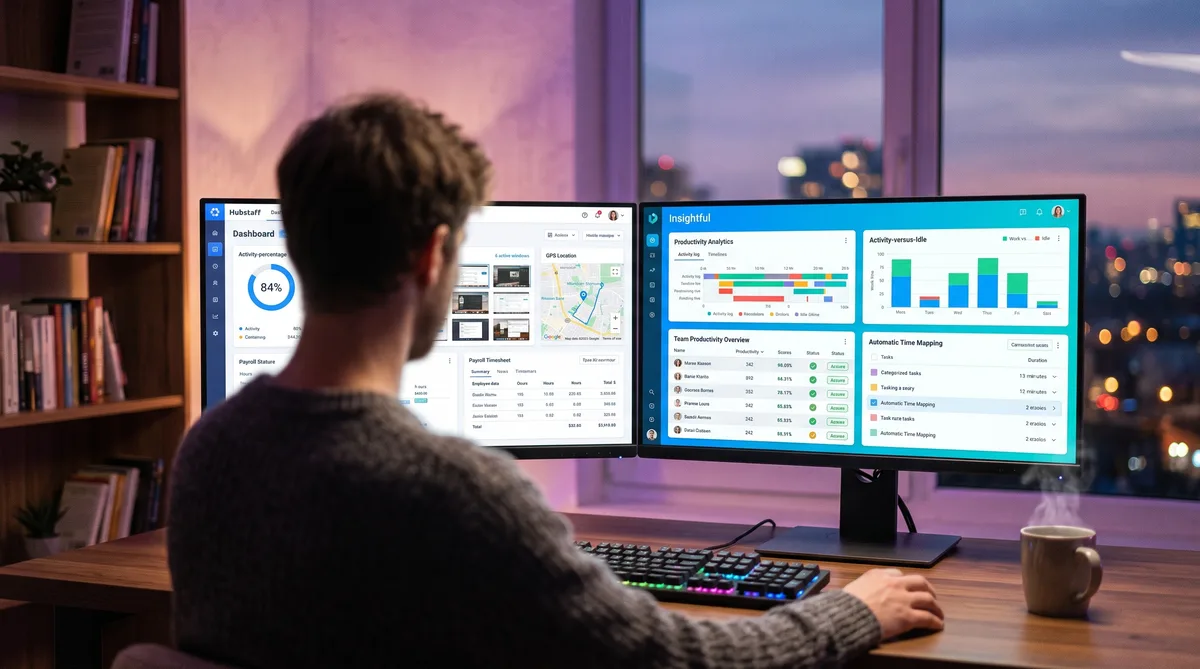
Put Hubstaff and Insightful side by side and they look like rivals for the same buyer. Both track time, both watch activity, both take screenshots, both roll it into dashboards. But they are built to answer different questions, and that is what should decide between them.
Hubstaff is a time-and-operations platform. Its job is to track hours, verify presence with screenshots and GPS, and turn those hours into pay through built-in payroll. Insightful is a workforce-analytics platform. Its job is to measure how time is spent and surface productivity patterns, trends, and where the hours actually go, without touching payroll at all.
So the real question is not "which is better," it's "do you need to run a workforce or understand one." This guide breaks down exactly what each tool records, compares pricing tier by tier, and helps you choose. For the wider category, start with our complete guide to employee monitoring software.
Hubstaff Overview
Hubstaff launched in 2012 and grew into a full time-tracking and workforce-management platform. Its pitch: track hours, verify activity, and pay people from one app. It suits teams that need to confirm work happened and turn it into pay, especially when those people are spread across cities or out in the field. For the full breakdown, see our Hubstaff review.
Key Features
- Time tracking — An active timer the worker starts and stops, or automatic tracking by schedule. Runs on desktop, mobile, and web.
- Activity levels — Measures keyboard and mouse activity as a percentage. It counts input; it does not log the actual keys you press.
- Screenshots — Optional captures on paid plans, with configurable frequency and an optional blur to hide sensitive content.
- GPS and geofencing — Location tracking on mobile, plus job-site geofences that auto clock workers in and out. A signature Hubstaff feature.
- Payroll and invoicing — Native pay runs through Gusto and ADP, built on approved timesheets, plus budgets and client invoicing.
- App and URL tracking — Logs applications and websites during tracked time (higher tiers and add-ons).
- Idle detection — Detects idle time and can prompt the user or discard it from the timesheet.
- Integrations — 30+ connections including Asana, Trello, QuickBooks, Slack, and PayPal.
Who Uses It
Hubstaff is popular with field-service businesses, agencies, and remote teams that bill clients and run payroll off tracked hours. The GPS and geofencing draw in construction, cleaning, and delivery crews who work away from a desk, while the payroll tools appeal to companies that want tracking and pay in one place.
Monitoring Philosophy
Hubstaff is operational rather than analytical. It leans on activity percentages, optional screenshots, and location to confirm that work happened and to turn it into pay. It is not trying to model deep productivity trends; it is trying to run the mechanics of a distributed workforce. To see exactly how it measures activity, read our Hubstaff activity guide.
Insightful Overview
Insightful, founded in 2016 and formerly known as Workpuls, sits at the productivity-analytics end of the market. It watches how time is spent and turns that into workforce insight, without the payroll and location machinery Hubstaff is built around. For the full breakdown, see our Insightful review.
Key Features
- Second-by-second activity tracking — Measures keyboard and mouse activity to separate active time from idle time. It counts input; it does not log the keys you press.
- Productivity analytics — Deep productivity scores, app and website labeling, trend analysis, and workforce segmentation, its core strength.
- App and URL tracking — Categorizes applications and websites as productive, unproductive, or neutral.
- Screenshots — Triggered or scheduled captures, up to 30 per hour on the top bundle.
- Automatic Time Mapping — Attributes tracked time to projects and tasks automatically, with no manual entry.
- Stealth or visible mode — Can run hidden or openly, at the admin's choice.
- 50+ integrations — Connects with HRIS, payroll providers, and project tools.
- Optional add-ons — Screen Recording, Workspace Security, and On-Demand Screenshots each add roughly $4 per seat.
Who Uses It
Insightful is popular with operations, HR, and team leads who want visibility into productivity and capacity. It appeals to distributed and hybrid knowledge-work teams that care about workload balance, burnout risk, and where time actually goes, and its lack of a seat minimum makes it friendly to smaller companies.
Monitoring Philosophy
Insightful is analytical rather than operational. Its core product measures activity and produces productivity insight rather than running payroll or tracking location. It still takes screenshots and offers stealth mode, so it is monitoring software, but its center of gravity is understanding the workday, not administering it. To see how it measures activity, read our Insightful monitoring guide.
Feature Comparison
Here is where the two separate. The table compares every major capability so you can see exactly what each platform does.
| Capability | Hubstaff | Insightful |
|---|---|---|
| Core focus | Time tracking, GPS, and payroll operations | Productivity analytics and workforce insight |
| Time tracking mode | Active timer (start/stop) or automatic | Automatic, second-by-second |
| GPS and geofencing | Yes — location tracking and job-site geofences | Not available |
| Payroll and billing | Native payroll (Gusto/ADP), invoicing, budgets | None, even with add-ons |
| Productivity analytics | Activity %, basic app/URL categorization | Deep scores, labeling, trends, segmentation |
| Automatic Time Mapping | Not a feature | Yes — auto-attributes time to projects |
| Screenshots | Optional; configurable frequency, blur option | Yes; up to 30/hour on top bundle |
| Screen video recording | Not available (screenshots only) | Add-on only (~$4/seat) |
| Keystroke logging | No content logging (activity count only) | No content logging (activity count only) |
| Seat minimum | 2-seat minimum on paid plans | No seat minimum |
The pattern is clear. Hubstaff owns the operational layer — GPS, geofencing, and native payroll that turn tracked hours into paid hours. Insightful owns the analytical layer — deeper productivity scoring, trends, segmentation, and Automatic Time Mapping that explain how the workday is spent. Each is stronger exactly where the other is thin.
They also overlap in the middle: both count activity, both take screenshots, and neither logs the actual keys you type or records continuous screen video by default. That keeps both lighter than a full surveillance suite like Teramind, which we cover in a separate comparison.
Pricing Comparison
Pricing only makes sense next to features, because these two are not really selling the same thing. Here is what each plan costs and what it unlocks.
Hubstaff Pricing (per user/month, billed annually)
| Plan | Price | Tracking Included |
|---|---|---|
| Free | $0 (1 user) | Time tracking, limited screenshots and activity, basic reports |
| Starter | $4.99 | Time tracking, activity levels, limited screenshots, 1 integration (2-seat min) |
| Grow | $7.50 | Everything in Starter + app/URL tracking, project budgets, unlimited screenshots |
| Team | $10 | Everything in Grow + idle discard, timesheet approvals, GPS/geofencing, payroll |
| Enterprise | $25 | Everything in Team + higher limits, SSO, and priority support |
Insightful Pricing (per user/month, no seat minimum)
| Plan | Price | What It Adds |
|---|---|---|
| Workforce Analytics | $10 | Activity tracking, screenshots, real-time monitoring, stealth mode |
| Workflow Optimization | $15 | Everything above + project management and deeper app/website usage |
| Work Intelligence Bundle | $20 | Everything above + Automatic Time Mapping and up to 30 screenshots/hour |
| Add-ons | +$4 each | Screen Recording, Workspace Security, or On-Demand Screenshots per seat |
On price, Hubstaff wins the low end: a free single-user plan and paid tiers from $4.99, though with a 2-seat minimum. Insightful starts higher at about $10/user for Workforce Analytics, but with no seat minimum and a heavier analytics feature set. The catch is capability, not just cost. Hubstaff's cheaper tiers still include GPS and payroll at the Team level; Insightful never offers those at any price. What Insightful's price buys is the productivity depth Hubstaff does not match.
Both offer a free trial, and pricing shifts over time, so confirm current rates before committing. For a wider set of options, see our roundup of the top time tracking tools.
Which Should You Choose?
The decision is unusually clean here, because the two barely overlap on their strengths.
Choose Hubstaff if you need to track time and pay people from it, especially with a mobile or field team. GPS, geofencing, timesheet approvals, and native payroll through Gusto and ADP make it a complete operations system for construction, delivery, cleaning, field service, and agencies that bill by the hour. It is also the cheaper starting point, with a genuine free plan.
Choose Insightful if your team is desk-based knowledge workers and you want to understand productivity in depth. Its scores, labeling, trend analytics, segmentation, and Automatic Time Mapping give operations and HR a far richer picture of how time is spent, plus burnout and workload signals Hubstaff does not produce. Just know it will not run payroll or track location.
If your needs straddle both, some teams run a dedicated payroll or PM tool alongside Insightful, or accept Hubstaff's lighter analytics for the sake of its all-in-one operations. For related matchups, our Hubstaff vs DeskTime comparison pits Hubstaff against another automatic tracker, and Teramind vs Insightful shows how Insightful stacks up against heavy surveillance.
Stay Active Under Any Time Tracker
Trick Tack simulates natural mouse movement, keyboard input, and app-switching to keep your activity and productivity metrics consistent while you step away from your desk.
DownloadPros and Cons
Hubstaff Pros
- GPS and geofencing — Location tracking and auto clock-in/out for field teams.
- Native payroll — Pay runs through Gusto and ADP built on tracked hours.
- Free single-user plan — Plus a low $4.99 Starter tier.
- All-in-one operations — Time, activity, location, and pay in one system.
- Flexible screenshots — Optional, with a blur to protect sensitive content.
Hubstaff Cons
- Shallower analytics — Activity percentages, not deep productivity insight.
- No Automatic Time Mapping — Time attribution is more manual.
- 2-seat minimum on paid plans — Slightly less flexible than no minimum.
- GPS can feel invasive — Location tracking surprises many desk workers.
Insightful Pros
- Deep productivity analytics — Scores, labeling, trends, and segmentation.
- Automatic Time Mapping — Attributes time to projects without manual entry.
- No seat minimum — Start at a single user.
- Workload and burnout signals — Insight Hubstaff does not surface.
- 50+ integrations — Strong HRIS and PM connectivity.
Insightful Cons
- No payroll or billing — Not even through add-ons.
- No GPS — Nothing for mobile or field teams.
- Higher entry price — Starts around $10/user with no free plan.
- Still has stealth mode — Can run hidden, which surprises some employees.
Managing Your Activity with Either Tool
Whichever tool your employer picks, both Hubstaff and Insightful judge you on the same basics: keyboard and mouse activity, idle time, and productivity. Step away for a call, a meeting, or a coffee, and your numbers drop — Hubstaff's activity percentage falls and idle time is flagged, and Insightful's activity and productivity metrics dip.
This is where Trick Tack helps. Trick Tack is a lightweight desktop app that simulates natural human activity — mouse movement, keyboard input, scrolling, and app-switching — so your tracked time stays consistent while you are away from the keyboard. Because both tools measure the same inputs and neither logs the content of what you type, the same approach covers what each one records. You can see exactly which behaviors it produces in our documentation.
How Trick Tack Works
- Mouse simulation — Natural, randomized cursor movement that mimics real browsing.
- Keyboard simulation — Keystroke activity at human-like intervals.
- App switching — Cycles between open applications to simulate multitasking.
- Scrolling — Page scrolling inside active windows.
The randomized, varied nature of that input matters. A basic hardware mouse jiggler repeats one identical motion, which can show up as a flat, robotic line in either tool's activity graph. Natural, varied movement reads as ordinary work instead. For tool-specific tips, see our guides on staying active in Hubstaff and staying consistent under Insightful, plus our umbrella guide on cheating time tracking software.
Frequently Asked Questions
Does Insightful have GPS tracking and payroll like Hubstaff?
No. This is the clearest split between the two. Hubstaff includes GPS location tracking, geofencing that auto clocks workers in and out at job sites, and native payroll through Gusto and ADP built on approved timesheets. Insightful has neither GPS nor payroll, and it does not add them even through paid add-ons. Insightful puts its effort into productivity analytics instead. If you need location tracking or to pay people from tracked hours, Hubstaff is the only option of the two.
Which has better productivity analytics, Hubstaff or Insightful?
Insightful, clearly. It offers deeper productivity scores, app and website labeling, trend analytics, workforce segmentation, and Automatic Time Mapping that attributes time to projects on its own. Hubstaff measures activity as a percentage and categorizes apps and URLs, but it does not go as deep on productivity insight. Hubstaff's strength is operational: time, GPS, and payroll. Insightful's strength is understanding how knowledge-work time is actually spent.
Do Hubstaff and Insightful log keystrokes?
Neither logs the actual keys you type. Both count keyboard and mouse activity to measure how active you are, but they do not record keystroke content the way a tool like Teramind or EmpMonitor does. Both take screenshots, Hubstaff with configurable frequency and an optional blur, and Insightful up to 30 per hour on its top bundle. Insightful offers screen recording as a paid add-on, while Hubstaff records screenshots only, no continuous video.
Which is cheaper, Hubstaff or Insightful?
Hubstaff, at the entry level. Hubstaff has a free plan for a single user and paid plans from $4.99/user/month on annual billing, though it carries a 2-seat minimum on paid tiers. Insightful starts at about $10/user/month for Workforce Analytics with no seat minimum. For a small team that needs GPS or payroll, Hubstaff is both cheaper and more capable. For deep productivity analytics without payroll, Insightful's higher price buys a different kind of value.
Can Hubstaff or Insightful detect a mouse jiggler or fake activity?
Neither markets a dedicated anomaly-detection feature the way Time Doctor does with its unusual activity report. Both, however, graph activity over time and take screenshots, so a basic hardware jiggler that repeats one identical motion can appear as a flat, robotic pattern or look wrong in a capture. Tools that generate natural, randomized mouse movement, keystrokes, scrolling, and app-switching read as ordinary human work, which is far harder to separate from real activity than a fixed loop.
Conclusion
Hubstaff and Insightful rarely compete head-to-head once you know what you need. Hubstaff is the time-and-operations platform — an active or automatic timer, screenshots, GPS, geofencing, and native payroll that verify work and turn it into pay, ideal for field and mobile teams. Insightful is the workforce-analytics platform — deep productivity scores, trends, segmentation, and Automatic Time Mapping that explain how desk-based hours are spent, with no payroll or location in sight.
For employers, the choice comes down to the job. If you need to track and pay a distributed or field workforce, Hubstaff does it in one system, and cheaply. If you need to understand and optimize how a knowledge-work team spends its time, Insightful goes deeper than Hubstaff ever tries to. If you want simple, trust-based tracking without either the payroll machinery or the analytics scoring, our Harvest vs Toggl comparison covers lighter alternatives.
If you are the employee working under one of these tools, the day-to-day reality is similar either way: both track your keyboard, mouse, and active time, and every idle stretch gets noticed. Trick Tack helps you keep those activity and productivity metrics steady — it produces the natural mouse movement, keyboard input, scrolling, and app-switching that both Hubstaff and Insightful measure, so your tracked time stays consistent even when you step away.
Try Trick Tack Free for 7 Days
Keep your activity reports consistent with Hubstaff, Insightful, or any time tracking tool. Cancel anytime during your trial.
Download

