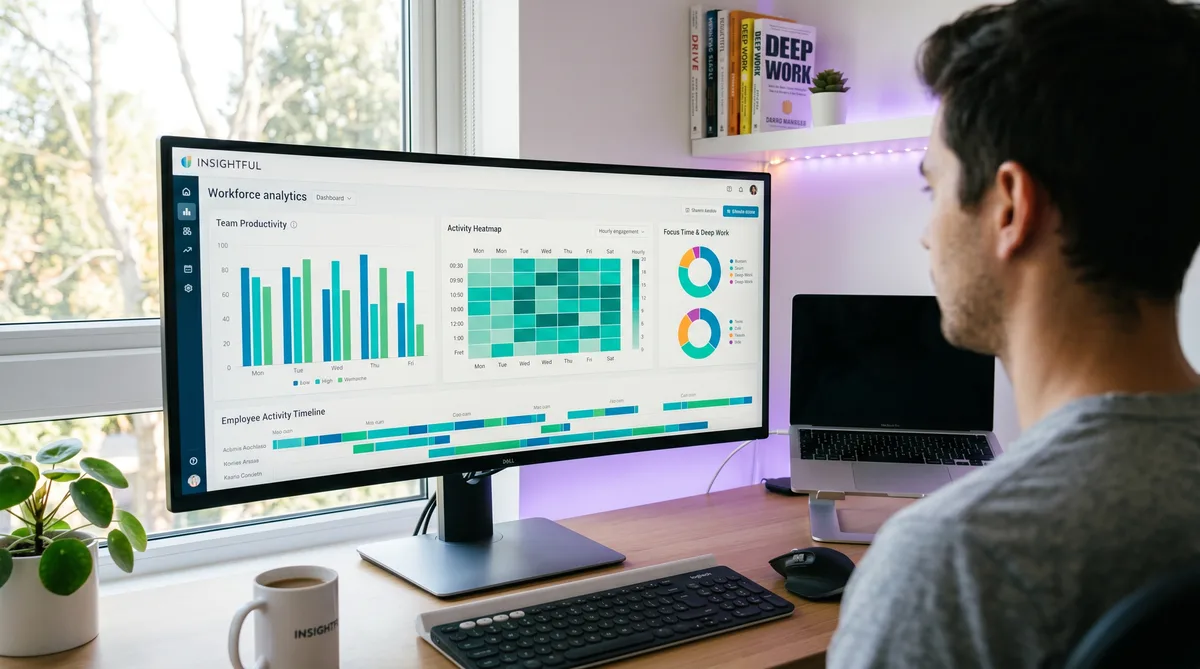
What Is Insightful?
Insightful is a workforce analytics and employee monitoring platform headquartered in New York with its engineering hub in Belgrade, Serbia. Originally launched as Workpuls in 2016, it rebranded to Insightful in April 2022, shifting its positioning from pure surveillance toward workforce intelligence. The company is bootstrapped, has grown to $18.7 million in annual recurring revenue with 89% year-over-year growth, and now serves over 5,800 organizations and 210,000 users.
What sets Insightful apart from competitors is its combination of second-by-second activity tracking with a strong privacy stance. It captures screenshots, logs every app and website, and scores productivity — but it explicitly does not log keystrokes, read emails, or monitor webcams. It sits in the middle ground between lightweight time trackers like Toggl and full-surveillance platforms like Teramind, with a particular strength in HRIS integrations that most competitors lack.
This review covers Insightful's features, its 2026 pricing (including the add-on costs that push the real price above the headline), the trade-offs to weigh, and the strongest alternatives. For a detailed breakdown of how Insightful monitors activity and how to keep your reports consistent — including if your employer still calls it by its old name, Workpuls — see our companion article on how Insightful tracks activity. For the broader landscape, our guide to cheating time tracking software compares all major monitoring tools.
Key Insightful Features
Activity Tracking and Productivity Scoring
Insightful installs a lightweight desktop agent on Windows, macOS, or Linux (beta) that runs in the background and tracks activity with second-by-second granularity. It records the foreground application, the specific URL in your browser, and how long you spend in each. Every app and website is classified as productive, unproductive, or neutral using customizable rules that can be set per team and role.
Your productivity score — the percentage of active time on productive apps — appears on the manager dashboard alongside team averages and historical trends. This is similar to DeskTime and ActivTrak, though Insightful's second-by-second resolution is finer than most competitors.
Idle detection triggers after two minutes of no keyboard input, mouse clicks, or scrolling by default (configurable from 30 seconds to 10 minutes). Notably, mouse movement alone does not count as activity — only clicks, keystrokes, and scrolling register. This makes Insightful harder to fool with a basic mouse jiggler than tools that count any mouse movement. After four hours of idle, Insightful can auto-clock-out the user.
The real-time dashboard shows nine status categories per employee: Active, Productive, Unproductive, On Break, Idle, Absent, Clocked-Out, On Time-Off, and Worked Today. Managers get an at-a-glance view of which employee is in which app right now.
Screenshots and Visual Monitoring
Insightful captures screenshots at randomized intervals, configurable per hour. Screenshots can be blurred with adjustable intensity to protect sensitive content, and multi-monitor support captures up to four screens simultaneously. Screenshots are retained for 60 days by default.
Insightful also sells an on-demand screenshot add-on. It lets an authorized manager request a current capture instead of waiting for the next randomized interval. That is a manager-initiated action, not an automatic capture triggered by a suspicious app switch or drop in keyboard input. For the complete employee-side explanation, see when Insightful takes screenshots.
Optional screen recording is available as a $4/seat/month add-on, capturing continuous video of the desktop in WebM format. It supports multi-screen capture, playback at various speeds, and 60-day retention. Screen recording uses roughly 1.5 GB per hour and adds about 6% CPU overhead — heavier than screenshot-only monitoring.
Automatic Time Mapping
Insightful's Automatic Time Mapping (ATM) feature automatically detects which activities correspond to which projects and tasks, eliminating the need for manual timers. The system learns from application and URL patterns to allocate time to projects without employee input — a capability that DeskTime and ActivTrak lack.
This ties into built-in project and task tracking with budget monitoring, milestone tracking, and resource allocation. For organizations that bill clients by the hour, ATM turns Insightful's monitoring data into payroll-ready time records without employees needing to start or stop anything.
HRIS Integrations and Reporting
Insightful's integration library is its strongest competitive advantage. With 50+ native integrations, it has the deepest HRIS coverage of any tool in this review series:
- HRIS (40+): BambooHR, HiBob, Workday, ADP, SAP SuccessFactors, UKG, Personio, Deel
- Project management (18+): Jira, Asana, Trello, ClickUp, Monday.com, Basecamp, Linear
- Identity/SSO: Okta, OneLogin, Microsoft Entra ID, JumpCloud, CyberArk
- Data warehouse: BigQuery, Snowflake, Power BI, Tableau, Looker
- DevOps: GitHub, GitLab, Bitbucket, Azure DevOps
The HRIS depth is significant because it means Insightful can automatically sync employee data, PTO schedules, and team structures from your HR system — something Hubstaff, Time Doctor, and ActivTrak require manual configuration for. A public REST API is available on all plans.
Reporting includes auto-populated productivity summaries, CSV export, and an InsightsAI chatbot (currently in beta) that answers natural-language workforce questions.
What Insightful Does Not Monitor
| Monitoring Capability | Insightful | DeskTime | ActivTrak | Teramind |
|---|---|---|---|---|
| App & URL tracking | All plans | All paid plans | All plans | All plans |
| Productivity scoring | All plans | All paid plans | All paid plans | All plans |
| Screenshots | All plans | Premium only | Add-on ($2) | All plans |
| Screen video recording | Add-on ($4) | No | No | UAM+ |
| Keystroke logging | No | No | No | UAM+ |
| Email / chat content | No | No | No | UAM+ |
| Webcam capture | No | No | No | No |
| GPS / location tracking | No | No | No | No |
| DLP / content blocking | No | No | No | DLP tier |
| Stealth mode | Yes | No | Yes | Yes |
| HRIS integrations | 40+ | None | None | None |
Insightful does not log keystrokes, read email or chat content, access your webcam, track GPS, or enforce DLP policies. It monitors keyboard and mouse engagement (whether you are active) but never records what you type. Forbes recognized Insightful as the best choice for employee privacy, and it holds SOC 2 Type II and ISO 27001 certifications alongside HIPAA, GDPR, and CCPA compliance.
Insightful Pricing in 2026
Insightful uses per-seat, per-month pricing with both monthly and annual billing. There are no seat minimums, and managers who only view dashboards are not billed. Annual billing saves roughly 20%.
| Plan | Monthly | Annual (per seat/mo) | Best For |
|---|---|---|---|
| Workforce Analytics | $10/seat/mo | $8/seat/mo | Activity tracking, productivity scoring |
| Workflow Optimization | $15/seat/mo | $12/seat/mo | Project time mapping, PM integrations |
| Combo | $20/seat/mo | $16/seat/mo | Both products, payroll, dedicated manager |
| Enterprise | Custom | Custom | SSO, audit logs, insider threat, on-premise |
Workforce Analytics — $10/seat/month ($8 annual)
- App and website tracking with productivity classification
- Screenshots at randomized intervals (with blur option)
- Real-time employee overview dashboard
- Idle detection (2-minute default threshold)
- Capacity analysis and activity reports
- Stealth mode, 2FA, API access
Workflow Optimization — $15/seat/month ($12 annual)
- Automatic Time Mapping to projects and tasks
- Project management integrations (Jira, Asana, Trello)
- Workflow mapping, tracking, and measurement
- Customized onboarding
Combo — $20/seat/month ($16 annual)
- Everything in both plans
- Location insights (remote vs. in-office)
- Payroll and customer service integrations
- Dedicated account manager, phone support
Add-Ons (any plan)
- Screen Recording — $4/seat/month
- On-Demand Screenshots — $4/seat/month
- Increased Screenshot Frequency — $3/seat/month (up to 120/hour)
- Workspace Security — $4/seat/month (insider threat detection)
- Data Warehouse Integrations — $0.50/seat/month
The headline price is competitive — $8/seat/month undercuts ActivTrak ($10) and Teramind ($14). But add-ons push the real cost higher quickly. Screen recording plus workspace security on the base plan brings it to $16/seat/month. Compared with DeskTime at $7/month (screenshots included on Premium at $10), Insightful's entry price is slightly higher but includes screenshots on the base plan.
Pros and Cons
What Insightful Does Well
- HRIS integration depth — 40+ HRIS connectors dwarf every competitor. BambooHR, Workday, ADP, Deel — automatic user sync and PTO data without manual CSV uploads.
- Second-by-second granularity — Finer activity resolution than most competitors, with real-time nine-status dashboard showing exactly who is doing what right now.
- Privacy-first monitoring — No keylogging, no email reading, no webcam, no DLP. Forbes-recognized for employee privacy. SOC 2 Type II and ISO 27001 certified.
- No seat minimums, flexible billing — Monthly or annual billing with no minimum users, unlike ActivTrak (5 users, annual-only) and Teramind (5 users).
- Employee-facing dashboards — Workers can view their own productivity data, building transparency. Most competitors restrict dashboards to managers only.
- Automatic Time Mapping — Zero-input project time allocation that DeskTime and ActivTrak cannot match.
- High review scores — G2 4.7/5, Capterra 4.8/5, consistently praised for customer support and ease of setup.
Where Insightful Falls Short
- No mobile app — No iOS or Android monitoring agent. Teams with mobile or field workers need Hubstaff instead.
- Essential features behind add-ons — Screen recording ($4), on-demand screenshots ($4), and workspace security ($4) all cost extra. Competitors like Time Doctor include these on base plans.
- macOS inconsistencies — Some features work differently or break on Mac compared to Windows, per user reviews.
- Mouse movement alone does not count — Only clicks, keystrokes, and scrolling register as active. This is stricter than most tools and catches basic mouse jigglers, but also penalizes legitimate mouse-heavy work like design.
- Linux is beta — Ubuntu and Fedora only, Gnome/Cinnamon on Xorg, no screen recording. Not production-ready for Linux-heavy teams.
- No GPS, no payroll processing — Insightful tracks time but does not process payments. Hubstaff handles both.
Insightful Alternatives
DeskTime
DeskTime is the simpler, cheaper alternative for teams that want automatic productivity tracking without complexity. It is fully automatic, includes a Private Time button for personal tasks, and starts at $7/user/month. It lacks Insightful's integration depth and project time mapping, but its ease of setup and lower price make it the better fit for small teams.
ActivTrak
ActivTrak is the closest competitor in workforce analytics depth. Its burnout detection, AI coaching, and workload balance features go deeper than Insightful's analytics on the Professional plan. But ActivTrak requires annual billing with a 5-user minimum, screenshots cost extra, and it has no HRIS integrations or project tracking.
Hubstaff
Hubstaff is the better choice for field teams and freelancer billing. GPS tracking, geofencing, payroll, and invoicing cover use cases Insightful cannot touch. Starting at $4.99/user/month with screenshots included, it is also cheaper for teams that need time tracking and payments rather than workforce analytics.
Teramind
Teramind is the security-first alternative for regulated industries. Keystroke logging, screen video, email monitoring, and DLP with 200+ policy templates make it the most comprehensive surveillance platform available. Insightful deliberately omits all of these. Choose Teramind for compliance and insider threat; choose Insightful for productivity analytics with privacy.
TrickTack
If you are tracked by Insightful and need your activity to reflect work that does not involve clicks and keystrokes — phone calls, reading, whiteboard sessions, or focused thinking — TrickTack simulates natural mouse movement, keyboard input, scrolling, and app switching. Since Insightful ignores mouse movement alone, TrickTack's multi-input simulation is essential. Free 7-day trial.
Frequently Asked Questions
How much does Insightful cost?
Insightful has three paid plans with no seat minimums. Workforce Analytics costs $8/seat/month billed annually ($10 monthly) and includes app tracking, screenshots, productivity scoring, and idle detection. Workflow Optimization costs $12/seat/month annually ($15 monthly) and adds automatic time mapping to projects and PM integrations. The Combo plan bundles both for $16/seat/month annually ($20 monthly). Enterprise pricing is custom. Optional add-ons include screen recording ($4/seat), on-demand screenshots ($4), and workspace security ($4). All plans include a 7-day free trial.
Is Insightful the same as Workpuls?
Yes. Insightful was originally called Workpuls and rebranded in April 2022. The core monitoring features remained the same, but Insightful added deeper workforce analytics, productivity benchmarking, and expanded its integration library to 50+ tools. If your employer previously used Workpuls, they are now using Insightful. The underlying tracking technology is identical.
Does Insightful record keystrokes?
No. Insightful explicitly does not log keystrokes. It tracks keyboard activity as an engagement metric — measuring whether you are actively typing — but it never records what you type. This is a deliberate privacy decision that helped Insightful earn recognition from Forbes as the best choice for employee privacy. It also does not monitor email content, chat messages, clipboard data, or webcam feeds.
Does Insightful take screenshots?
Yes. Insightful captures screenshots at randomized intervals, configurable per hour. Screenshots can be blurred to protect sensitive content, and multi-monitor support captures up to four screens. A separate on-demand add-on lets an authorized manager request a current capture. Screenshots are retained for 60 days.
What platforms does Insightful support?
Insightful has desktop agents for Windows 10+, macOS 11+, and Linux (Ubuntu and Fedora, in beta). There is no mobile monitoring agent for iOS or Android, and no ChromeOS support. The platform supports cloud, on-premise (minimum 250 employees), and private cloud deployments with data residency options in the US, EU, and Canada.
Conclusion
Insightful occupies a distinctive position between lightweight time trackers and heavy surveillance platforms. Its second-by-second activity tracking, automatic time mapping, and unmatched HRIS integration depth give it capabilities that simpler tools like DeskTime and Toggl cannot match, while its deliberate omission of keylogging, email monitoring, and DLP keeps it from crossing into Teramind territory.
The trade-offs are real: no mobile app, essential features locked behind add-ons, macOS inconsistencies, and a stricter-than-average idle detection that ignores mouse movement alone. Teams needing GPS should look at Hubstaff. Teams wanting simpler automatic tracking should consider DeskTime. Teams in regulated industries needing DLP should evaluate Teramind.
But for mid-to-large organizations that want productivity analytics with strong HRIS integration, employee-facing dashboards, and a genuine privacy-first approach, Insightful delivers more than most competitors at a competitive price. And if you work under Insightful and need your activity to reflect the real work you do during calls, reading, and thinking, TrickTack was built for exactly that.
Keep Your Insightful Reports Consistent
Insightful ignores mouse movement alone — you need clicks, keystrokes, and scrolling. TrickTack simulates all of them alongside app switching. Try it free for 7 days.
Download

