What Is Timeular?
Timeular is a physical time tracking device paired with a companion app that turns switching between tasks into a tactile gesture. Founded in Austria in 2017, the company launched its signature product on Kickstarter: an 8-sided polyhedron that connects to your computer or phone via Bluetooth. Assign a task to each side, flip the device so that side faces up, and the corresponding timer starts automatically. No clicking, no searching for the right project in a dropdown menu, no context switching.
In March 2025, Timeular officially rebranded to EARLY. The company said the new name reflects a broader vision for productivity and time management. The product itself — the app, the Tracker device, the pricing — stayed the same through the transition. Both names still circulate widely, and the company acknowledges "Timeular" in its marketing alongside the EARLY brand.
What makes Timeular unusual in the time tracking category is that it is not a monitoring tool. It does not take screenshots, record keystrokes, track your GPS location, or report your activity to a manager. It exists purely to help individuals and teams log their hours more accurately by reducing the friction of starting and stopping timers. That puts it in a fundamentally different category from tools like Hubstaff, DeskTime, or Time Doctor, which combine time tracking with employee surveillance.
This review covers Timeular's features, 2026 pricing, strengths and weaknesses, and the best alternatives. If you are choosing between its physical habit cue and a software-first timer, see our worker-focused Toggl vs Timeular comparison. If you are deciding between Timeular and its closest hardware competitor, see our detailed Timeular vs TimeFlip comparison. For a broader view of time tracking options, check our top time tracking software roundup.
Key Timeular Features
The Physical Tracker
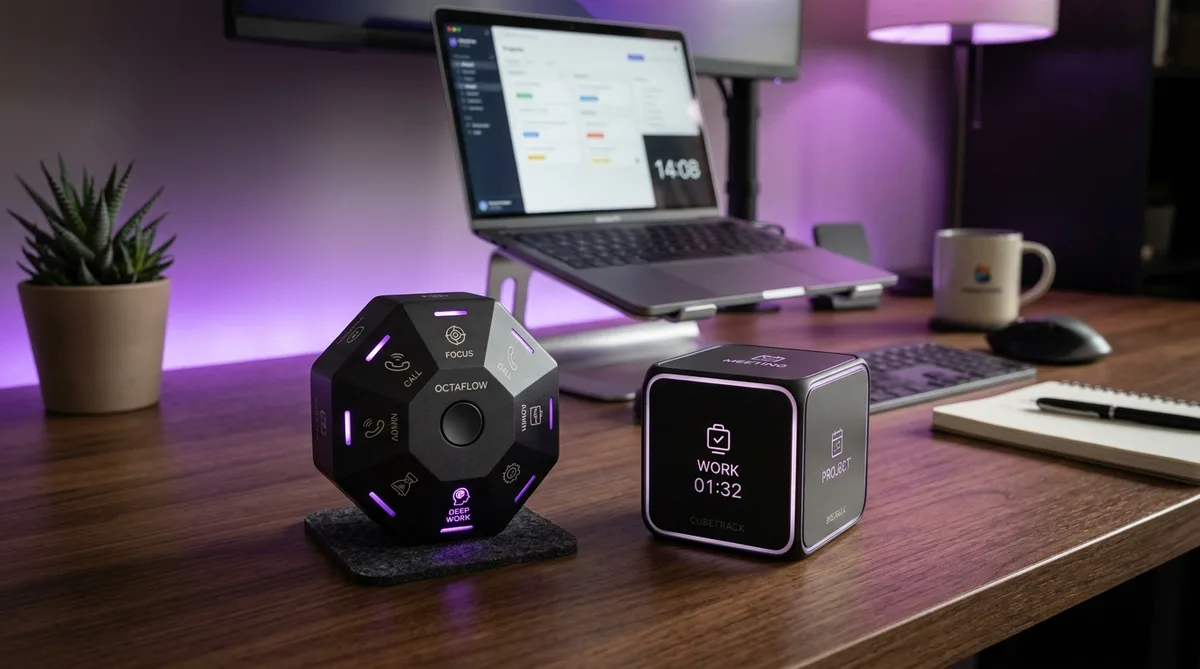
The Timeular Tracker is an 8-sided polyhedron (technically a truncated octahedron) roughly the size of a tennis ball, weighing about 57 grams. It connects via Bluetooth Low Energy and works with macOS, Windows, iOS, and Android. Each of the 8 sides can be assigned to a task, project, or client through the companion app.
The tracking mechanism is simple: flip the device so the relevant side faces up, and the timer for that task starts. Flip to a different side, and the previous timer stops while the new one begins. The physical gesture takes under a second and becomes muscle memory within a few days of use, which is the core value proposition — it eliminates the mental friction that causes people to forget their software timers.
Battery life is one of the Tracker's best hardware features. It runs on a single CR2032 coin cell that lasts approximately 5 to 6 months with daily use. No charging cables, no USB ports. When the battery dies, you pop the back open and replace it for under a dollar. The device also includes dry-erase writable surfaces on each side, so you can label tasks with the included markers and relabel whenever your projects change — no stickers to peel off.
The Tracker costs $69 as a one-time purchase, with volume discounts available for teams ordering 10 or more units. It is sold separately from the software subscription.
The App (EARLY)
This is where Timeular distinguishes itself from other physical trackers. The EARLY app is a fully standalone time tracker that works with or without the physical device. You can start and stop timers using keyboard shortcuts, the desktop app interface, or by dragging to create time entries on a visual calendar view. The Tracker is an optional input method, not a requirement.
The app includes an auto-tracking feature that detects which applications you use in the background and suggests time entries based on that data. This is not screen monitoring — it records app names and window titles locally on your device to help you reconstruct your day if you forgot to flip the Tracker. You can accept, modify, or ignore these suggestions.
For teams, the app offers shared projects, timesheet approvals, manager dashboards, role-based access controls, and multi-member reporting. Each team member can have their own Tracker device linked to the same workspace. This makes Timeular the only physical time tracker that genuinely works for organizations rather than just solo users.
The app runs on macOS, Windows, iOS, Android, and web, syncing data across all platforms. The desktop apps provide the fullest experience, including the auto-tracking feature, while mobile apps offer manual timer control and report viewing.
Integrations
Timeular connects to over 3,000 apps through its native Zapier integration. Direct (native) integrations include Jira, Asana, Google Calendar, Microsoft Outlook, and Toggl Track. The Toggl integration includes a migration tool that imports your existing Toggl data directly, which is useful if you are switching from software-only tracking to a physical device workflow.
The integration library is broader than competitors like TimeFlip, which relies on calendar integrations and Zapier without native connections to project management tools. However, compared to full-featured time trackers like Harvest or Toggl Track, Timeular's native integrations are relatively limited — most of its 3,000+ figure comes through Zapier rather than built-in connections.
Timeular also provides a well-documented API for building custom integrations, which is valuable for development teams or agencies with bespoke project management workflows.
Reporting and Analytics
Reports include daily, weekly, and monthly breakdowns with project-level filtering, tag-based analytics, and CSV export. You can view time data by activity, project, or team member, and the calendar view provides a visual timeline of how your day was spent.
On higher-tier plans, Timeular adds leave tracking, overtime calculations, and goal setting. Managers can set time budgets for projects, track utilization rates, and receive alerts when teams approach capacity limits. The reporting is adequate for freelancers and small teams but does not match the depth of enterprise tools like ActivTrak or Insightful, which offer AI-powered productivity analytics, burnout detection, and workforce optimization metrics.
That said, Timeular is not trying to compete with monitoring platforms. Its reports focus on time allocation and billing rather than productivity measurement or compliance auditing.
Timeular Pricing in 2026
Timeular separates hardware and software costs. The physical Tracker is a one-time $69 purchase (optional). The app requires an ongoing subscription:
| Plan | Monthly Price | Annual Price (per user/mo) | Best For |
|---|---|---|---|
| Personal | ~$9.50/user/mo | $7.50/user/mo | Solo freelancers, basic tracking |
| Personal Pro | Higher tier | Higher tier | Goals, leave tracking, overtime |
| Team | ~$19/user/mo | $15.80/user/mo | Shared projects, approvals, dashboards |
| Enterprise | Custom | Custom | Dedicated support, custom onboarding |
All plans include a 30-day free trial with full access to every feature. There is no free plan. The Tracker device is optional since the app works standalone, so the minimum cost to use Timeular is just the software subscription.
Total Cost of Ownership
If you buy the Tracker and subscribe to the Personal plan for two years, your total investment is roughly $69 + $180 = $249. Compare that to free alternatives like Toggl Track (free for up to 5 users) or Clockify (free for unlimited users), and the premium becomes significant. You are paying for the physical habit-building aspect, not for features that free tools lack.
For teams, the cost scales linearly: 10 users on the Team plan with Tracker devices would run roughly $690 (devices) + $1,896/year (subscriptions) = $2,586 in the first year. Compared with DeskTime at $7/user/month ($840/year for 10 users, no hardware cost), Timeular is the more expensive option — but it serves a different purpose.
Pros and Cons
What Timeular Does Well
- Physical habit building — The flip-to-track gesture eliminates the #1 time tracking failure mode: forgetting to start the timer. People who have failed with software-only tools consistently report that the physical device makes tracking automatic.
- App works without the device — Unlike TimeFlip, Timeular's app is a fully standalone time tracker with keyboard shortcuts, calendar drag-and-drop, and auto-tracking. The device is optional, not mandatory.
- Team features — Shared projects, timesheet approvals, manager dashboards, and role-based access make Timeular the only physical tracker that works for organizations, not just individuals.
- Long battery life — 5-6 months on a cheap, replaceable CR2032 coin cell. No charging cables to forget.
- Dry-erase labels — Rewrite side labels with the included markers whenever projects change. No sticker residue.
- 30-day free trial — Longer than the typical 14-day trial. Enough time to genuinely test whether the physical tracking habit works for you.
- No surveillance — No screenshots, no keylogging, no GPS, no webcam. Timeular tracks time, not behavior.
Where Timeular Falls Short
- Ongoing subscription cost — The device costs $69 upfront, and then you pay $7.50+/month forever. Over two years, that is $249 for a tool that free alternatives like Toggl and Clockify replicate in software.
- Only 8 task slots — The Tracker has 8 sides. If you regularly work on more than 8 projects simultaneously, you will need to reassign sides frequently or forgo the device and use the app alone. TimeFlip offers 12 sides.
- No LED feedback on the device — The Tracker has no visual indicator of which task is currently active. You have to check the app or remember which side is up. TimeFlip's colored LED glow solves this problem.
- Bluetooth connectivity issues — Multiple user reviews report occasional Bluetooth disconnections, especially on Windows. When the device loses connection, flips are not recorded until it reconnects.
- Device build quality concerns — Some users report the Tracker feels lightweight and plasticky for a $69 device. The dry-erase markings can smudge if handled frequently.
- No free plan — Every competitor in the software-only time tracking space offers a free tier. Timeular's entry point is a paid subscription, making casual evaluation harder despite the 30-day trial.
- Limited native integrations — The 3,000+ integration count comes from Zapier, not native connections. Direct integrations are limited to Jira, Asana, calendars, and a few others.
Who Should Use Timeular?
Ideal Users
- Freelancers who bill by the hour — Accurate time tracking directly impacts your income. If you lose billable hours to forgotten timers, the Tracker pays for itself quickly.
- Consultants juggling multiple clients — Flipping a physical device is faster and more reliable than switching projects in a software dropdown when you move between client calls throughout the day.
- Agencies and small teams — The Team plan's shared projects, approvals, and manager dashboards make Timeular one of the few physical tracker solutions that scales beyond individual use.
- People who have tried and failed with software timers — This is Timeular's core audience. If Toggl, Clockify, or manual timesheets did not stick because you kept forgetting, the physical device addresses that specific failure mode.
Not the Right Fit For
- People who already track time consistently — If software timers work for you, Timeular adds cost without improving accuracy.
- Employers looking for employee monitoring — Timeular does not take screenshots, measure activity levels, or report to managers. For monitoring, look at Hubstaff, DeskTime, or Time Doctor.
- Budget-conscious users — The $249+ two-year cost is hard to justify when Toggl and Clockify offer robust tracking for free.
- Field workers or mobile-first teams — The Tracker is a desk device. If your team works in the field, on construction sites, or from vehicles, a GPS-enabled tool like Hubstaff is more practical.
Timeular Alternatives
Toggl Track
Toggl Track is the most popular software-only time tracker, offering a generous free plan for up to 5 users with unlimited tracking, reporting, and over 100 integrations. It lacks a physical device, but its browser extension, desktop app, and mobile app make starting timers nearly as fast as flipping a cube. If you do not specifically need the physical habit cue, Toggl gives you equal or better functionality at zero cost.
Clockify
Clockify offers unlimited free tracking for unlimited users, making it the budget champion of the category. Paid tiers add screenshots, GPS tracking, and team management. Like Toggl, it is software-only, but it covers more tracking features on its free tier than Timeular offers on its paid plans. The trade-off is that Clockify's interface is less polished.
TimeFlip
TimeFlip is Timeular's direct hardware competitor — a 12-sided dodecahedron that works on the same flip-to-track principle. It offers 50% more task slots, LED indicators that confirm the active task, tap-to-pause functionality, and no ongoing subscription. The $59 device includes all app features for life. The trade-off is a more basic companion app with no standalone timer, no team features, and no keyboard shortcuts. For individual users on a budget, TimeFlip is the stronger value.
Harvest
Harvest combines time tracking with built-in invoicing, project budgets, and expense management. It is software-only with no physical device, but its invoicing integration means tracked hours flow directly into client invoices without a separate billing tool. If you need time tracking primarily for billing rather than habit building, Harvest is a more practical alternative.
Looking for Activity Simulation?
TrickTack simulates natural mouse movement, keyboard input, scrolling, and app switching to keep your activity reports consistent while you step away. Works alongside any time tracker. Try it free for 7 days.
Download TrickTackFrequently Asked Questions
Is Timeular worth it?
Timeular (now EARLY) is worth it if you have consistently failed to track time with software-only tools and need a physical cue to build the habit. The 8-sided Tracker makes starting and switching timers a sub-second physical gesture, which removes the mental friction of finding and clicking a software timer. The app also works fully without the device, so you are paying for a complete time tracking platform, not just a gadget. However, at $69 for the device plus $7.50/month minimum for the software, the total cost adds up quickly. If you already track time reliably with a free tool like Toggl or Clockify, Timeular adds cost without solving a real problem.
Does Timeular work without the physical device?
Yes. The Timeular app (now called EARLY) functions as a fully standalone time tracker without the physical Tracker device. You can start and stop timers using keyboard shortcuts, the desktop app interface, or by dragging entries on a calendar view. The 8-sided Tracker is an optional add-on that makes switching tasks faster through physical gestures, but every feature of the software is accessible without it. This is a meaningful advantage over competitors like TimeFlip, whose app is designed primarily around the physical device.
What happened to Timeular? Why is it called EARLY?
Timeular officially rebranded to EARLY in March 2025. The company said the new name reflects a broader vision for time management beyond just tracking. The product itself did not change in the rebrand: same app, same physical Tracker device, same pricing, same team. All existing subscriptions, integrations, and data carried over without interruption. The Timeular name still appears widely in reviews and search results, and the company acknowledges both names during the transition period.
Does Timeular take screenshots?
No. Timeular does not take screenshots, record your screen, log keystrokes, monitor your webcam, or track your GPS location. It is a time tracking tool, not an employee monitoring tool. The app records which applications you use in the background to suggest time entries through its auto-tracking feature, but it does not capture visual content or report activity data to a manager. If your employer uses monitoring software that takes screenshots or tracks activity levels, Timeular will not help you manage those reports — that is a separate problem addressed by tools like TrickTack.
Is there a free version of Timeular?
No. Timeular (EARLY) does not offer a free plan. All plans require a paid subscription starting at $7.50/user/month billed annually. However, every plan includes a 30-day free trial with full access to all features, which is longer than the typical 14-day trial offered by most competitors. If you need a free time tracker, Toggl Track offers a free plan for up to 5 users, and Clockify provides unlimited free tracking for unlimited users.
Conclusion
Timeular occupies a unique position in the time tracking market. It is not a monitoring tool — it does not watch employees, take screenshots, or measure productivity. It is a habit-building device designed to solve one specific problem: people who know they should track their time but consistently forget to start the timer.
The physical Tracker is genuinely clever. The flip-to-track gesture is faster than any software timer, and the dry-erase labels keep it flexible as projects change. The companion app is strong enough to work as a standalone tracker, which means you are not locked into the hardware if you leave it at home. Team features, calendar integrations, and the Jira/Asana connections make Timeular a viable option for small agencies and consulting firms, not just solo freelancers.
The downsides are real: ongoing subscription costs on top of the hardware purchase, only 8 task slots, Bluetooth reliability issues, and no free tier. If you already track time successfully with Toggl or Clockify, Timeular adds cost without adding value. If you need employee monitoring rather than time tracking, look at Hubstaff or DeskTime instead.
But if you have tried software timers and they did not stick, and you bill by the hour, the Tracker is worth a serious look. The 30-day free trial is long enough to know whether the physical habit will work for you. And if you use any time tracking tool — Timeular or otherwise — alongside monitoring software that measures activity levels, TrickTack keeps your reports consistent during breaks, phone calls, and reading time that does not register as active input.


